

 Free Windows app · coming to Microsoft Store
CrepdcM Battery Calibration Assistant: fix a laptop battery percentage you can't trust
A free Windows app for laptops whose battery percentage jumps, drops suddenly or switches off at 20–40%. It watches the percentage next to the real power draw, shows exactly when the gauge jumped and at what level the laptop shut down, compares full-charge capacity with design capacity, and walks you through a calibration. Save a snapshot before and after, and see whether calibration fixed it or the battery is simply worn out.
Free · Windows 10 (1903+) and Windows 11 · no account, no ads
What it does
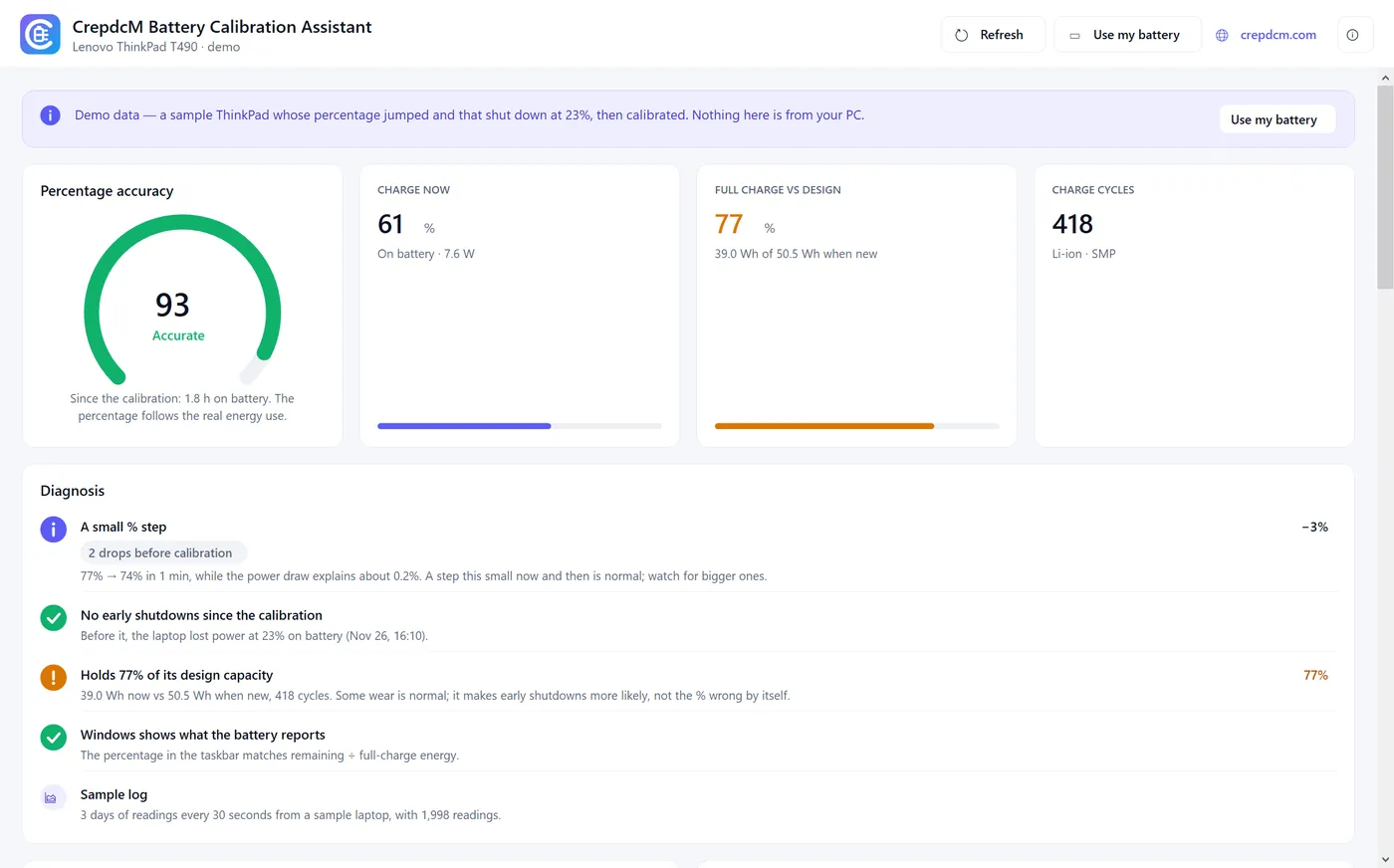
Sudden % drops, caught in the act
Every 30 seconds the percentage is compared with the energy the laptop actually used, so a jump from 40% to 30% in a minute stands out.
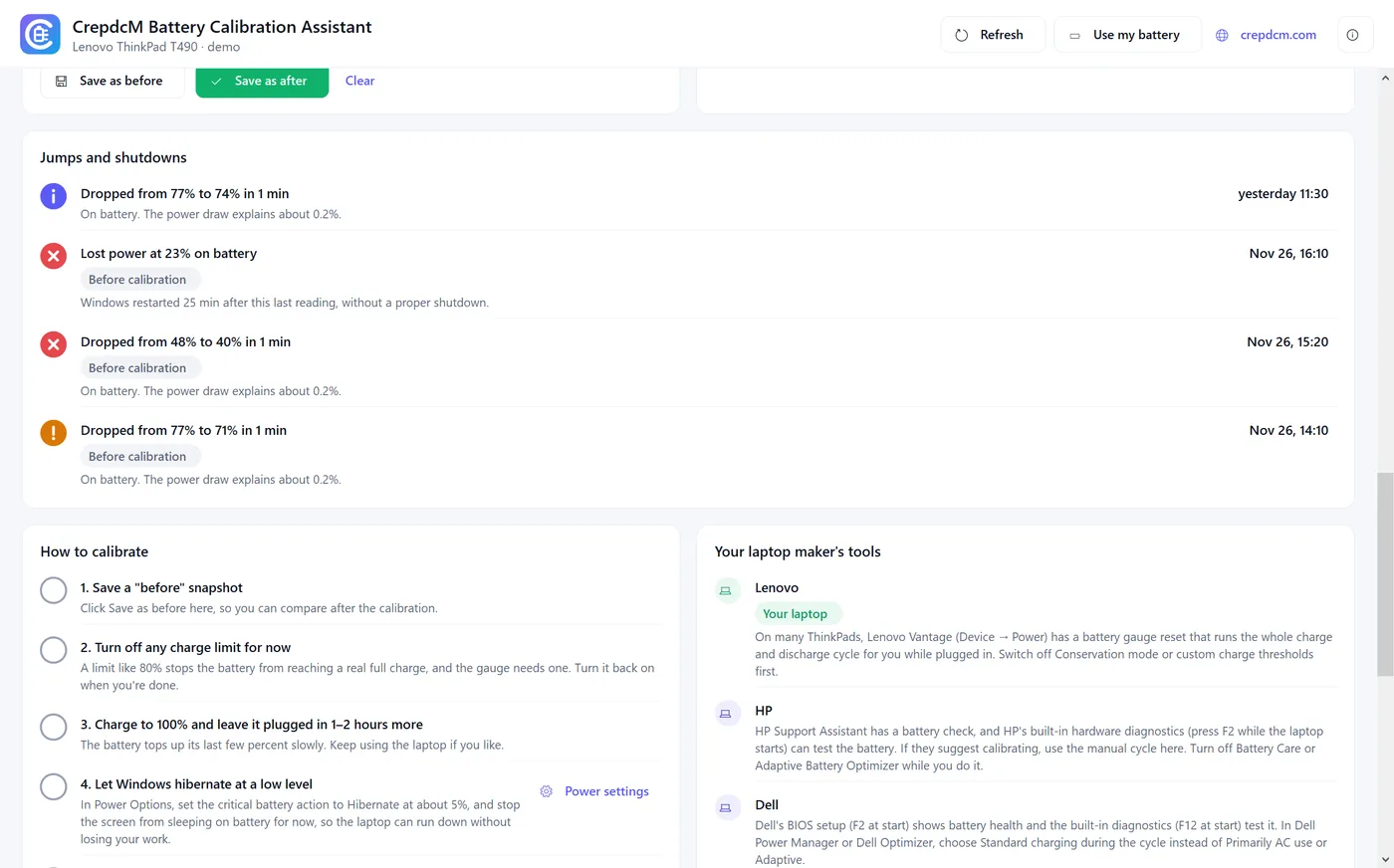
Shutdowns at 20–40%
When the laptop lost power on battery, you see the last percentage before it happened.
Capacity vs design
How much energy the battery holds now compared with when it was new, plus wear and charge cycles.
Percentage accuracy score
One number from 0 to 100, based only on what was measured, with a plain-words verdict.
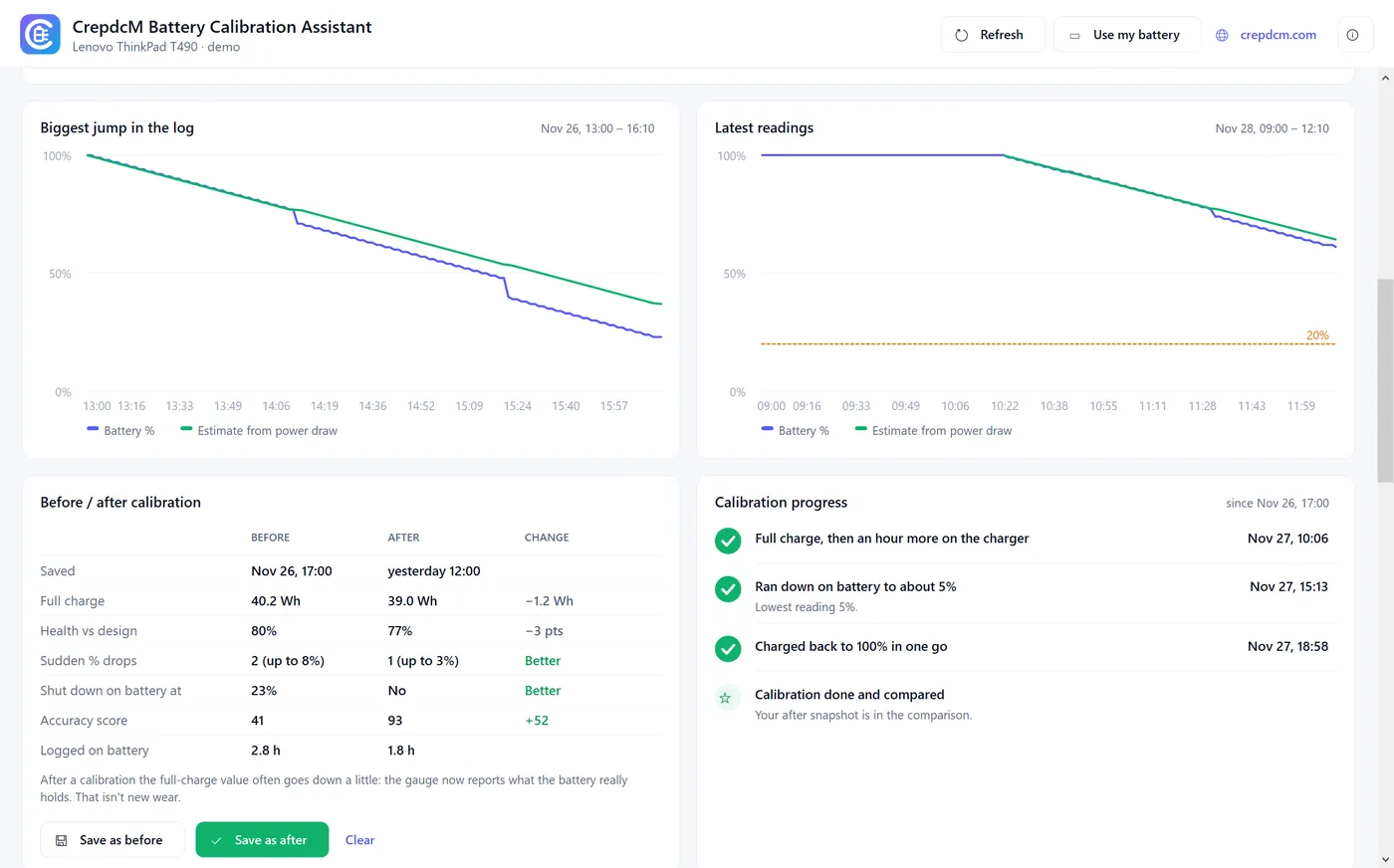
% vs power-draw chart
The battery percentage next to an estimate from the power draw; a gauge jump shows as a clear step.
Calibration made simple
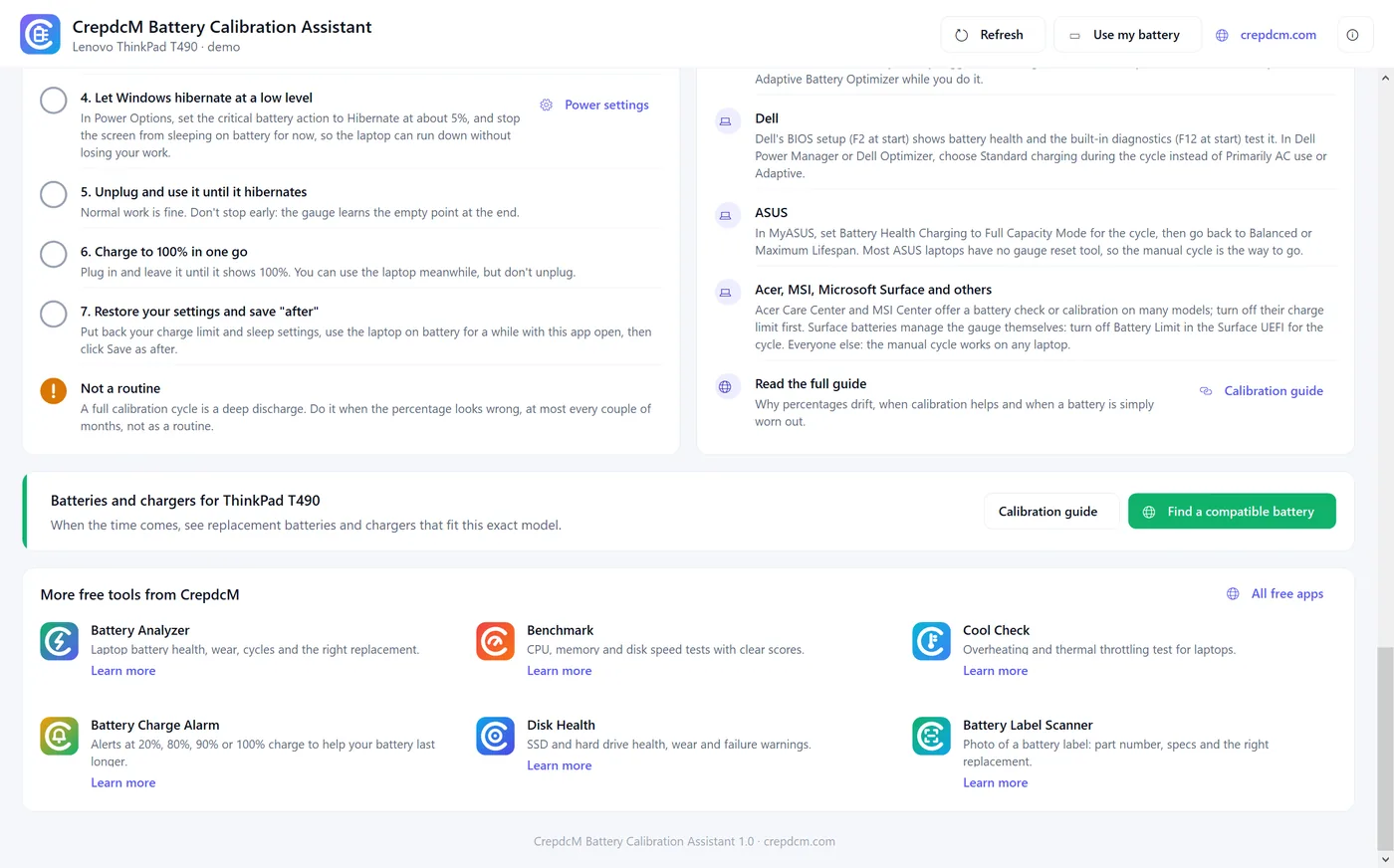
Step-by-step instructions plus pointers for Lenovo, HP, Dell, ASUS, Acer, MSI and Surface laptops.
Progress tracked for you
Full charge and rest, run down, recharge in one go: each step ticks off by itself.
Before and after
Compare capacity, jumps, early shutdowns and the score side by side.
Screenshots
Install and open it
Get CrepdcM Battery Calibration Assistant free from the Microsoft Store and keep it open (minimized is fine) while you use the laptop on battery.
See what's wrong
Sudden drops, early shutdowns and worn capacity are listed with times and numbers. Click Save as before.
Calibrate and compare
Follow the steps for your laptop, then click Save as after to see whether the percentage is accurate again.
Privacy
- Everything runs and stays on your PC; there is no telemetry.
- Battery readings are kept on your PC for 14 days, and "Clear log" deletes them.
- Before/after snapshots stay on your PC until you clear them.
- No serial numbers, user or computer names are read or sent.
- Links to crepdcm.com carry only your laptop model and, for battery links, the design capacity.
- No account, no ads, no tracking.
Looking after a laptop battery?
CrepdcM is a laptop battery finder: specs, compatible part numbers and the right replacement for 100,000+ laptop models.
Frequently asked questions
Why is my battery percentage wrong?
The battery has a small chip that counts the energy going in and out. Over months of partial charges it drifts and no longer knows the true full and empty points. The percentage then jumps, freezes, or the laptop switches off while still showing 20% or more.
What does calibration actually do?
A full charge, a run down to nearly empty and a full recharge let the battery's gauge see the real full and empty points again. It doesn't add capacity; it makes the percentage honest.
My laptop shuts down at 30%. Will calibration fix it?
Often, if the gauge has drifted. If it keeps happening after a calibration, the battery is usually worn out and can't deliver power at low charge any more. The before/after comparison shows which one it is.
Full-charge capacity went down after calibration. Did I damage the battery?
No. The battery now reports what it really holds. The earlier, higher number was the inaccurate one.
How often should I calibrate?
Only when the percentage looks wrong, and at most every couple of months. A full discharge is a deep cycle, so it's not something to do as a routine.
Does the app change my settings?
No. It only reads the battery and explains what to do. You change any charge limit or power setting yourself, and the app tells you where to find them.
Does it work on a desktop PC?
Desktop PCs have no battery to check. The app says so and offers a built-in demo with a sample laptop.

