Free Windows app · coming to Microsoft Store
CrepdcM Battery Label Scanner — photograph the label, get the right laptop battery
A free Windows app that reads the label on your laptop battery with the text recognition built into Windows: part number, voltage, capacity and cells in seconds, the batteries that match on crepdcm.com and the laptops they fit. Open a photo, drop it in, paste it — or take it with your phone and send it to your PC with a QR code.
Free · Windows 10 (1903+) and Windows 11 · no account, no ads
What it does
Finds the part number
Reads the number after FRU P/N, P/N, SP/N, Model or Type, or spots one by its format (L17C3P51, 01AV431, C31N1339, F3YGT, HT03XL…).
Fixes OCR mix-ups
0/O, 1/I, 5/S, 8/B and 2/Z confusions are corrected when the format makes it clear, and the likely variants are searched too.
Specs from the label
Voltage, mAh and Wh (the missing one calculated), cells from codes like 3ICP6/54/90 or 3S2P, Li-ion or Li-polymer and the manufacture date.
Any angle, any label
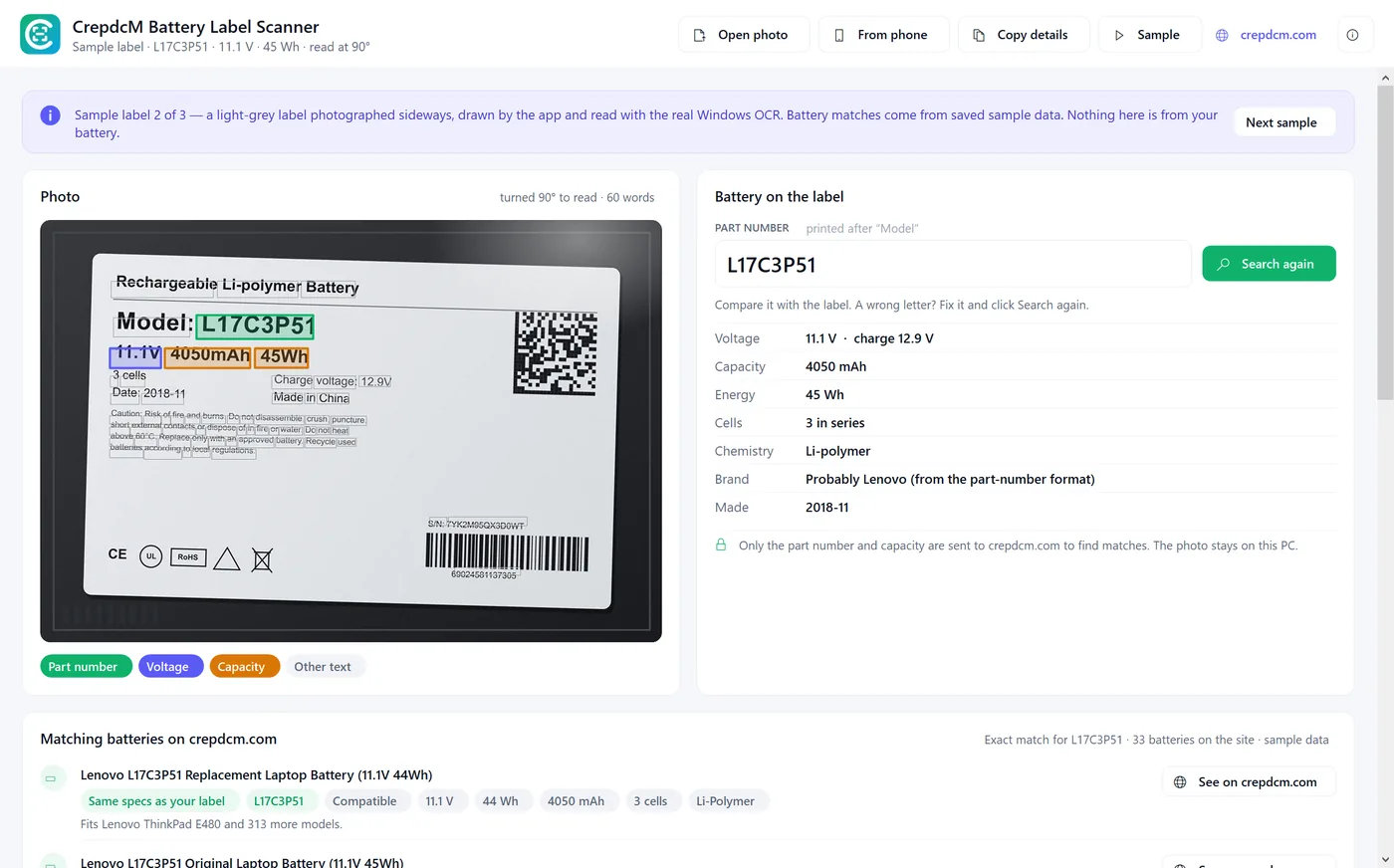
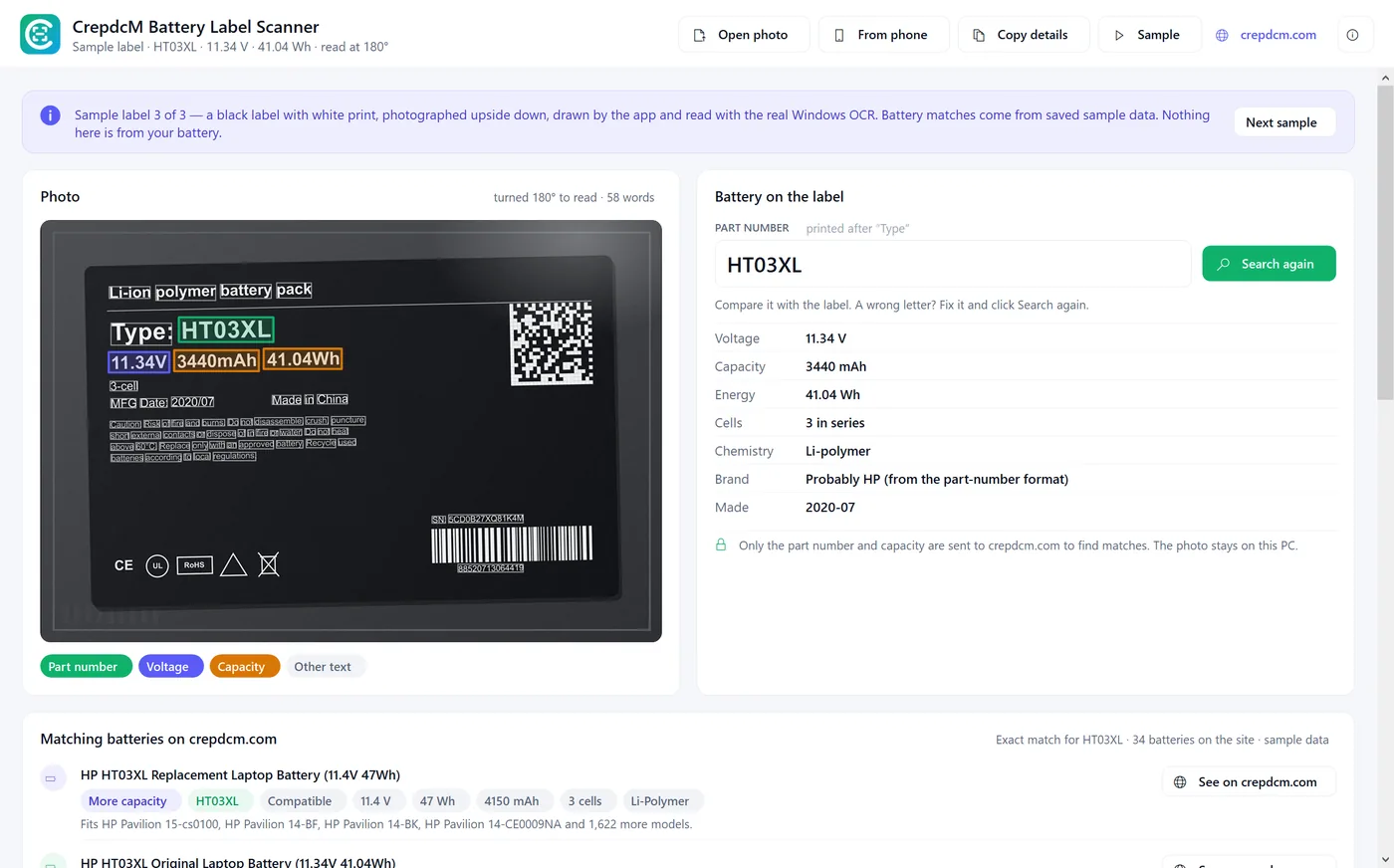
Sideways and upside-down photos are turned automatically; black labels with white print work too.
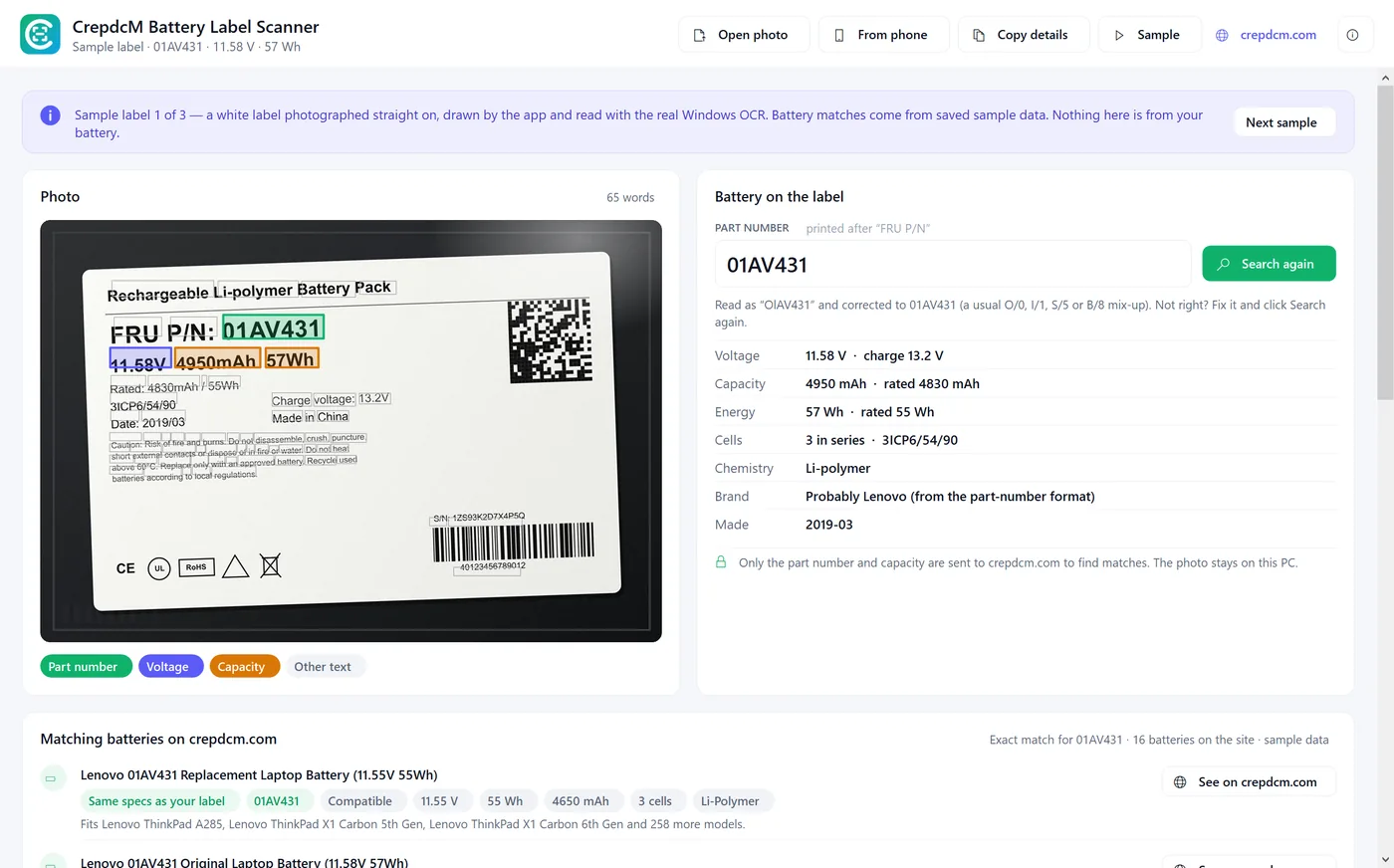
See what was read
Every recognized word is outlined on the photo, with the part number, voltage and capacity highlighted; fix a letter and search again.
Matching batteries
Originals and compatible replacements on crepdcm.com with specs, a "same specs as your label" check and the laptops each one fits.
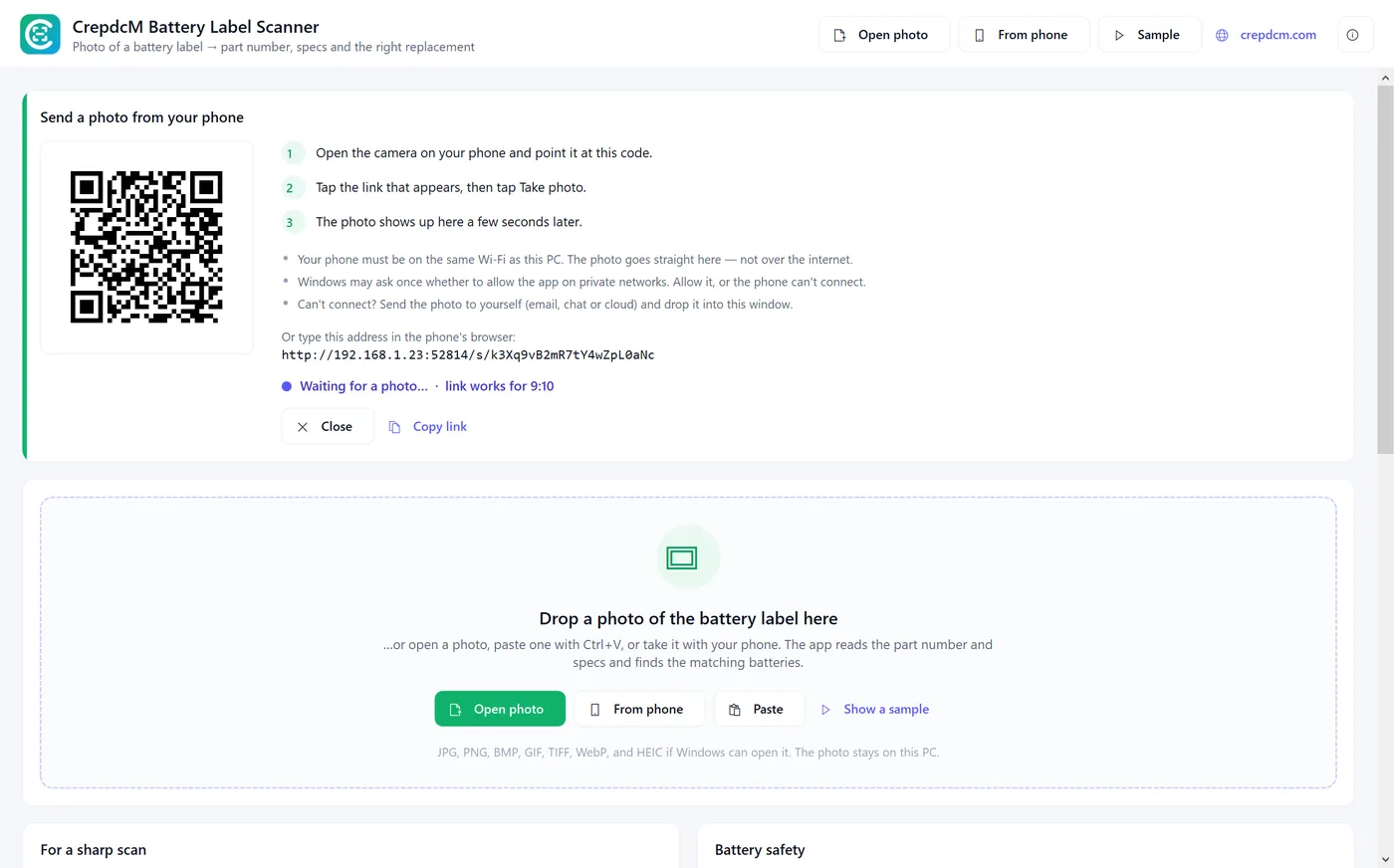
From phone with a QR code
Scan the code, take the photo, and it appears on your PC over your Wi-Fi; no app or account on the phone.
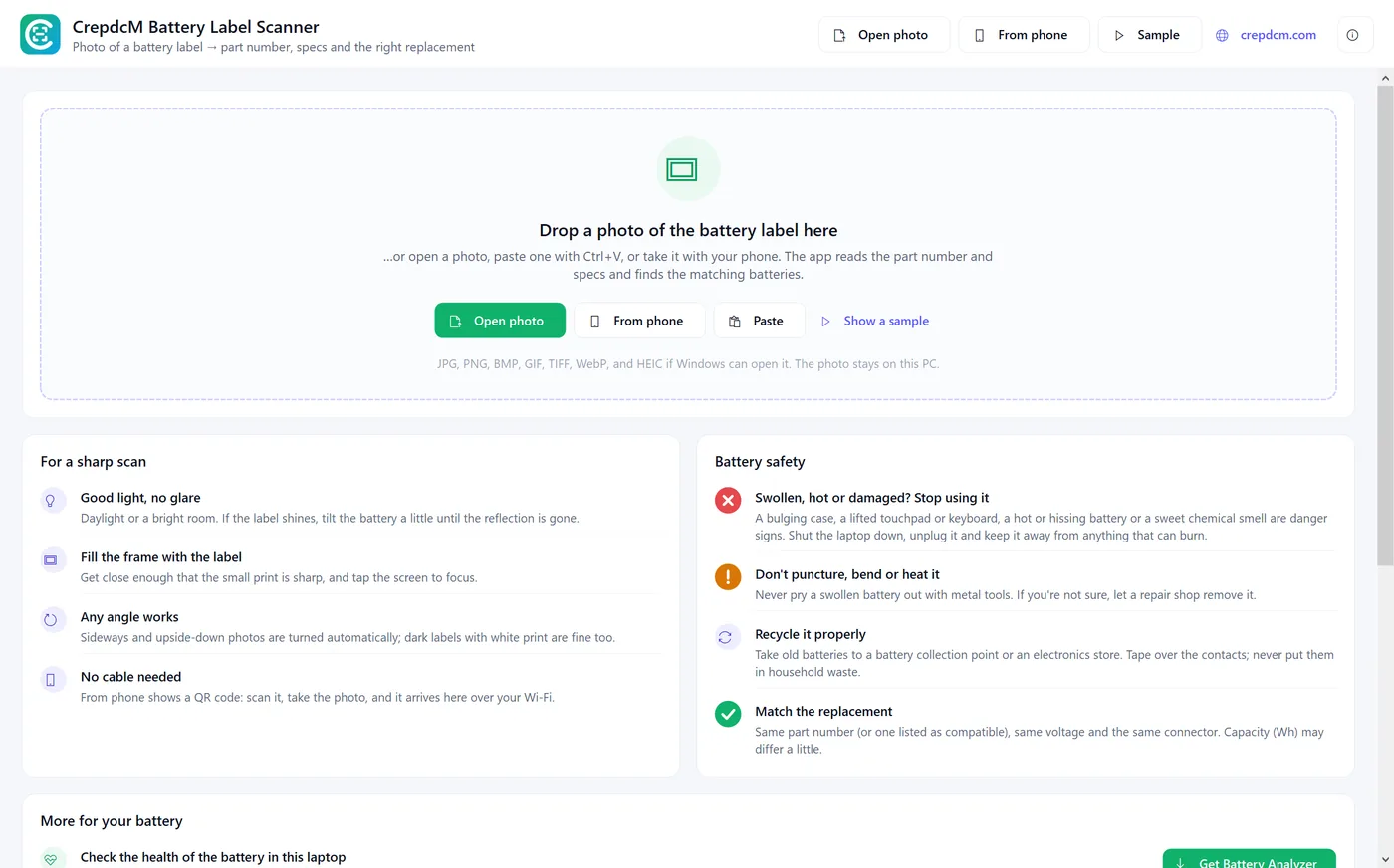
Safety first
What to do with a swollen, hot or damaged battery and how to recycle it.
Screenshots
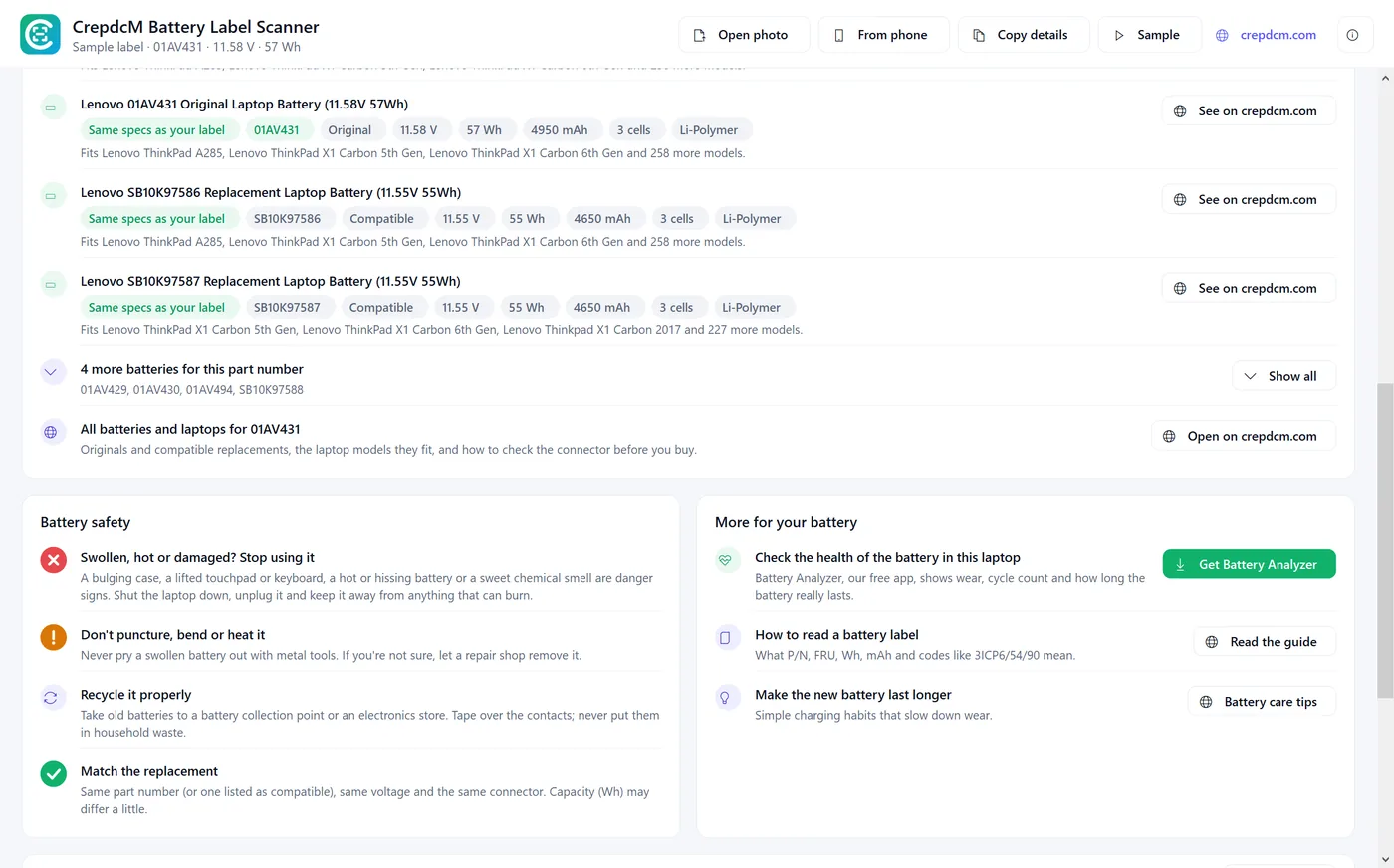
Get the photo in
Open or drop a photo of the battery label, paste it with Ctrl+V, or click From phone and scan the QR code with your phone's camera.
Check what was read
The app shows the part number, voltage, capacity and cells it found on the label; fix a letter if needed and search again.
Pick the right battery
See the matching batteries on crepdcm.com and open the one that fits your laptop.
Privacy
- The photo is read on your PC and never uploaded; the app doesn't save it.
- Only the part number text and the capacity (Wh) from the label are sent to crepdcm.com to find matches.
- "From phone" works on your local network only; the one-time link expires after 10 minutes.
- Serial numbers on the label are ignored; no account, no ads, no telemetry.
Looking after a laptop battery?
CrepdcM is a laptop battery finder: specs, compatible part numbers and the right replacement for 100,000+ laptop models.
Frequently asked questions
Where is the part number on a laptop battery?
On the label of the battery itself, usually after "P/N", "FRU P/N", "SP/N", "Model" or "Type". Many laptops have a removable bottom cover; built-in batteries are under it. The app finds the number automatically, even on photos taken sideways or upside down.
Does the photo get uploaded?
No. The photo is read on your PC with the OCR built into Windows. Only the part number and the capacity read from the label are sent to crepdcm.com to find matching batteries.
How does "From phone" work?
The app shows a QR code with a one-time link to your PC. Your phone opens it over your Wi-Fi, you take the photo, and it goes straight to the app — not over the internet. The phone must be on the same Wi-Fi as the PC; Windows may ask once to allow the app on private networks. The link stops working after 10 minutes or when you close the panel.
What if the app reads a letter wrong?
The part number stays editable. Compare it with the label, fix the letter and click Search again. The app already tries the usual mix-ups (0/O, 1/I, 5/S, 8/B) for you.
Can I use a battery with a different capacity?
Usually yes, if the part number (or a listed compatible one), the voltage and the connector match. A battery with more Wh simply runs longer; the app marks batteries with the same specs as your label.
My battery is swollen. What now?
Stop using it. Shut the laptop down, unplug it and keep it away from anything that can burn. Don't puncture or bend it; let a repair shop remove it if you're unsure, and take it to a battery recycling point.
Is it free?
Yes — no ads, no account, no trial. Links to batteries on crepdcm.com are how we keep it free.