

 Free Windows app · coming to Microsoft Store
CrepdcM Battery Fleet Manager: battery reports for every laptop in your shop or fleet
A free Windows app for repair shops, laptop resellers and IT teams. Save a small battery report on each laptop, import all the reports on one PC, and see at once which batteries need replacement: wear, charge cycles and capacity in one sortable table, with a summary by model and battery part. Export to an Excel-ready CSV or a printable report. It works with files only, so it runs offline, from a USB stick or a network share.
Free · Windows 10 (1903+) and Windows 11 · no account, no ads
What it does
A battery report on every laptop
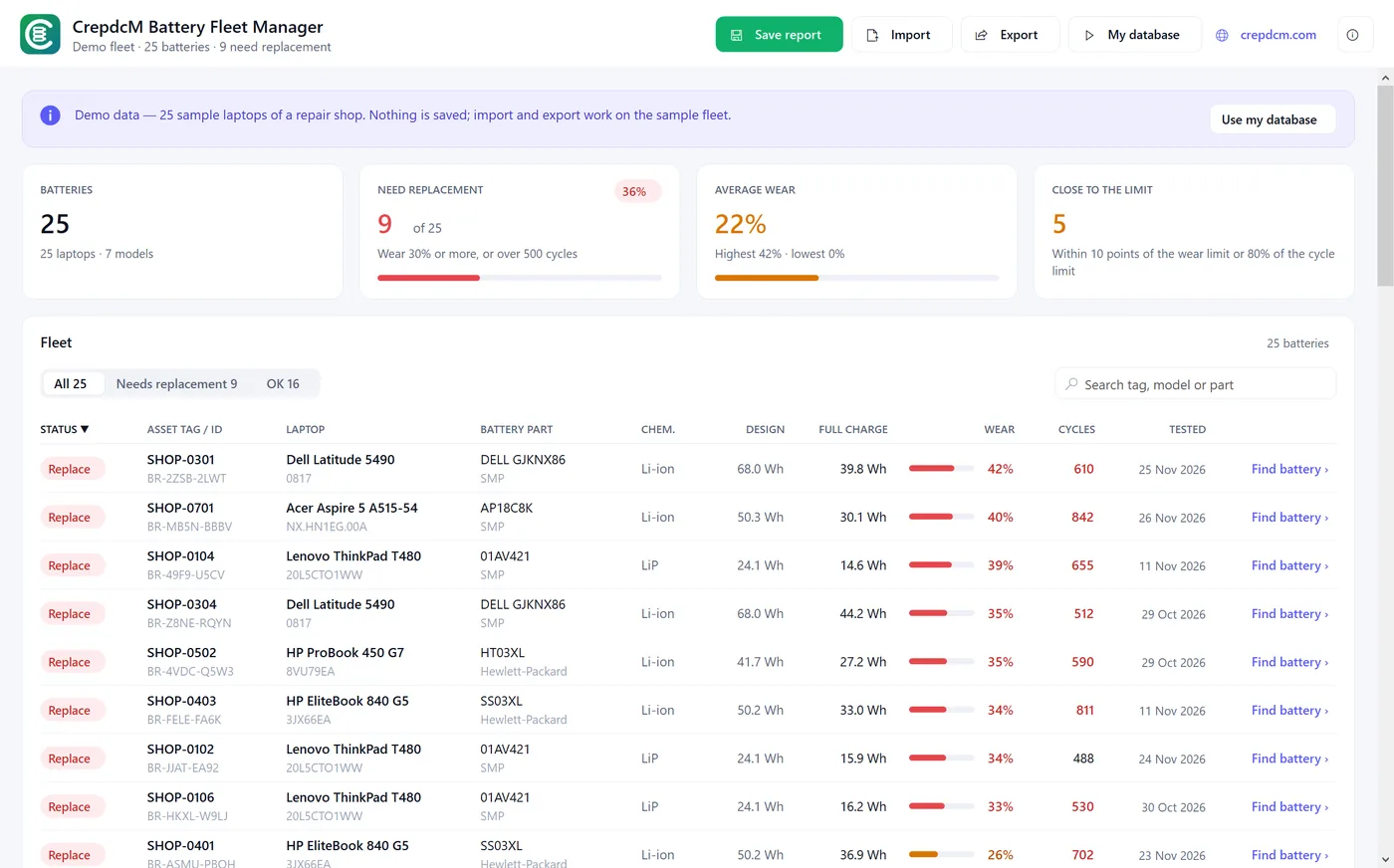
Model, battery part, chemistry, design and full-charge capacity, wear, cycle count and test date, saved as one small file.
Asset tags, no serial numbers
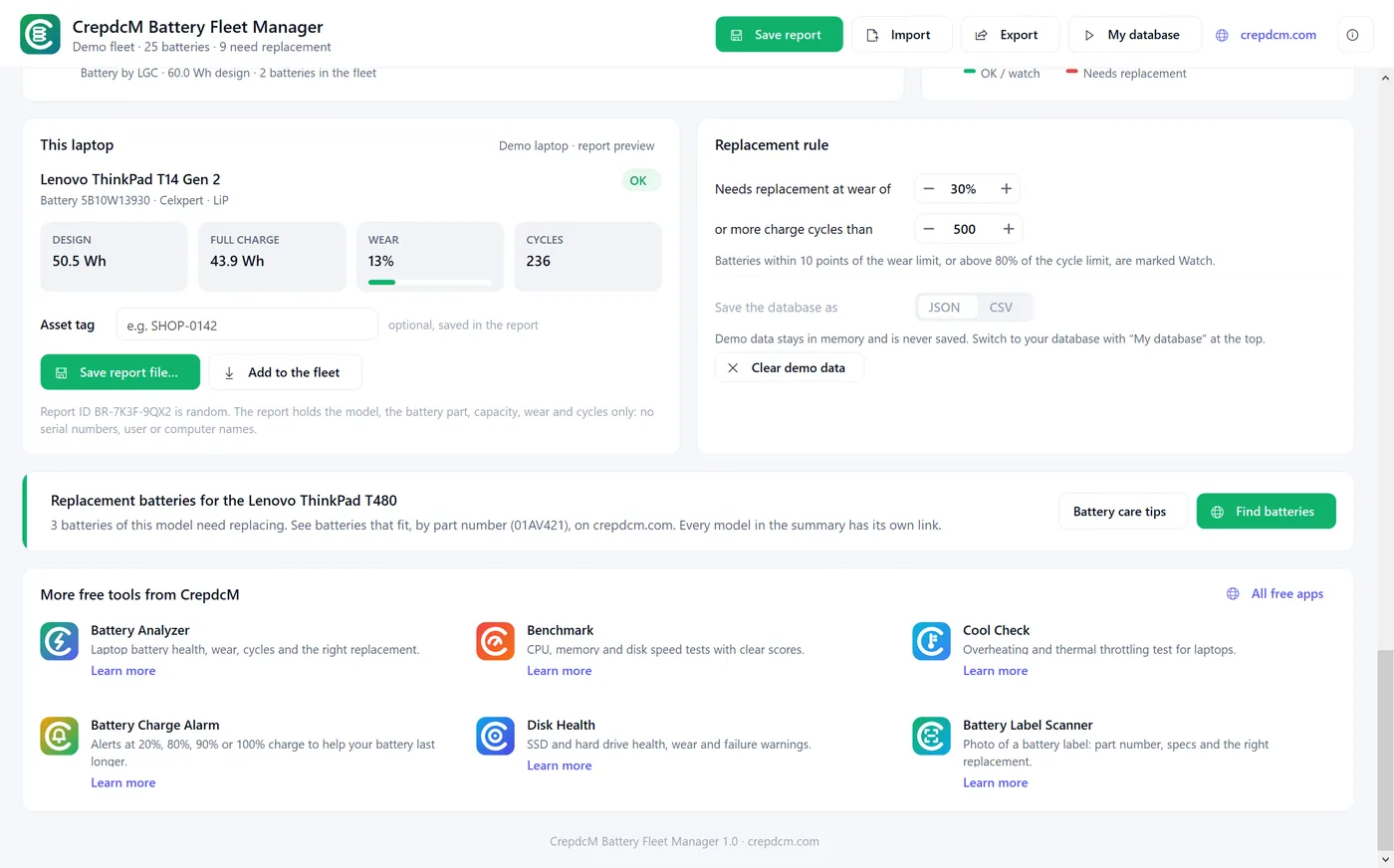
Type your own tag like SHOP-0142; every report also gets a random ID, and no serial numbers or user names are stored.
Import a whole folder
Pick report files, a USB stick or a network share (subfolders included), or drop them on the window. Duplicates are skipped.
One sortable table for the fleet
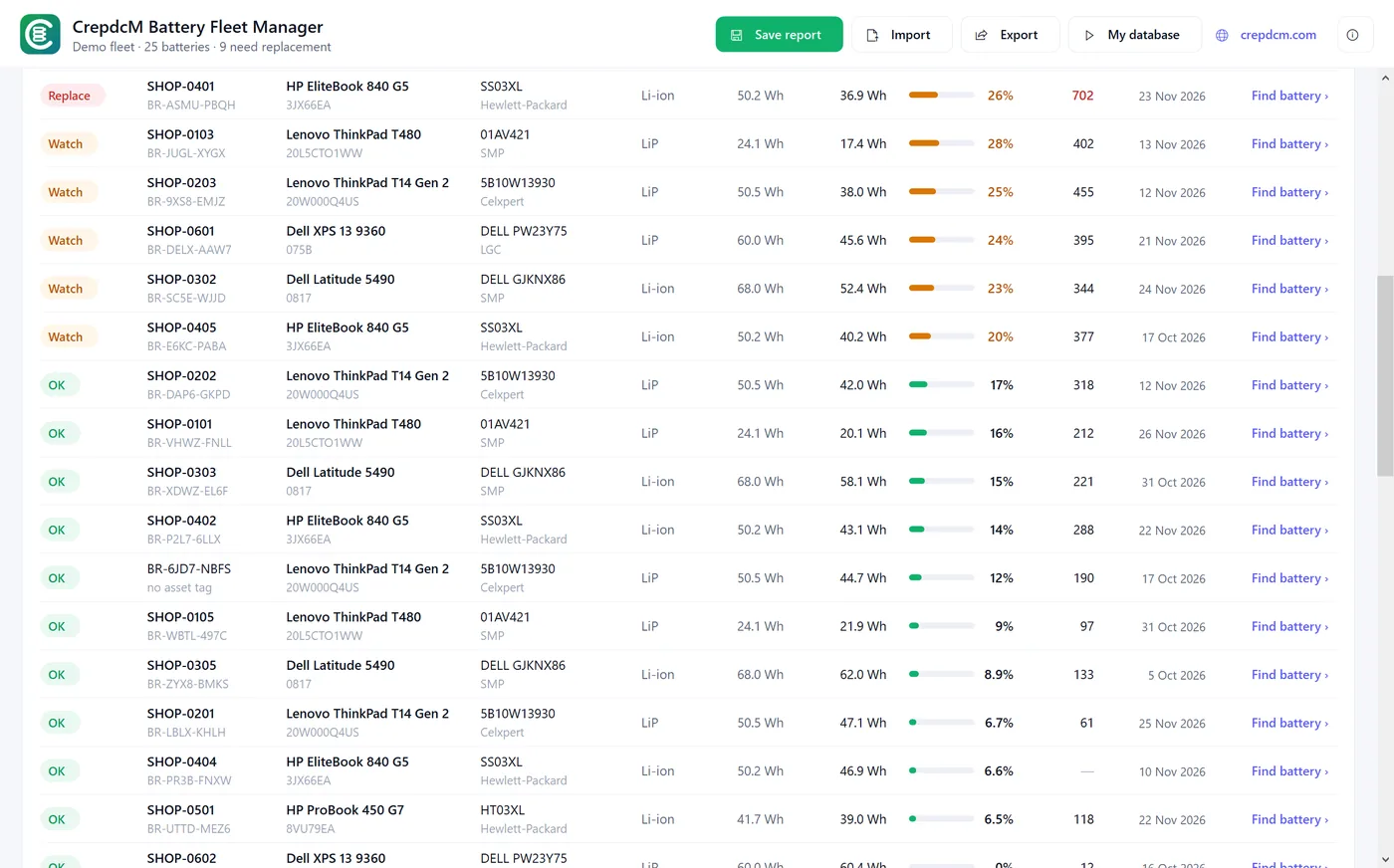
Sort by wear, capacity or cycles, filter "Needs replacement" or "OK", and search by tag, model or part number.
Your replacement rule
30% wear or 500 cycles by default, both adjustable; batteries close to the limit are marked "Watch".
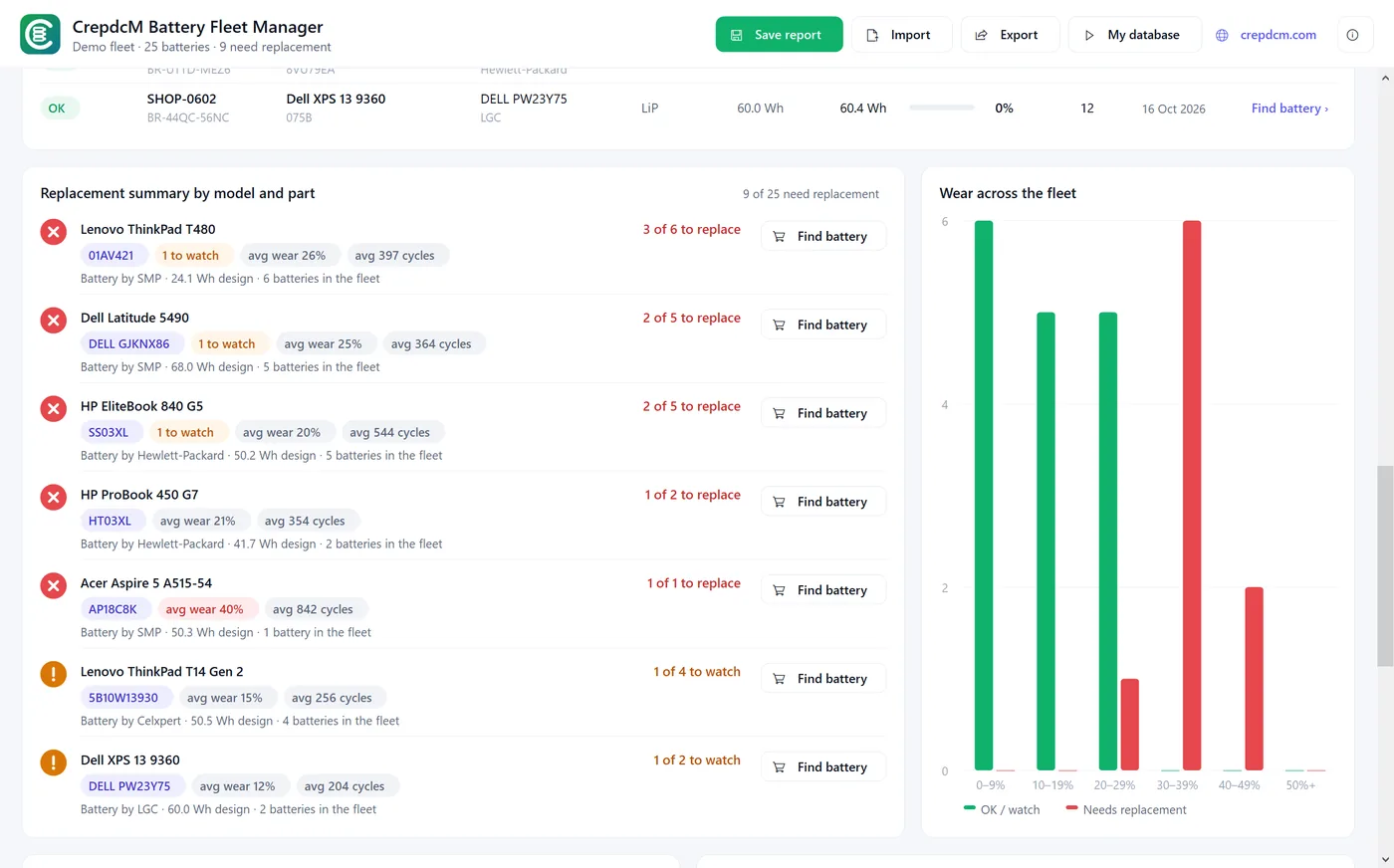
Summary by model and part
How many batteries of each model need replacing, with average wear and cycles and a wear chart for the fleet.
Excel CSV and printable report
Export everything, the filtered rows or only the batteries to replace; print the report or save it as PDF.
Offline and private
Files only, no network, no account; the database stays on your PC as JSON or CSV.
Screenshots
Save a report on each laptop
Run Battery Fleet Manager, type an asset tag if you use them, and click "Save report file" (or "Save to USB").
Import the reports on one PC
Choose Import → "A whole folder" and pick the USB stick or the shared folder. Every battery lands in one table.
Act on the results
Filter "Needs replacement", export the list for your team or customer, and open the battery page for each model to find a replacement that fits.
Privacy
- Works with files only and never uses the network; there is no telemetry.
- Reports hold the laptop model and battery data, a random report ID and your optional asset tag; no serial numbers, user or computer names.
- The fleet database stays on your PC, and reports are saved only where you choose.
- Links to crepdcm.com carry only the laptop model and, for battery links, the battery part number and capacity.
- No account, no ads, no tracking.
Looking after a laptop battery?
CrepdcM is a laptop battery finder: specs, compatible part numbers and the right replacement for 100,000+ laptop models.
Frequently asked questions
What is in a battery report?
The laptop maker and model, the battery part name and manufacturer, chemistry, design and full-charge capacity, wear, cycle count and the test date, plus a random report ID and the asset tag you typed. That is all.
Does it store serial numbers?
No. Reports never contain serial numbers, user names or computer names. Each report gets a random ID such as BR-7K3F-9QX2 instead, and you can add your own asset tag.
When does a battery "need replacement"?
By default when it has lost 30% or more of its design capacity, or has more than 500 charge cycles. You can change both limits; batteries within 10 points of the wear limit or above 80% of the cycle limit are marked "Watch".
Can I open the results in Excel?
Yes. "CSV for Excel" writes a file that Excel and other spreadsheets open directly, with no extra software. The CSV can also be imported back into the app on another PC.
Does it need internet or a server?
No. It works with files only: save reports to a USB stick or a shared folder and import them. The database is a single JSON or CSV file on your PC.
Does it work on desktops and virtual machines?
The fleet database, import and export work on any Windows 10 or 11 PC. Saving a report needs a laptop with a battery; on a desktop the app explains this and offers a demo fleet of 25 laptops.
Is it free?
Yes: no ads, no account, no trial. Links to replacement batteries on crepdcm.com are how we keep it free.

