

 Free Windows app · coming to Microsoft Store
CrepdcM Charging Doctor: find out why your laptop is not charging
Plugged in, but the battery won't charge? Draining even with the charger connected? Charging that keeps cutting out? CrepdcM Charging Doctor is a free Windows app that watches your charger and battery live and tells you in plain words what is wrong: a battery-care charge limit, a charger that is too weak, a loose plug or worn cable, or a battery Windows can't see. Then it shows you what to try, step by step.
Free · Windows 10 (1903+) and Windows 11 · no account, no ads
What it does
A clear verdict
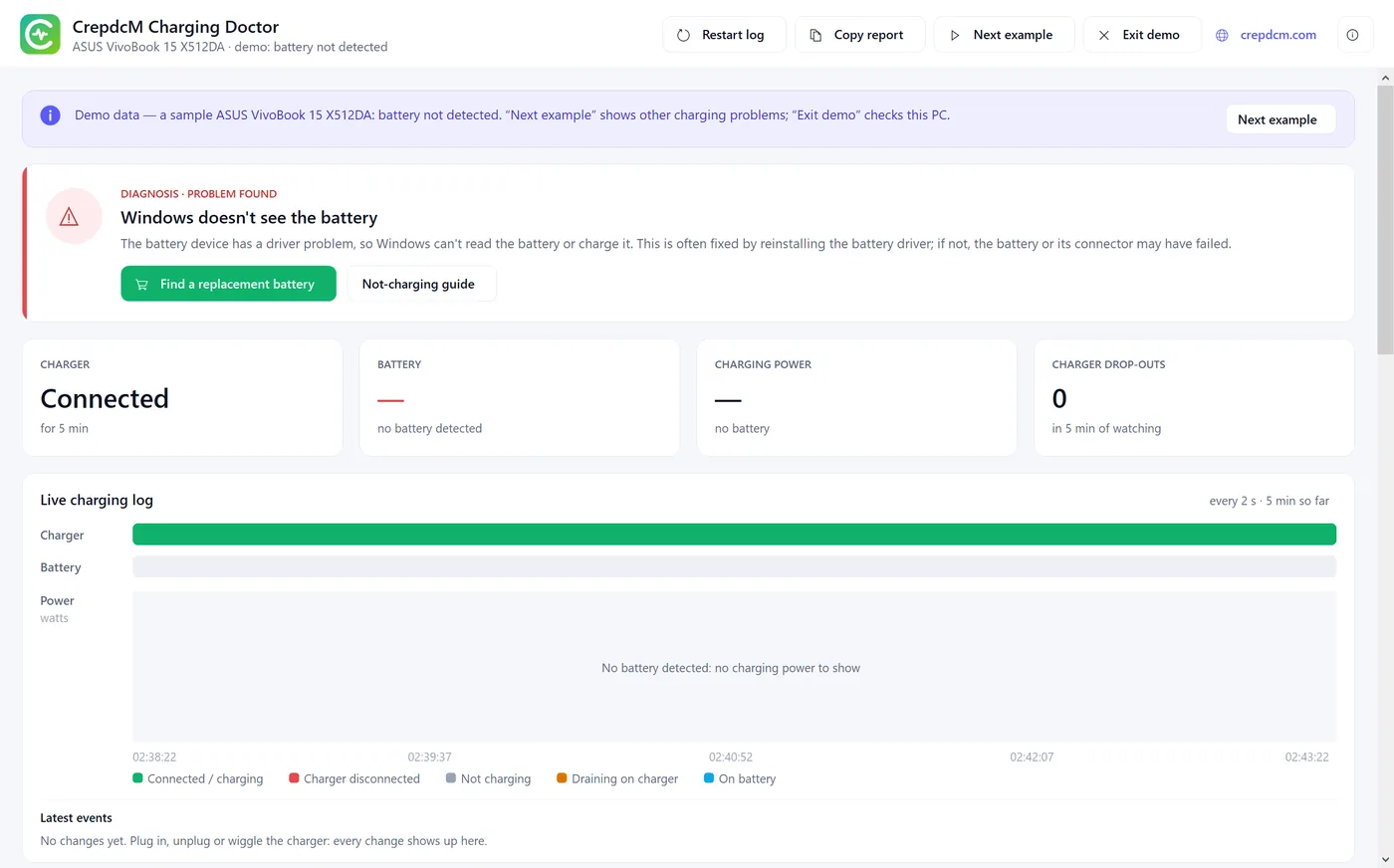
The most likely cause at the top: full battery, charge limit, weak charger, loose connection, slow charging or a battery that isn't detected.
"Plugged in, not charging" explained
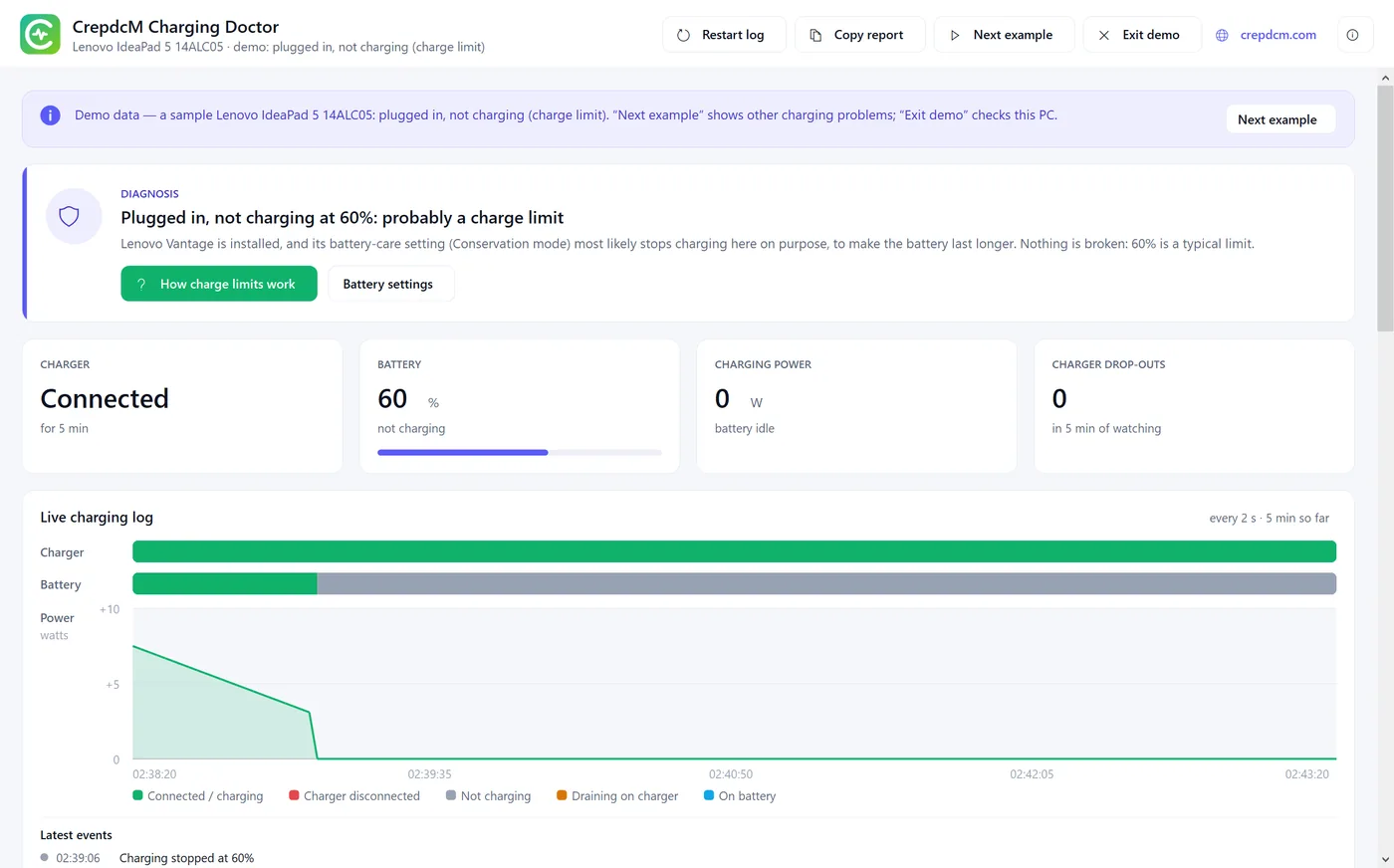
Tells a normal full battery and a battery-care limit at 60% or 80% apart from a real charging fault.
Finds your charge limit
Shows where Lenovo, ASUS, Dell, HP, Acer, MSI, Samsung, Surface, Framework and Razer keep their battery-care setting and how to turn it off for a full charge.
Catches a charger that is too weak
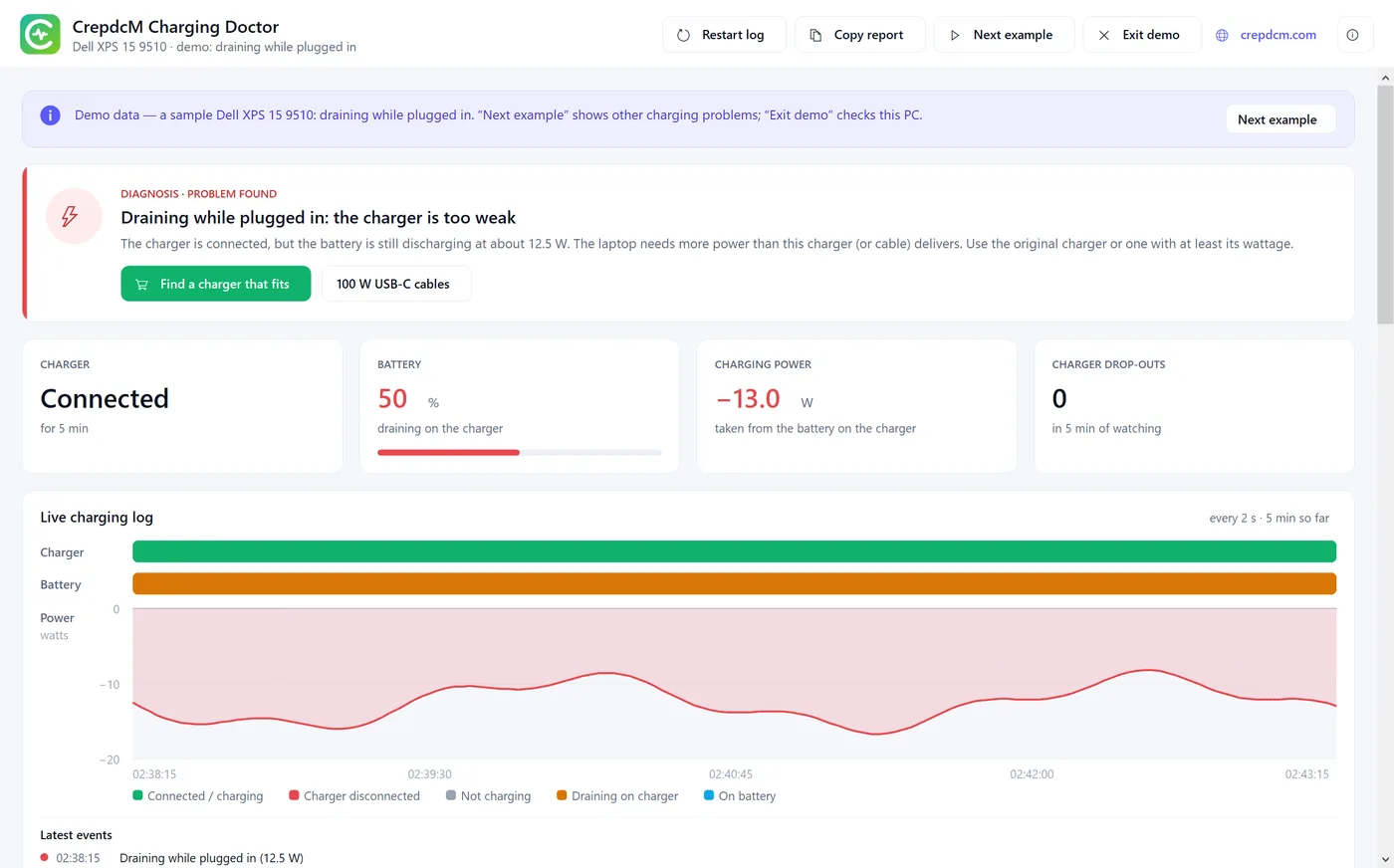
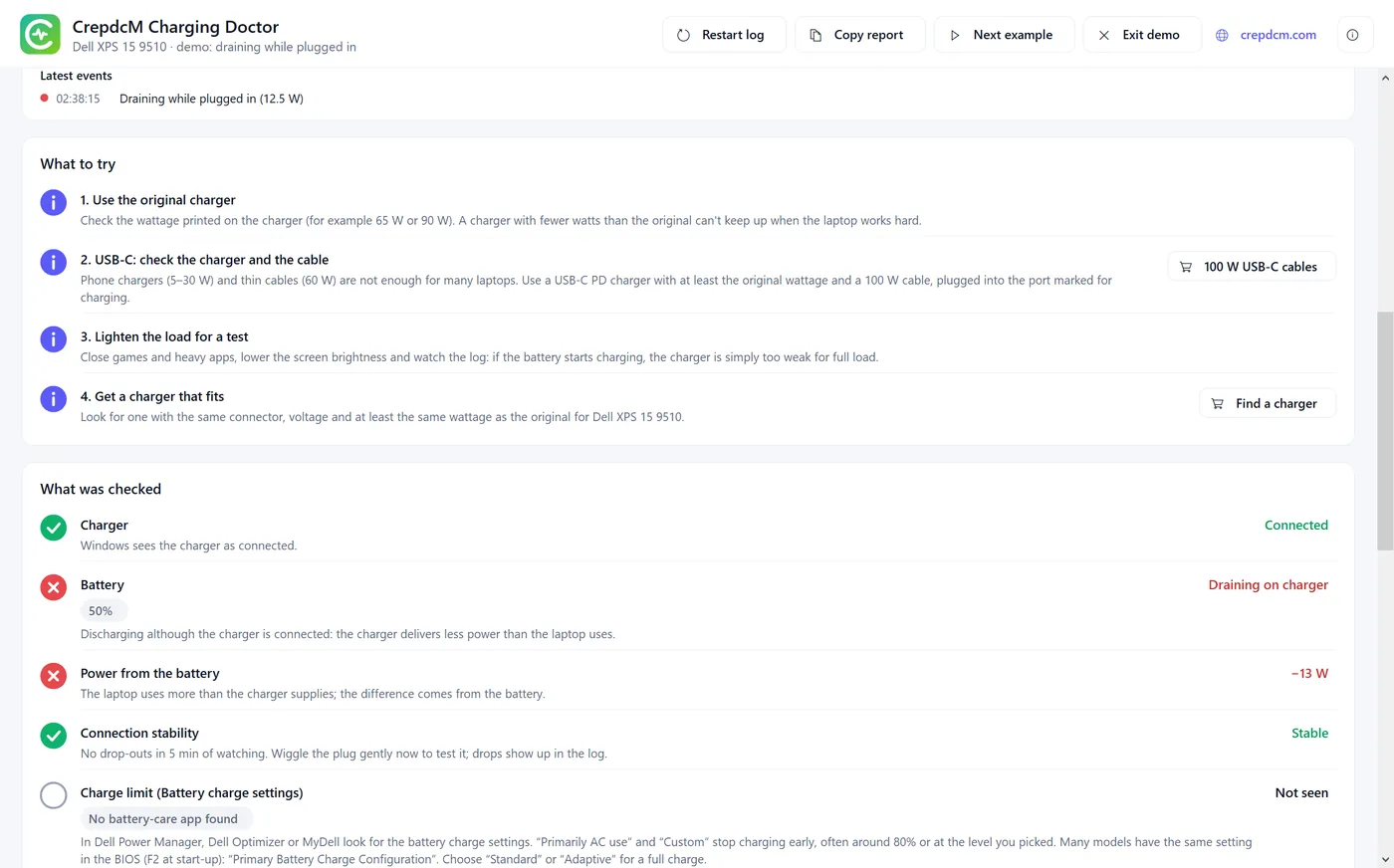
Spots a battery that keeps draining while the charger is connected, a common problem with low-watt USB-C chargers and thin cables.
Live charging log
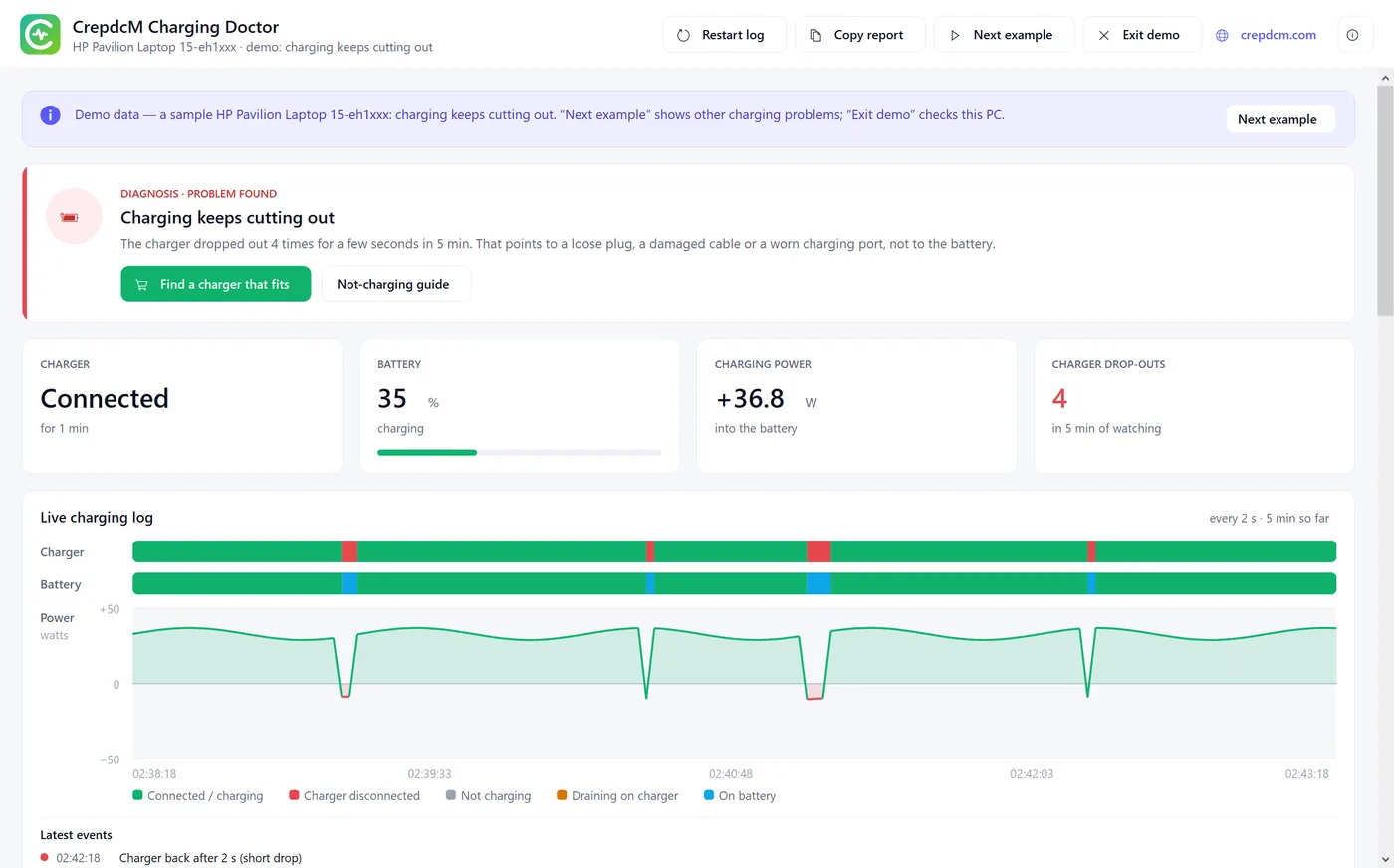
Charger connected or not, charging or draining, and charging power in watts, updated every 2 seconds, with every event listed.
Wiggle test
Move the plug while watching the log to find a worn cable, plug or charging port.
Battery health and drivers
Capacity when new vs now, wear, charge cycles, and whether the battery and charger devices work.
Copy report
A plain-text summary to send to a repair shop or support.
Screenshots
Install and open it
Get CrepdcM Charging Doctor free from the Microsoft Store and open it on the laptop that won't charge.
Plug in and watch
Keep the window open for a minute. Plug in, unplug or gently wiggle the charger; the live log shows every change.
Follow the steps
Read the verdict and the plain-language steps. If a part is to blame, find a charger, cable or battery that fits your exact laptop.
Privacy
- Everything runs on your PC; there is no telemetry.
- The live log is kept in memory only and is gone when you close the app.
- No serial numbers, user or computer names are read or sent.
- Links to crepdcm.com carry only your laptop model and, for battery links, the battery part name and capacity.
- No account, no ads, no tracking.
Looking after a laptop battery?
CrepdcM is a laptop battery finder: specs, compatible part numbers and the right replacement for 100,000+ laptop models.
Frequently asked questions
Why does my laptop say "plugged in, not charging"?
Most often it is on purpose. A full battery stops charging and the laptop runs from the charger. Many laptops also have a battery-care setting (for example Lenovo Conservation mode or ASUS Battery Health Charging) that stops charging at 60% or 80% to make the battery last longer. Charging Doctor tells these apart from a real fault and shows where the setting is.
My battery drains even with the charger connected. Why?
The charger delivers less power than the laptop uses, so the battery makes up the difference. This happens with low-watt chargers, phone chargers on USB-C and thin cables, especially under heavy load. Use the original charger or one with at least the same wattage.
Charging keeps stopping and starting. Is my battery broken?
Usually not. Short drop-outs point to a loose plug, a damaged cable or a worn charging port. The live log and the wiggle test show exactly when the charger drops out.
Does Charging Doctor change any settings?
No. It only reads the charging state. It can open the right Windows Settings page for you, but it never changes anything by itself.
Does it work on a desktop PC?
Desktop PCs have no battery to charge, so there is nothing to diagnose. The app says so and offers a built-in demo with four sample laptops.
Do I need administrator rights?
No. It works with a normal user account.
Is it free?
Yes: no ads, no account, no trial. Links to compatible chargers and batteries on crepdcm.com are how we keep it free.

