

 Free Windows app · coming to Microsoft Store
CrepdcM Cool Check — does your laptop overheat and slow down?
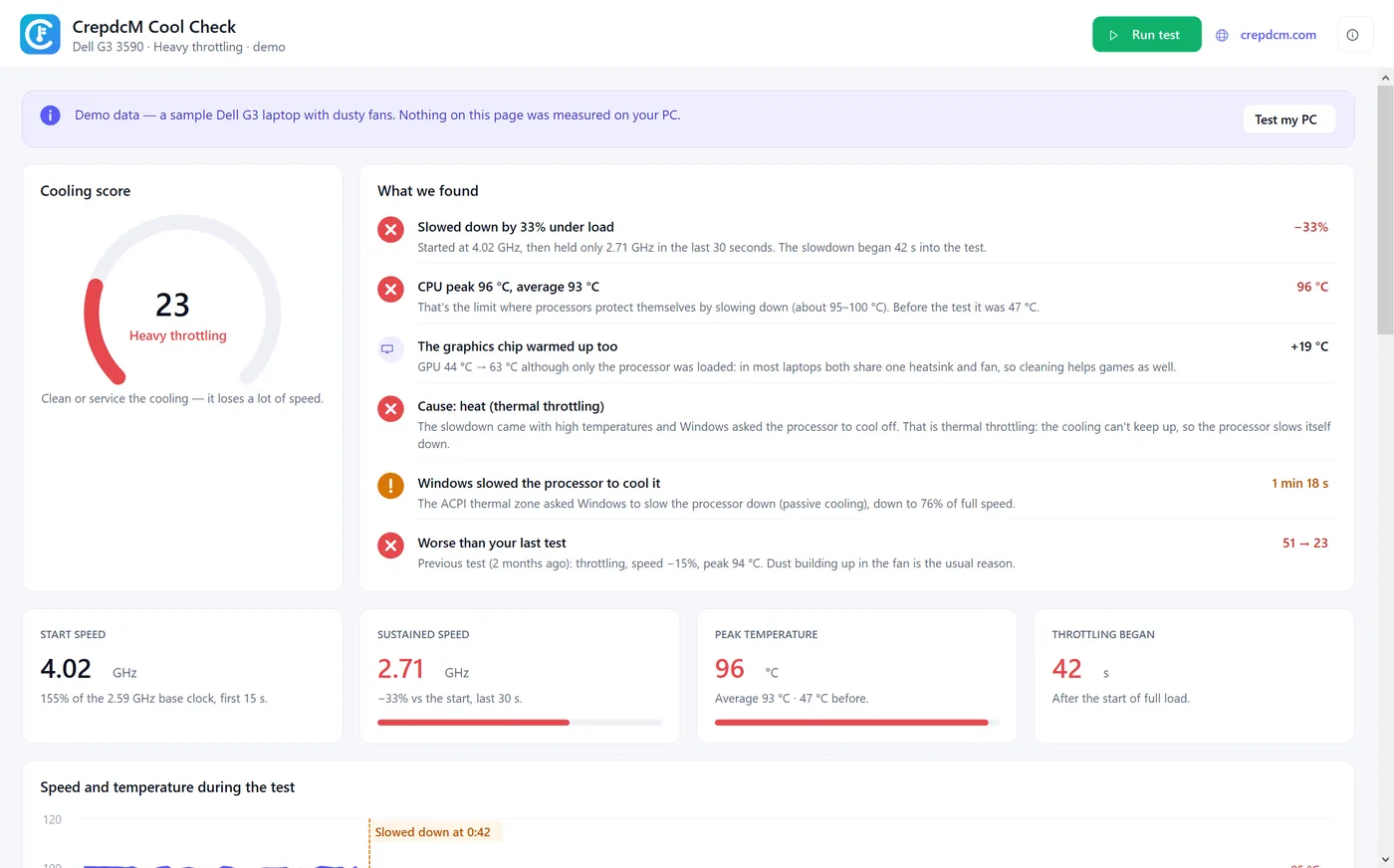
A free Windows app that stress-tests your processor for 1, 3 or 5 minutes and shows whether the cooling keeps up: how much speed your laptop or PC loses under load, when throttling starts, how hot it gets and why. Then it tells you exactly what to do — clean the fans, replace the thermal paste or add a cooling pad.
Free · Windows 10 (1903+) and Windows 11 · no account, no ads
What it does
Real stress test
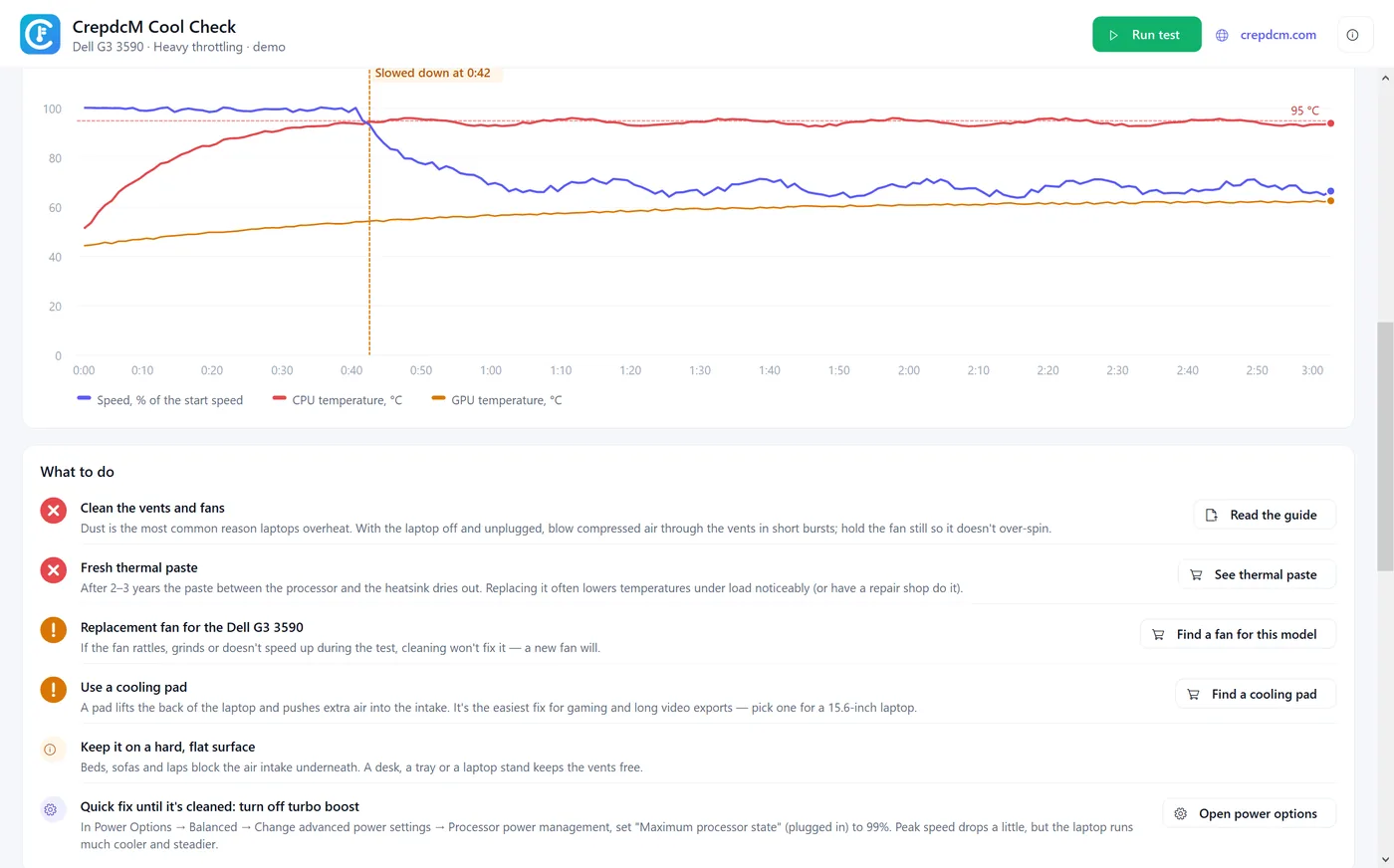
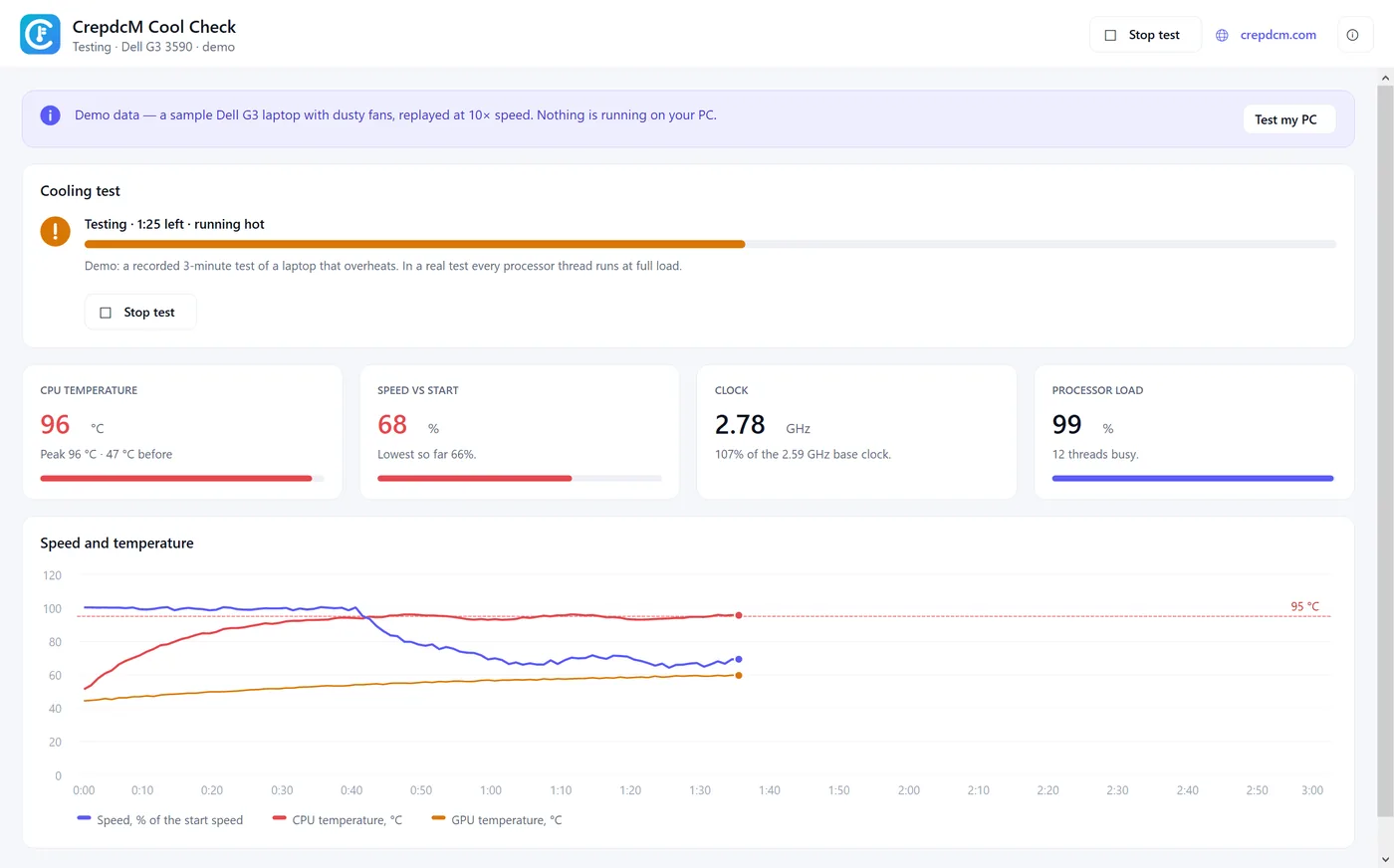
Every processor thread at full load for 1, 3 or 5 minutes, with a live chart of speed and temperature.
Speed drop in GHz and %
The speed at the start vs the last 30 seconds, and the second throttling began.
Heat or power limit?
Tells real overheating apart from normal turbo limits, and shows when Windows itself slowed the processor down.
Honest temperatures
A sensor is only called "CPU temperature" when it follows the load; works with LibreHardwareMonitor and HWiNFO; GPU temperature for context.
Cooling score
Cool and fast, Warm but OK, Throttling or Heavy throttling, in one number.
What to do
Clean vents and fans, fresh thermal paste, a cooling pad, a replacement fan for your model, power-plan tips.
Before/after history
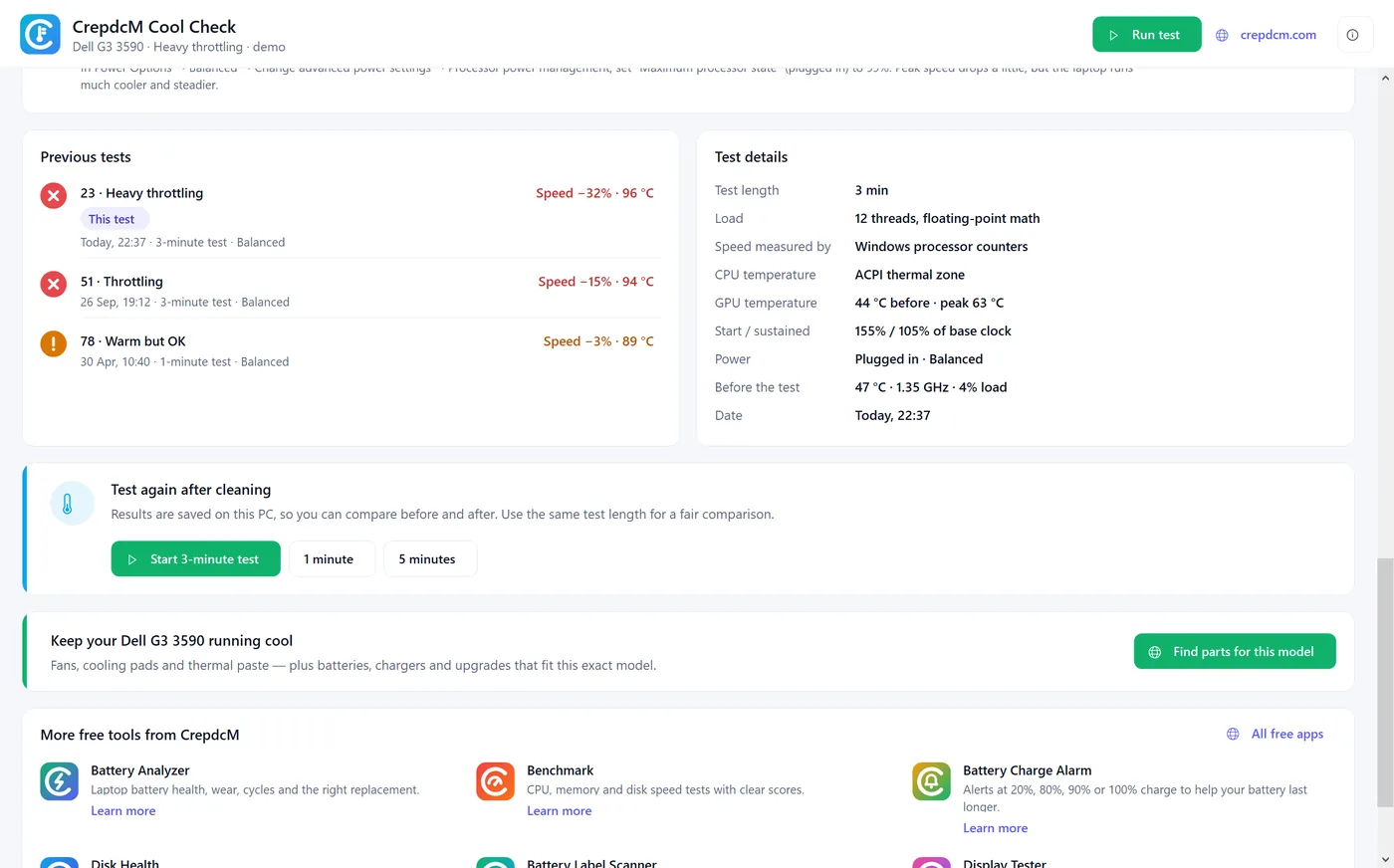
Every test is saved on your PC, so you can see what cleaning changed.
Safe and private
Stops itself at 97 °C, no admin rights, nothing uploaded.
Screenshots
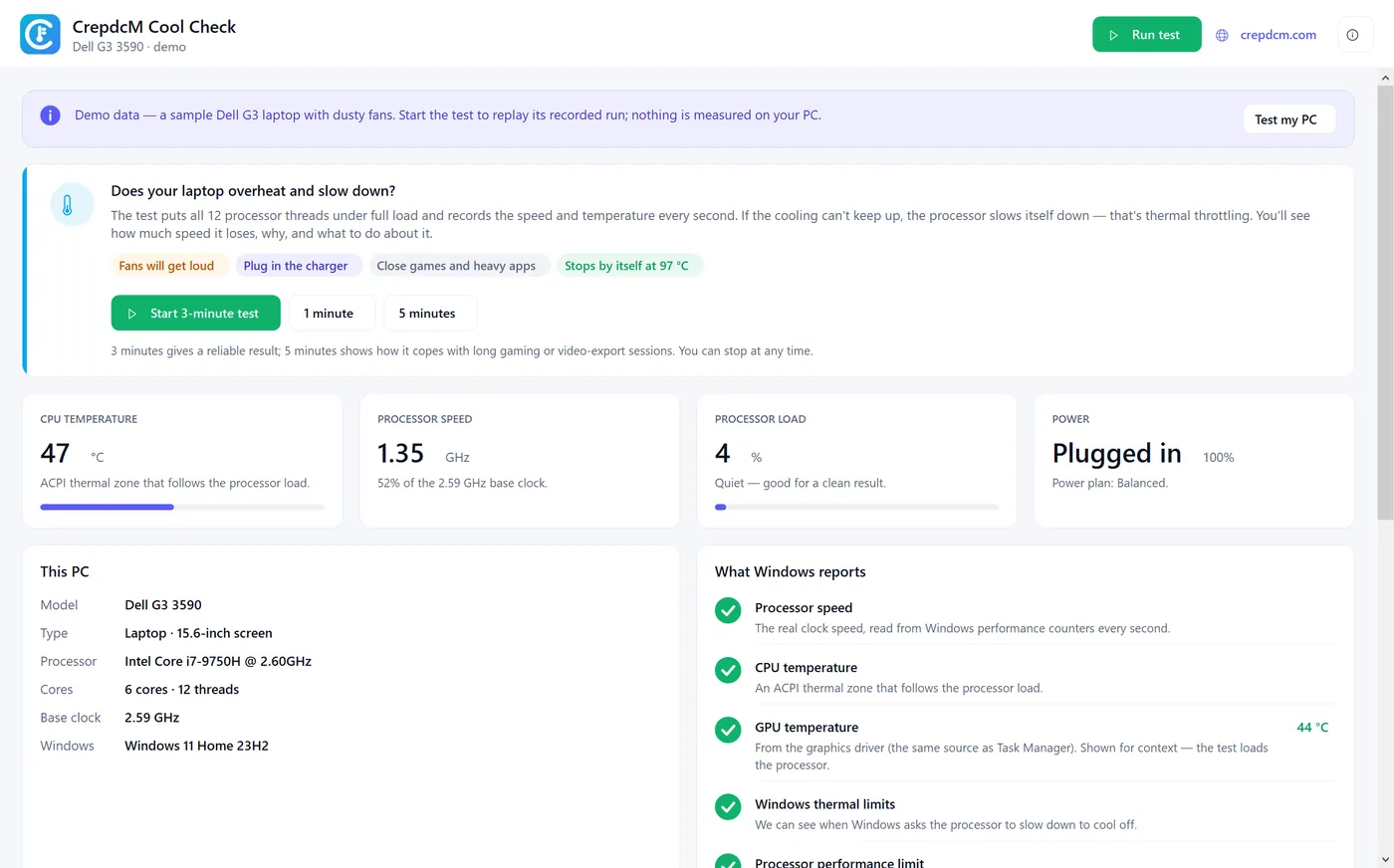
Install and open
Get CrepdcM Cool Check free from the Microsoft Store; plug in the charger and close heavy apps.
Run the test
Pick 1, 3 or 5 minutes and watch speed and temperature live while the fans spin up.
Read the verdict
See your cooling score, why it throttles and what to do, then test again after cleaning.
Privacy
- Everything is measured on your PC; nothing is uploaded.
- No serial numbers, user or computer names, or file names are read or sent.
- Test history stays on your PC.
- Links to crepdcm.com carry only your PC maker/model and screen size, so we can show parts that fit.
- No account, no ads, no tracking.
Looking after a laptop battery?
CrepdcM is a laptop battery finder: specs, compatible part numbers and the right replacement for 100,000+ laptop models.
Frequently asked questions
What is thermal throttling?
When the cooling can't remove the heat fast enough, the processor protects itself by running at a lower clock speed. Your PC feels slower exactly when you need it — in games, exports and long calls. Cool Check measures how much speed is lost.
Is the stress test safe?
Yes. Processors are built to run at full load, and the test stops by itself at 97 °C, on battery below 20%, when you press Stop or close the window. Fans will get loud — that's expected.
Why doesn't it show my CPU temperature?
Many desktops (and some laptops) don't report the processor temperature to Windows — only a fixed board value. Cool Check checks whether a sensor really follows the load and never shows a fake number. The speed measurement still shows throttling. Tip: run LibreHardwareMonitor or HWiNFO in the background and Cool Check uses their CPU reading.
My speed dropped but the temperature was fine — is that bad?
Usually not. Laptops allow a short turbo boost and then cap the power; the app labels this "power limit, not heat" and scores it mildly.
How long should I test?
3 minutes gives a reliable result. 5 minutes shows how a laptop copes with long gaming or video-export sessions. 1 minute is a quick check.
Will cleaning really help?
Dust in the fan and heatsink is the most common cause of overheating. Clean the vents (see our guide), replace dried-out thermal paste on older laptops, and run the test again — the history shows the difference.
Is it really free?
Yes — no ads, no account, no trial. Links to compatible fans, cooling pads and thermal paste on crepdcm.com keep it free.

