

 Free Windows app · coming to Microsoft Store
Power Planner: how much battery do you need when the power goes out?
A free Windows app that measures how much power your laptop really uses, then tells you which power bank, portable power station or UPS keeps it, your router and your phone running for the hours you need.
Free · Windows 10 (1903+) and Windows 11 · no account, no ads
What it does
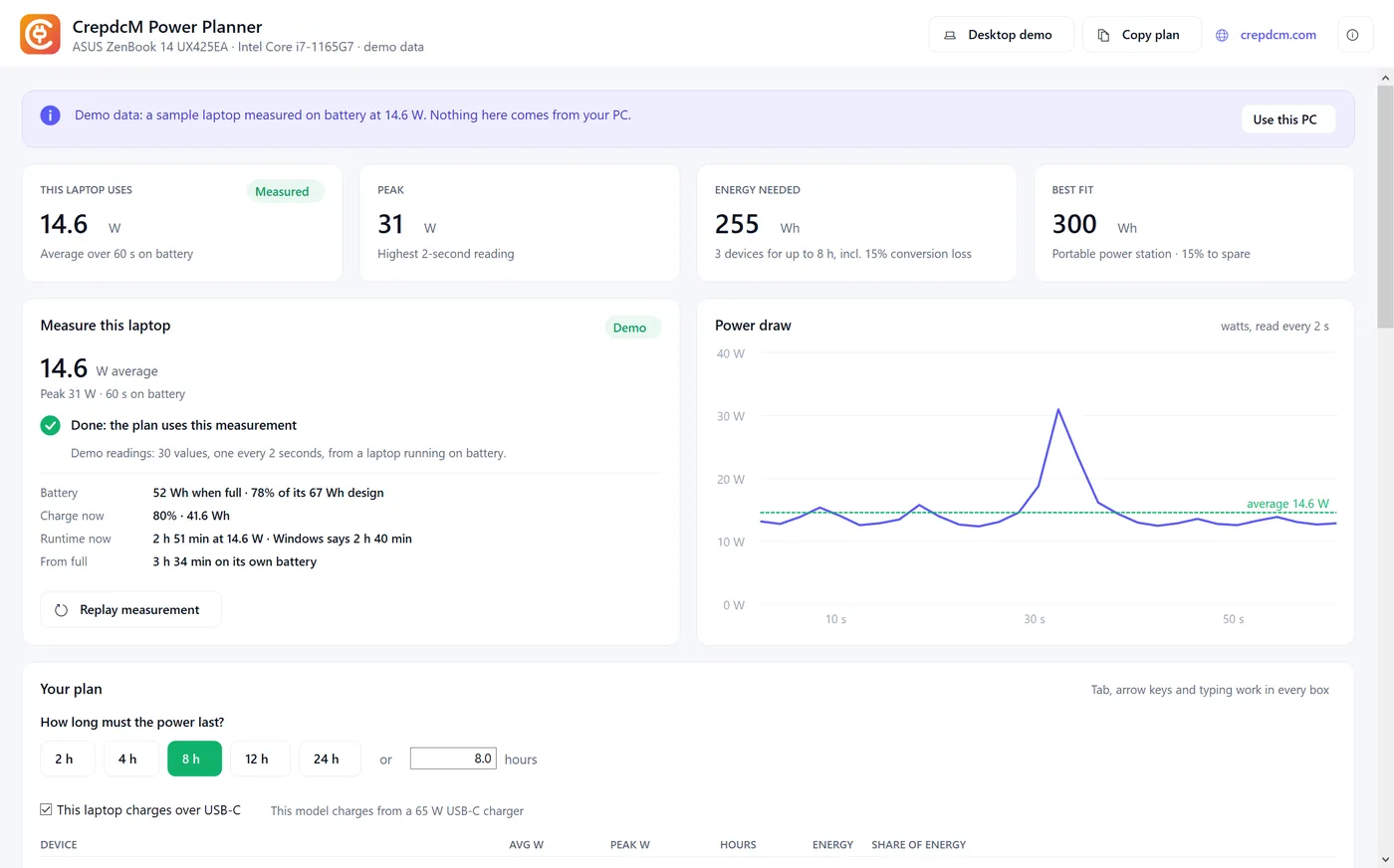
Real laptop measurement
Unplug for one minute and see the battery's actual discharge rate, average and peak watts on a live chart.
Desktop estimate
No battery? Get a clearly labelled estimate from the processor, graphics card, memory and monitors, and correct it with a plug-in meter reading.
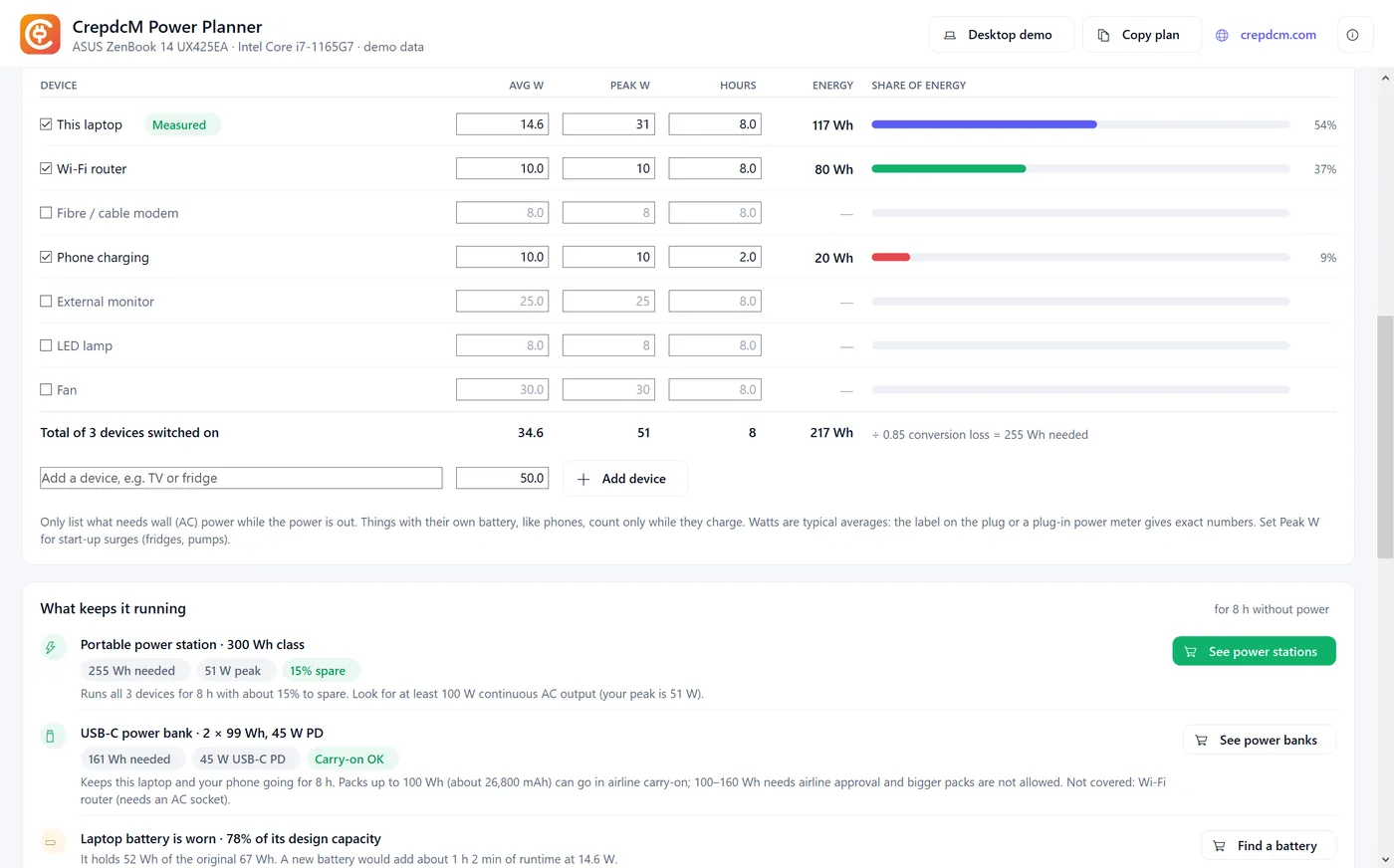
Your outage plan
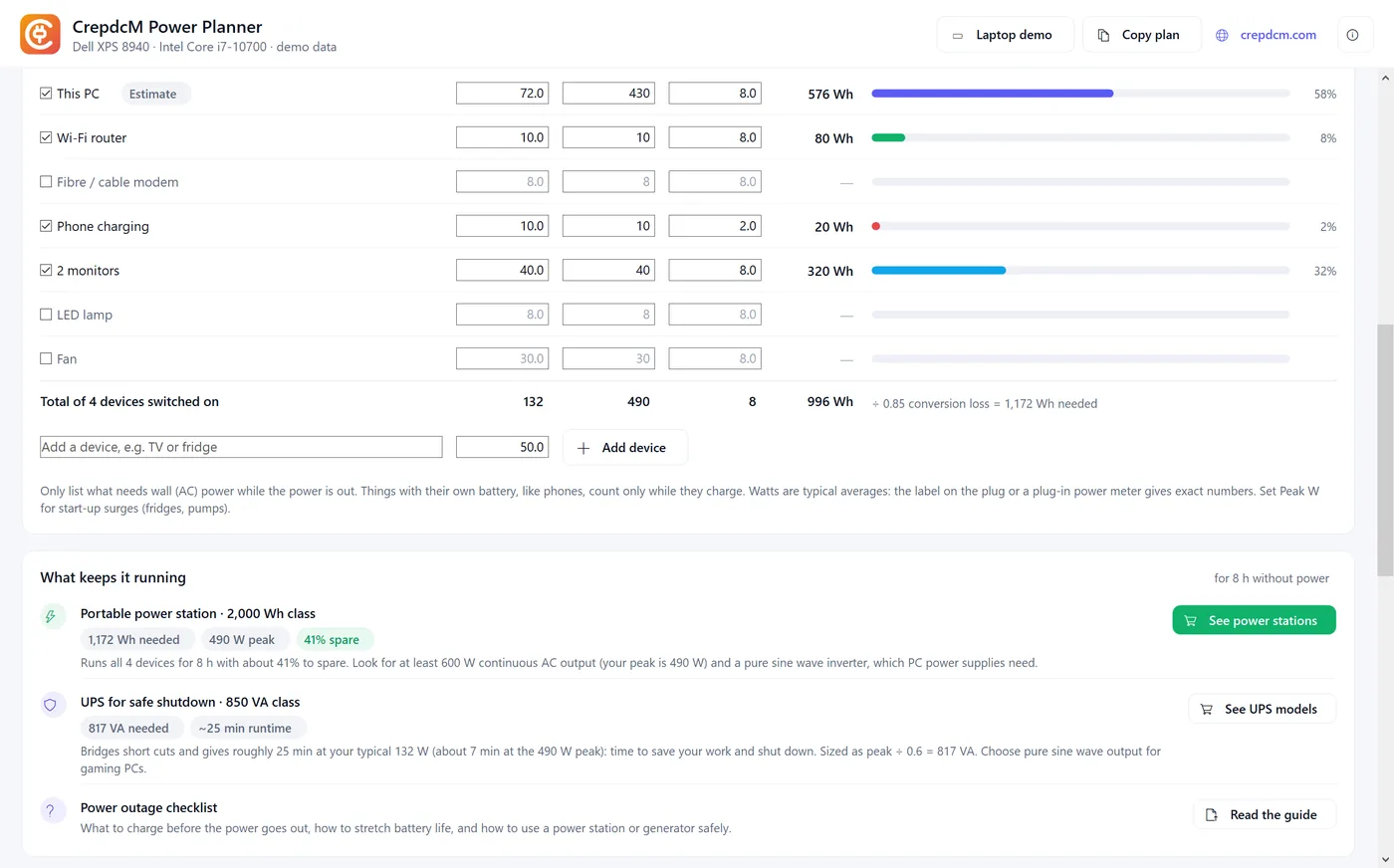
Tick the router, modem, phone, monitor, lamp or fan, add your own devices and set the hours per device.
Power station sizing
The Wh class and continuous output your plan needs, with the spare capacity shown.
USB-C power bank sizing
PD wattage and pack size for laptops that charge over USB-C, with airline carry-on limits.
UPS for desktops
The VA rating and roughly how many minutes you get to save work and shut down.
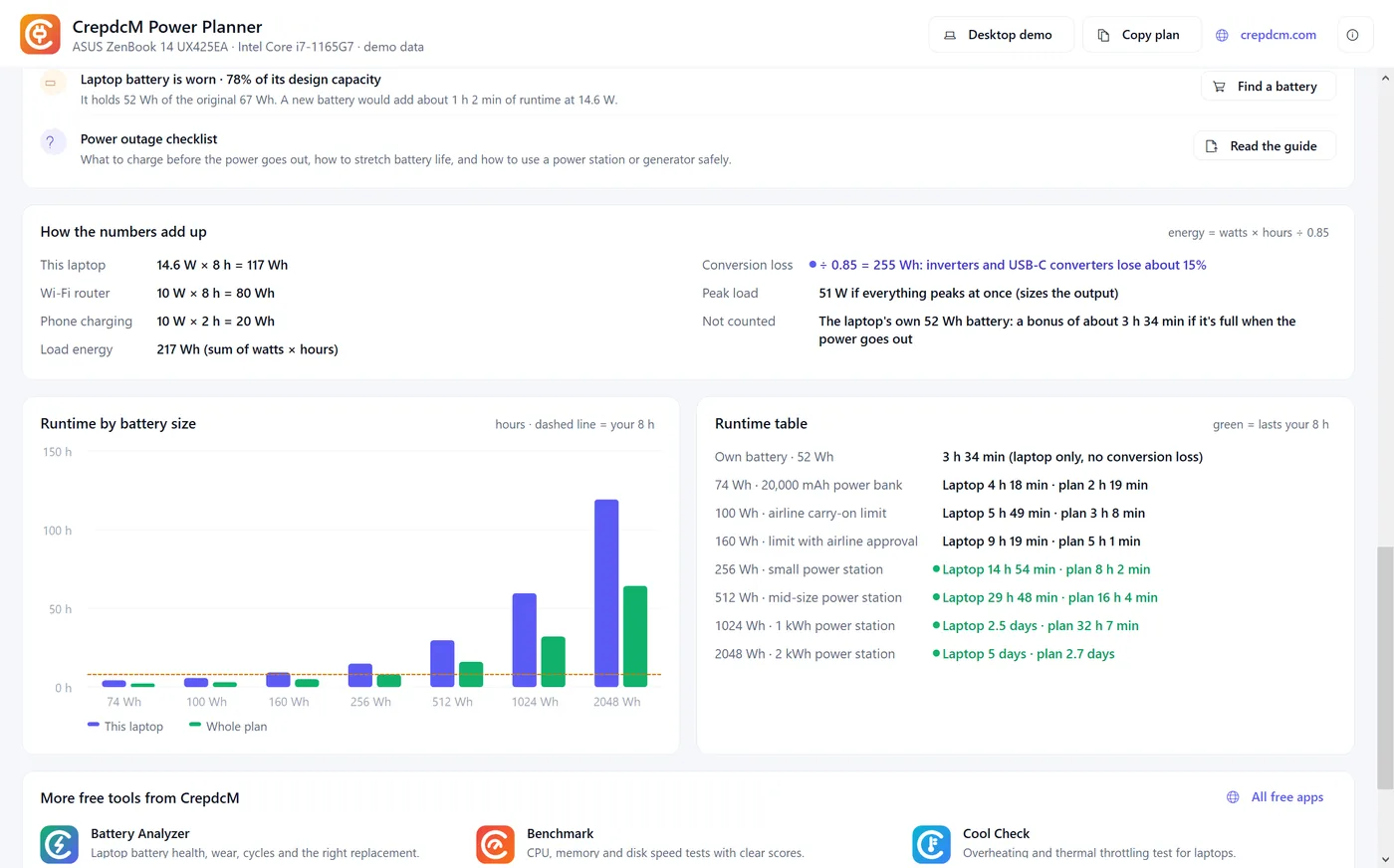
Runtime chart and table
How long your laptop and your whole plan last on 74 Wh to 2 kWh batteries.
Private
Runs entirely on your PC; nothing is uploaded.
Screenshots
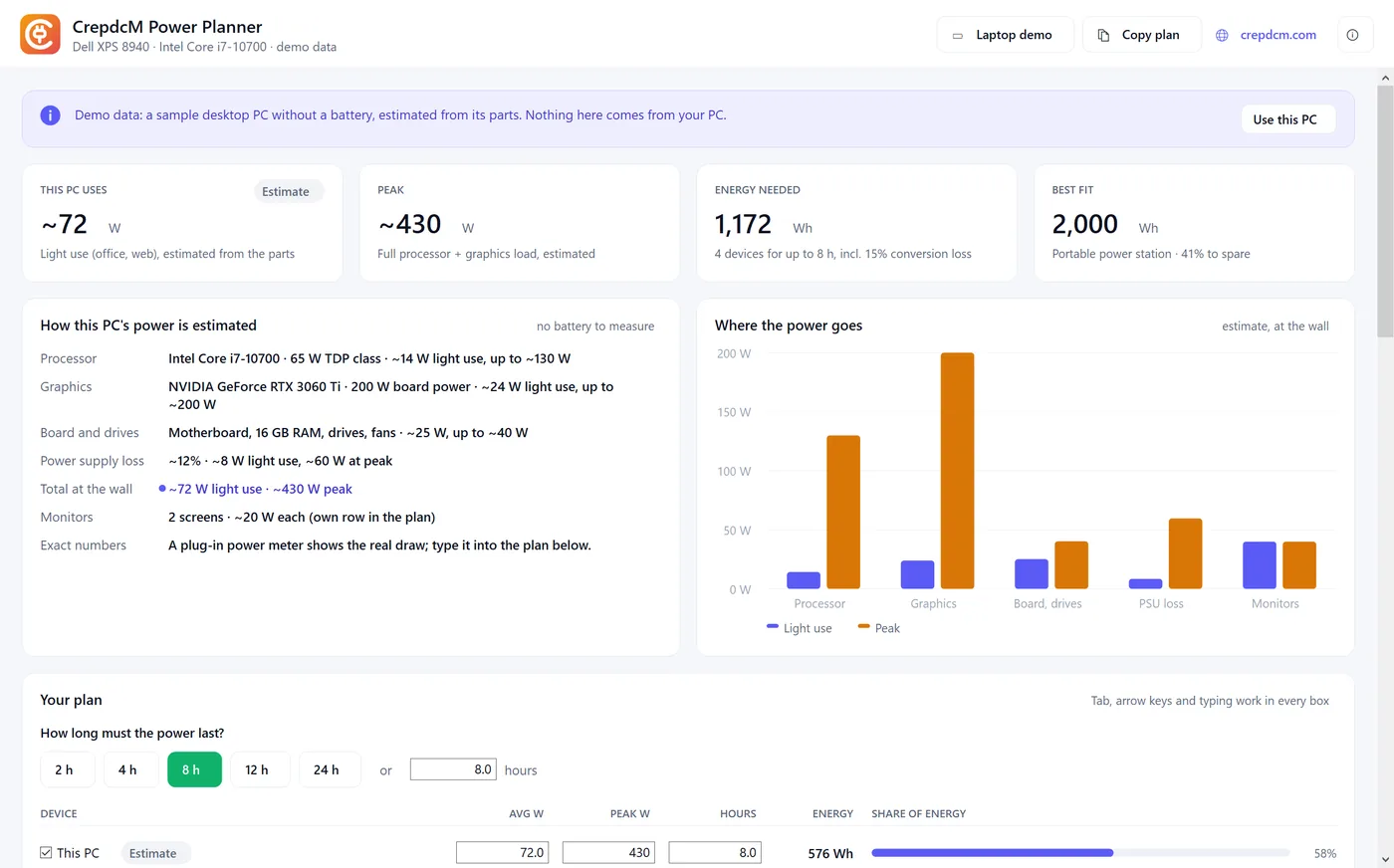
Measure
Run Power Planner and unplug the laptop charger for a minute (desktops get an estimate straight away).
Plan
Choose the devices to keep running and how many hours the power might be out.
Choose
See the power station, power bank or UPS that fits, with every number explained, and copy the plan.
Privacy
- Reads battery charge, capacity and discharge rate, processor and graphics names, memory size and screens — on your PC only.
- No serial numbers, user or computer names, files or network details.
- No account, no ads, nothing uploaded.
- Links to crepdcm.com open only when you click them.
Looking after a laptop battery?
CrepdcM is a laptop battery finder: specs, compatible part numbers and the right replacement for 100,000+ laptop models.
Frequently asked questions
Why do I have to unplug the charger?
On the charger Windows only sees power flowing into the battery, not what the laptop itself uses. On battery, the discharge rate is the laptop's real draw.
How is the energy calculated?
Watts × hours for every device you switch on, divided by 0.85: power stations and USB-C power banks lose about 15% converting their battery power to AC or USB-C.
Can a power bank run my desktop PC or Wi-Fi router?
No. USB-C power banks suit laptops that charge over USB-C and phones. Desktops, routers and other mains devices need a power station (or a UPS for a short safe shutdown).
Which power bank can I take on a plane?
Packs up to 100 Wh (about 26,800 mAh) can go in carry-on luggage; 100–160 Wh needs airline approval and bigger packs are not allowed. Power Planner sizes packs within that limit.
What does a UPS give me?
Minutes, not hours: enough to save your work and shut down safely. Power Planner sizes it as peak watts ÷ 0.6 and estimates the runtime at your typical load.
My desktop estimate looks off. What can I do?
It's based on typical power classes of your processor and graphics card. Measure the PC with a plug-in power meter and type the real watts into the plan; everything updates.
Does it need administrator rights or an internet connection?
No. Everything runs locally without admin rights; the internet is only used when you click a link to crepdcm.com.

