

 Free Windows app · coming to Microsoft Store
CrepdcM Sleep Drain Analyzer: why your laptop battery drains in sleep
Closed the lid at 80% and opened it at 40%? CrepdcM Sleep Drain Analyzer is a free Windows app that reads the sleep history Windows already keeps and shows how much battery each night costs, what woke the laptop and which settings to change: hibernate, wake timers, network in standby or the lid action.
Free · Windows 10 (1903+) and Windows 11 · no account, no ads
What it does
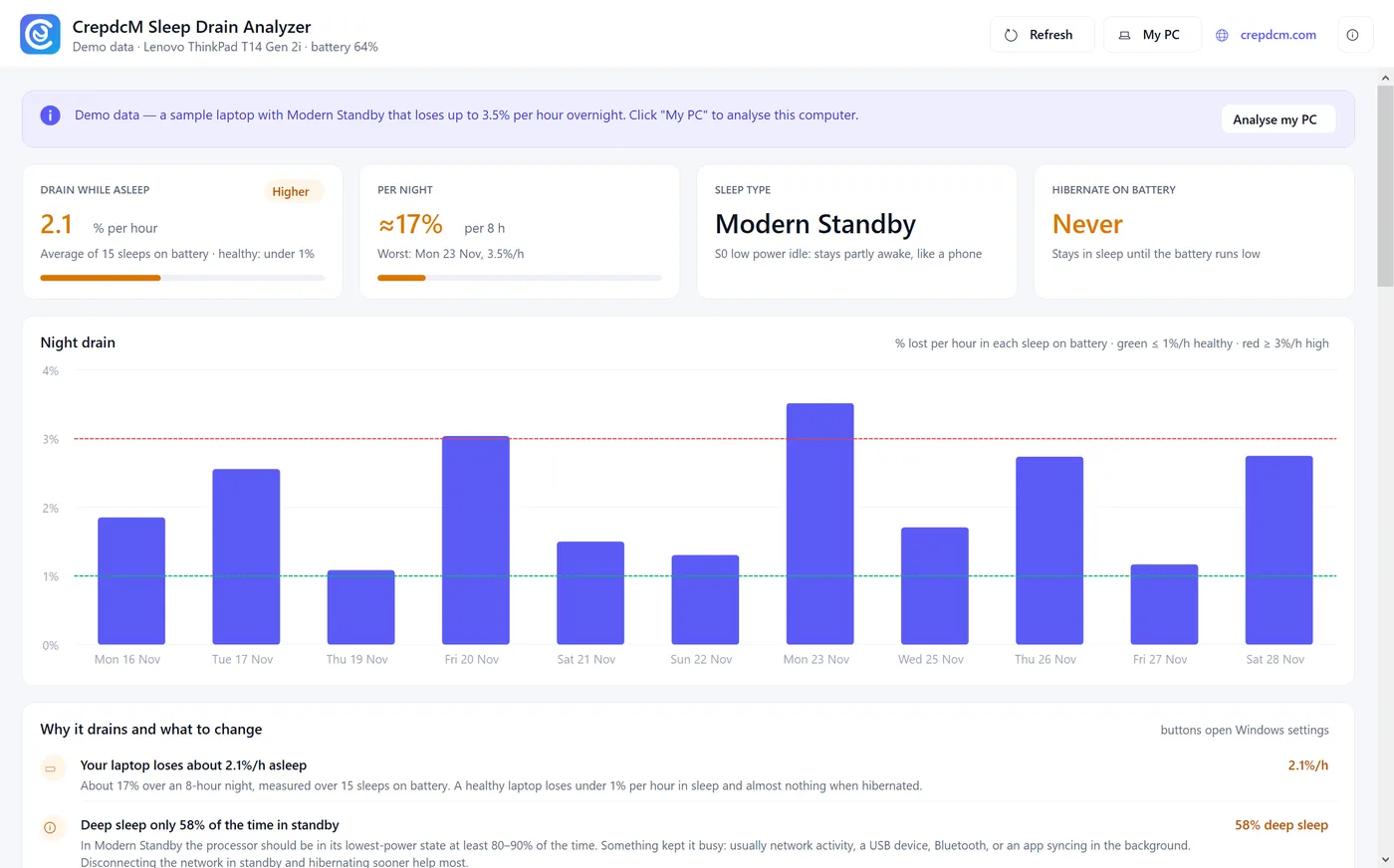
Drain per hour, every night
Battery lost per hour for every sleep on battery in the last 14 days, and what that means for an 8-hour night.
Modern Standby explained
Tells Modern Standby (stays partly awake, like a phone) and classic sleep apart, and shows how much of standby was real deep sleep.
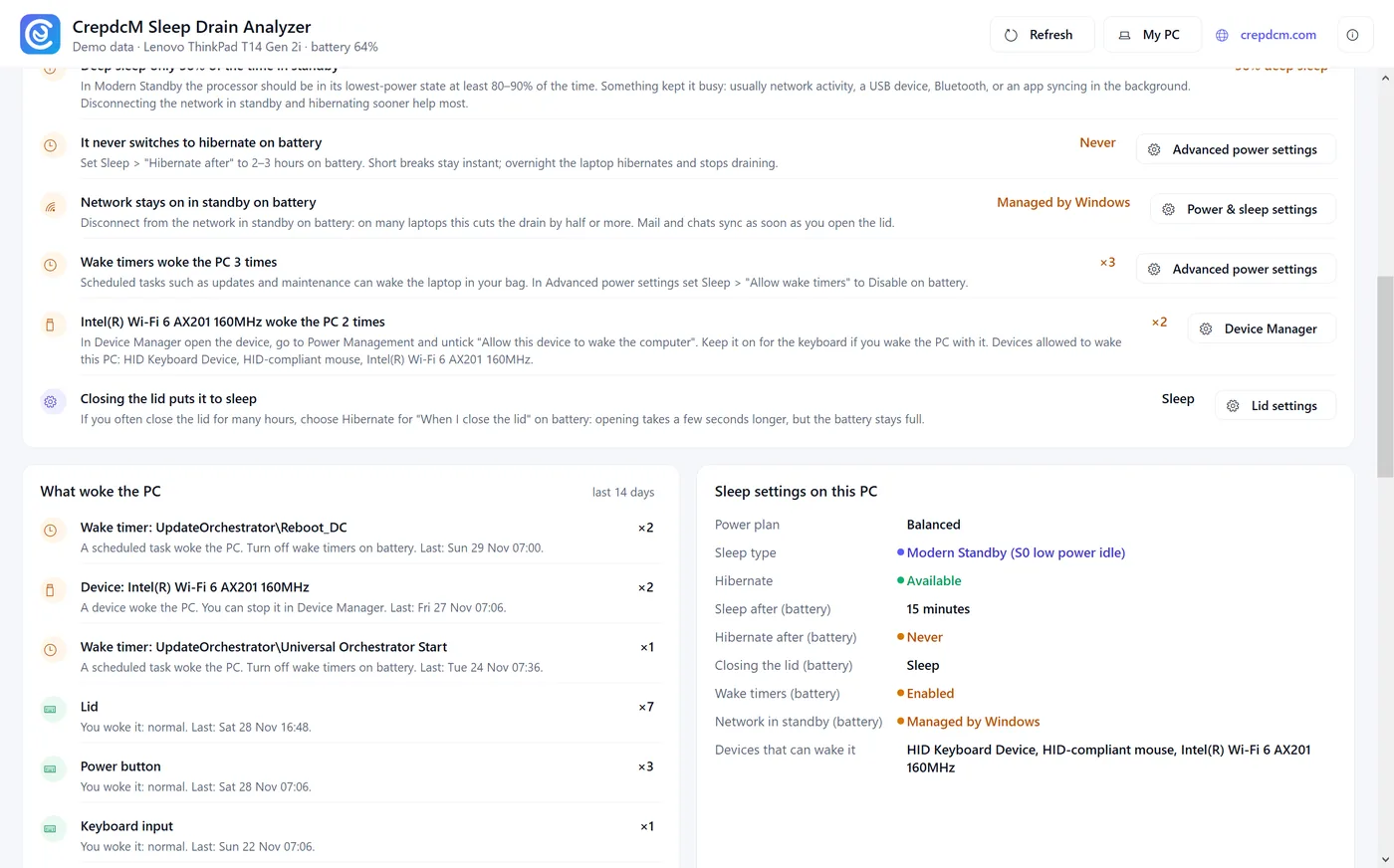
What woke it
You, a wake timer from a scheduled task, a Wi-Fi adapter or a USB device, with counts and the last time.
What to change
Hibernate off, wake timers allowed, network on in standby, the lid action: each tip opens the right Windows settings page.
Night-by-night chart
With lines for healthy (≤ 1% per hour) and high (≥ 3% per hour) drain.
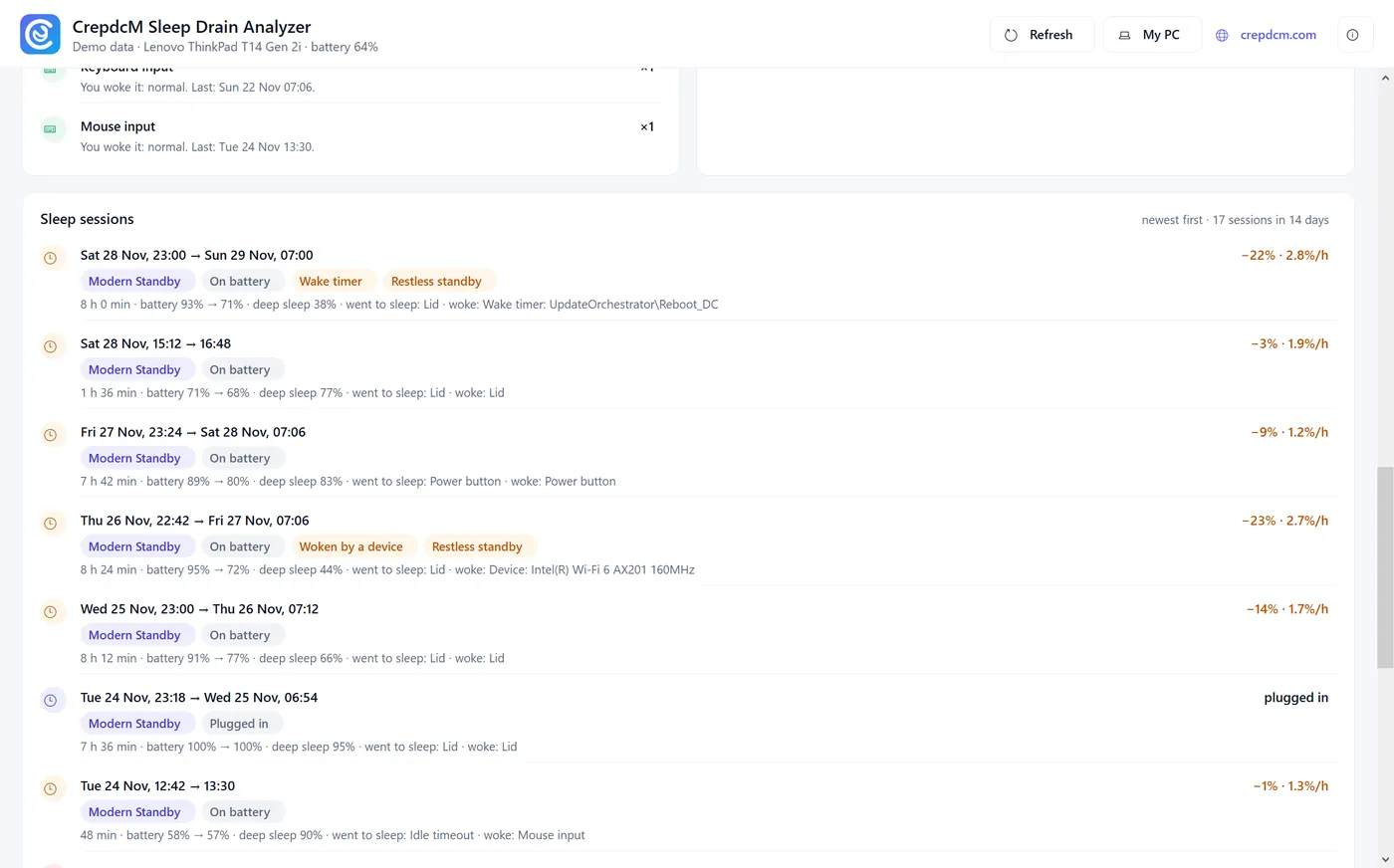
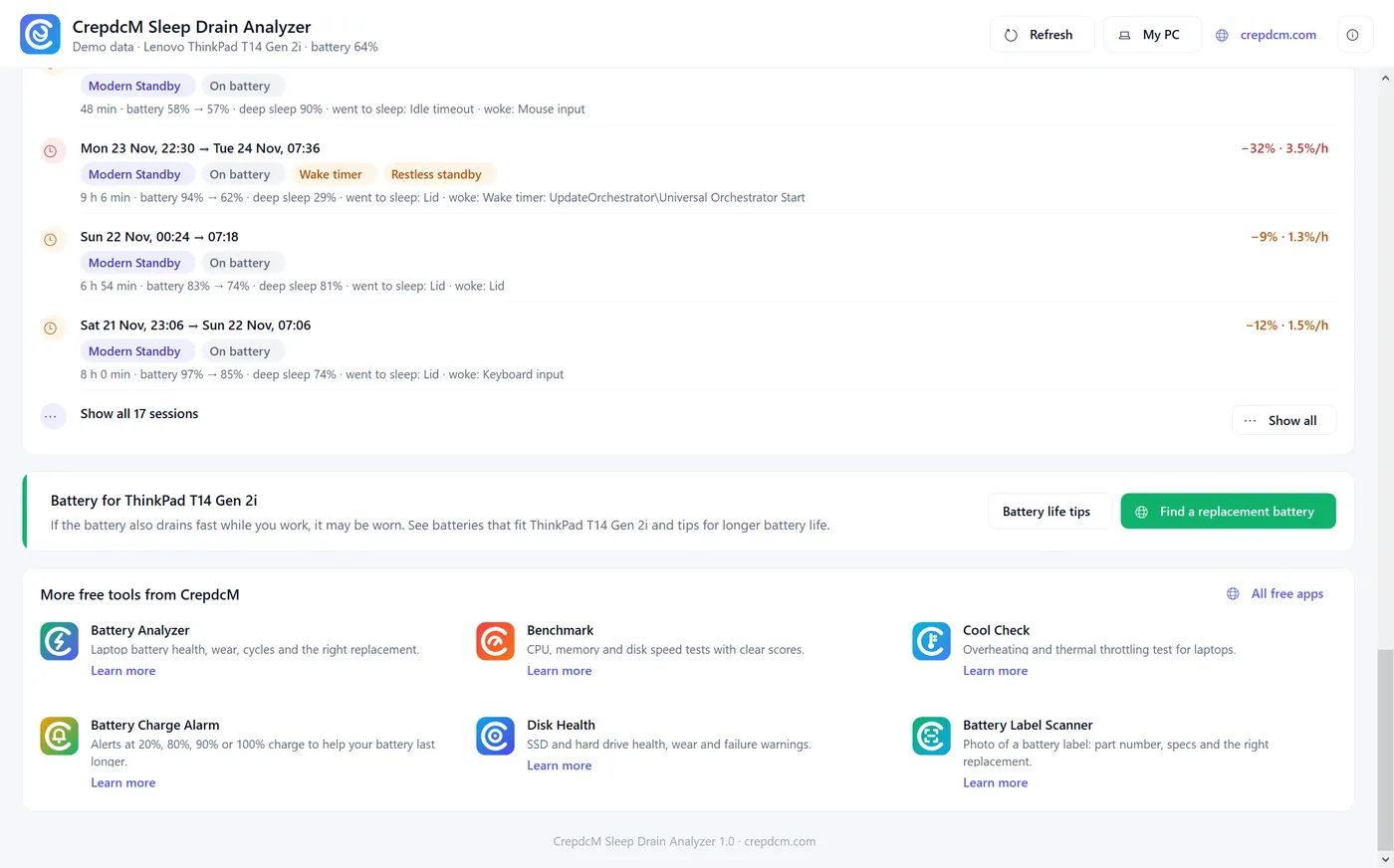
Every sleep session
Start, length, battery before and after, sleep type and wake source.
Screenshots
Install and open it
Get CrepdcM Sleep Drain Analyzer free from the Microsoft Store and open it on your laptop.
Read the result
It reads the last 14 days of sleep from Windows at once; no need to wait a night (but sleep on battery at least once first).
Change what drains it
Follow the tips, then check again after a few nights.
Privacy
- Everything runs on your PC; there is no telemetry.
- Results are kept in memory only and are gone when you close the app.
- No serial numbers, user or computer names are read or sent.
- Links to crepdcm.com carry only your laptop model.
- No account, no ads, no tracking.
Looking after a laptop battery?
CrepdcM is a laptop battery finder: specs, compatible part numbers and the right replacement for 100,000+ laptop models.
Frequently asked questions
How much battery should a laptop lose in sleep?
A healthy laptop loses under 1% per hour in sleep, so under about 8% over a night. Over 3% per hour is high. Hibernated, it loses almost nothing.
What is Modern Standby and why does it drain more?
Many new laptops don't fully sleep: like a phone, they stay partly awake to sync mail and updates. If something keeps them busy (network, a USB device, an app), they drain much faster. The app shows how much of standby was real deep sleep.
How do I stop my laptop waking up in my bag?
Turn off wake timers on battery, keep the network off in standby, and stop devices you don't use to wake the PC in Device Manager. The app shows which of these actually woke your laptop.
Should I use hibernate?
For long breaks, yes. Set the laptop to hibernate after 2–3 hours of sleep on battery: short breaks stay instant, and overnight it stops draining.
Does it change any settings?
No. It only reads. Buttons open the right Windows settings page; you decide what to change.
Does it work on a desktop PC?
It shows sleep sessions, wake-ups and settings, but drain can't be measured without a battery. A built-in demo shows a laptop's night drain.
Do I need administrator rights?
No. It works with a normal user account.
Is it free?
Yes: no ads, no account, no trial. Links to batteries on crepdcm.com are how we keep it free.

