

 Free Windows app · coming to Microsoft Store
CrepdcM Used Laptop Inspector — check a used laptop before you buy or sell it
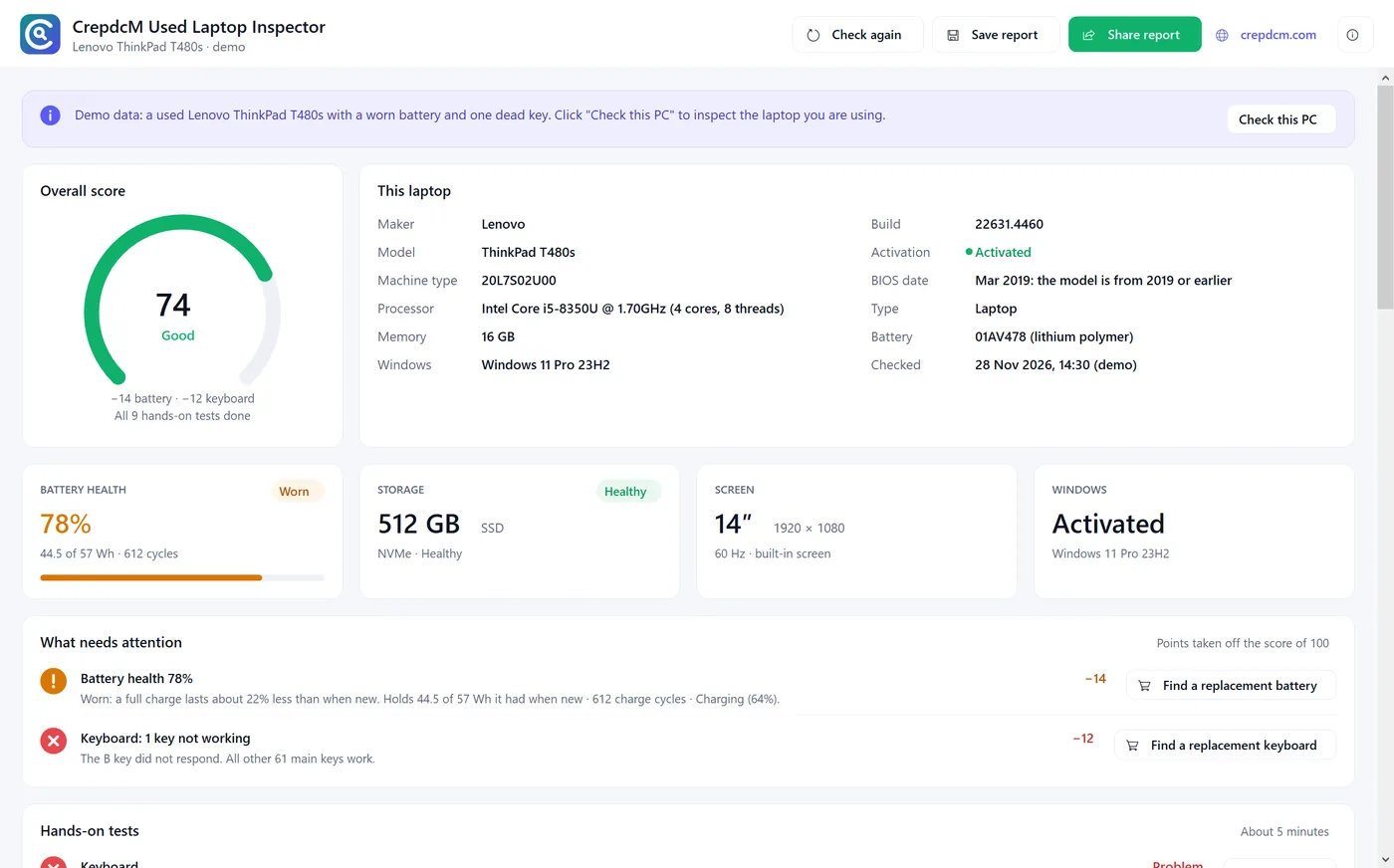
A free Windows app that checks a second-hand laptop in 5–10 minutes: battery health, storage, Windows activation, keyboard, touchpad, screen, speakers, microphone, webcam, USB ports, charger and fan. You get a score from 0 to 100, the main issues explained in plain language, and a report you can save or share with the buyer or seller.
Free · Windows 10 (1903+) and Windows 11 · no account, no ads
What it does
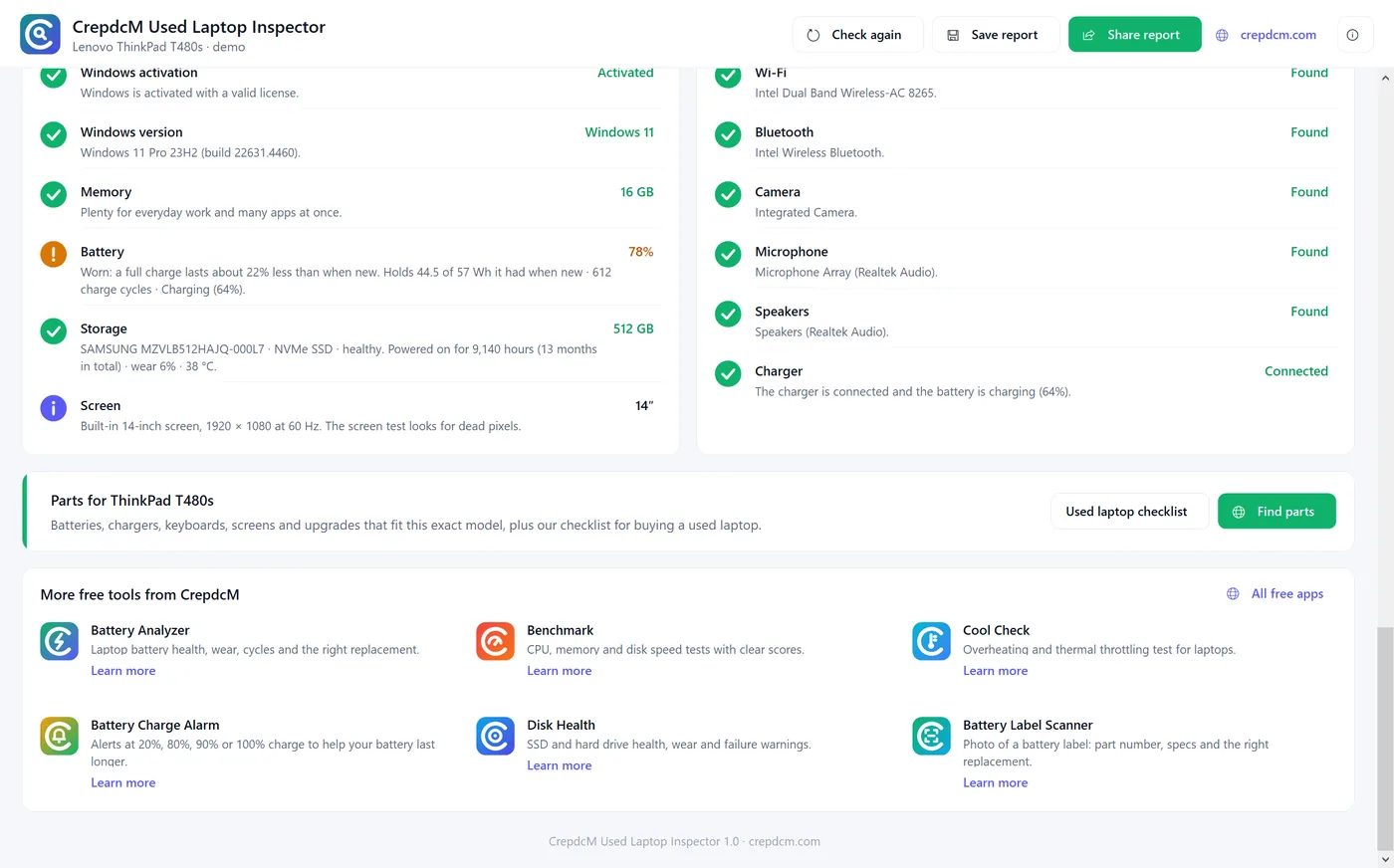
Real battery health
How much of its original capacity the battery still holds, plus charge cycles and charging state, read from the battery itself.
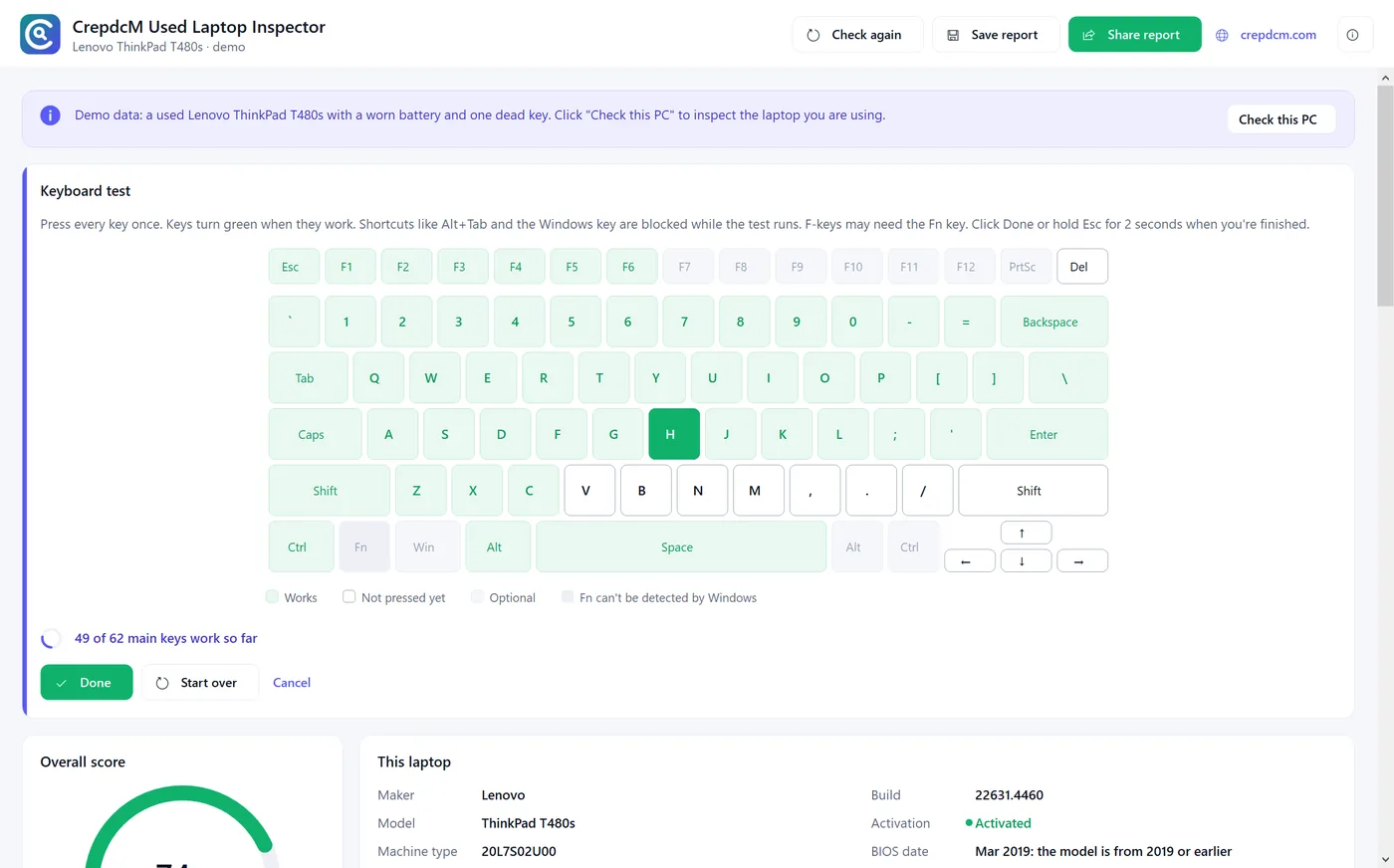
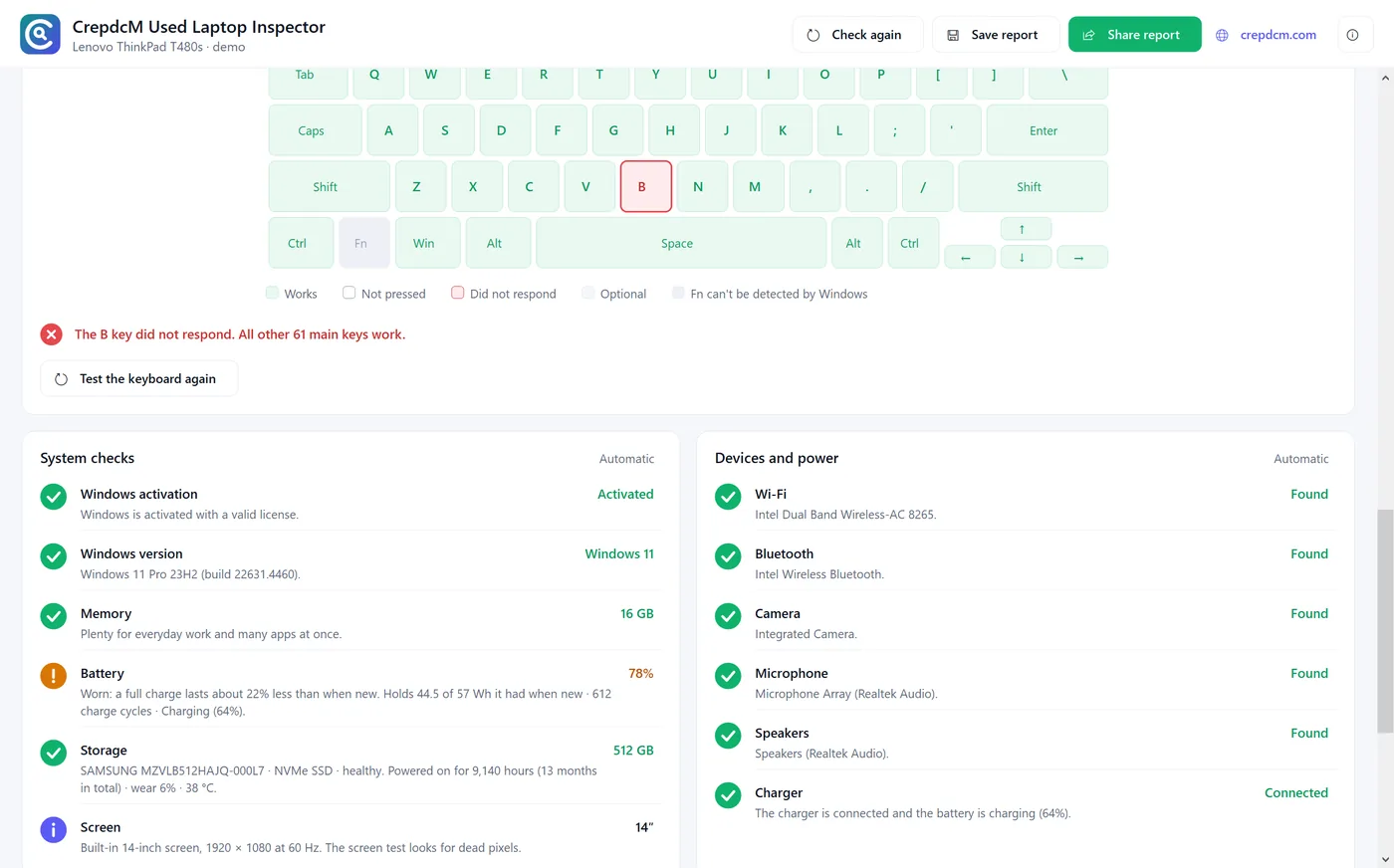
Keyboard test that shows dead keys
A drawn keyboard where every key lights up as you press it, so a dead key stands out.
Screen, touchpad and sound tests
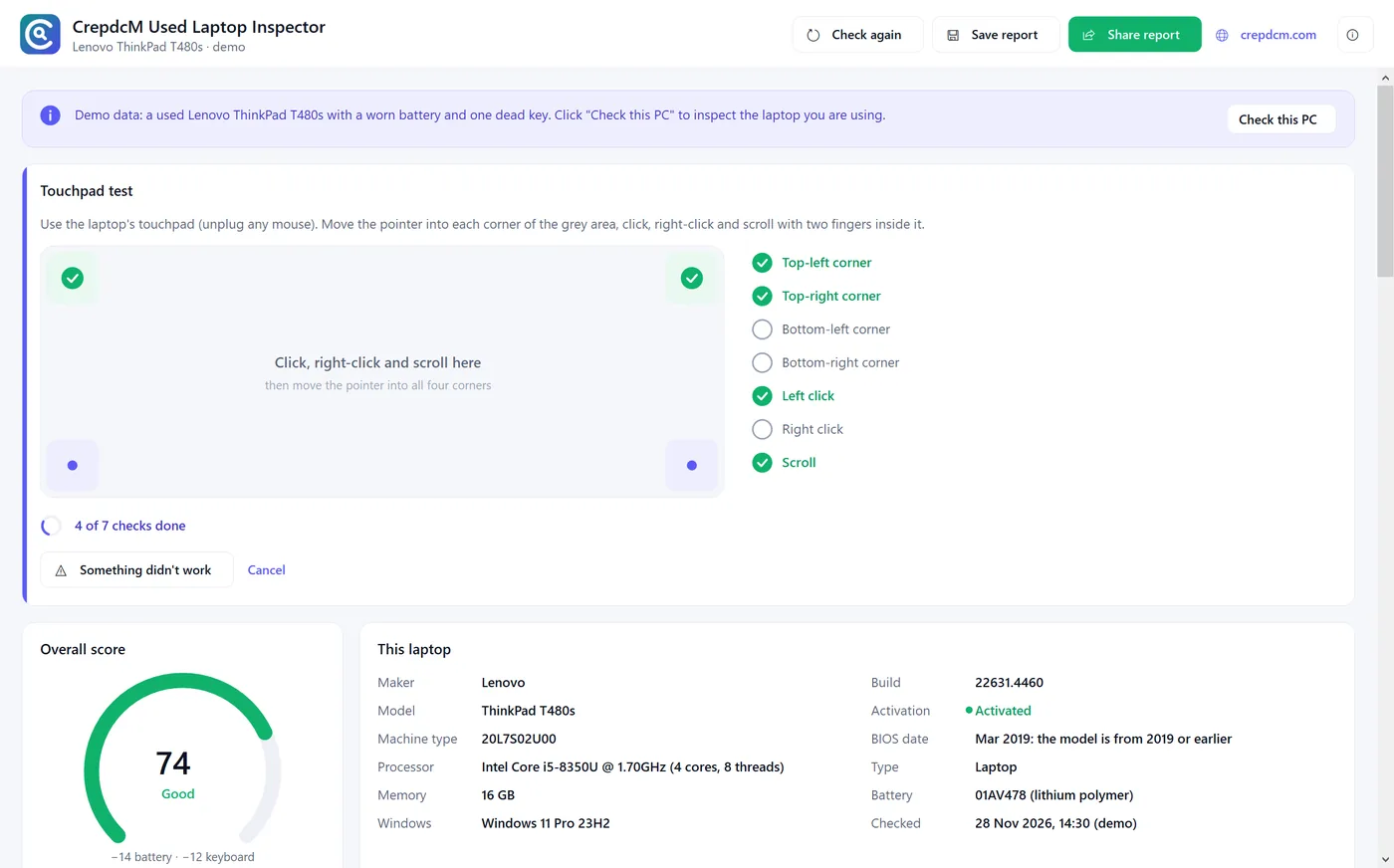
Full-screen colors for dead pixels and backlight bleed, touchpad clicks and corners, a left/right speaker tone and a live microphone level meter.
Ports and charger
Counts every USB device you plug in, and detects when the charger is unplugged, plugged back in and starts charging.
Windows activation and storage
Whether Windows is activated, and whether the drive is an SSD or a hard disk and is healthy.
One score, explained
A 0–100 score with a verdict and the main deductions, for example "battery health 78%: −14".
Parts that fit
Every problem gets a "Find a replacement" link for that exact model: battery, keyboard, screen, charger, webcam, fan or SSD.
Save or share the report
A single web page to print or send, or a link the buyer or seller can open.
Screenshots
Run it on the laptop
Get CrepdcM Used Laptop Inspector free from the Microsoft Store and start it on the laptop you want to check. The automatic checks finish in a few seconds.
Do the hands-on tests
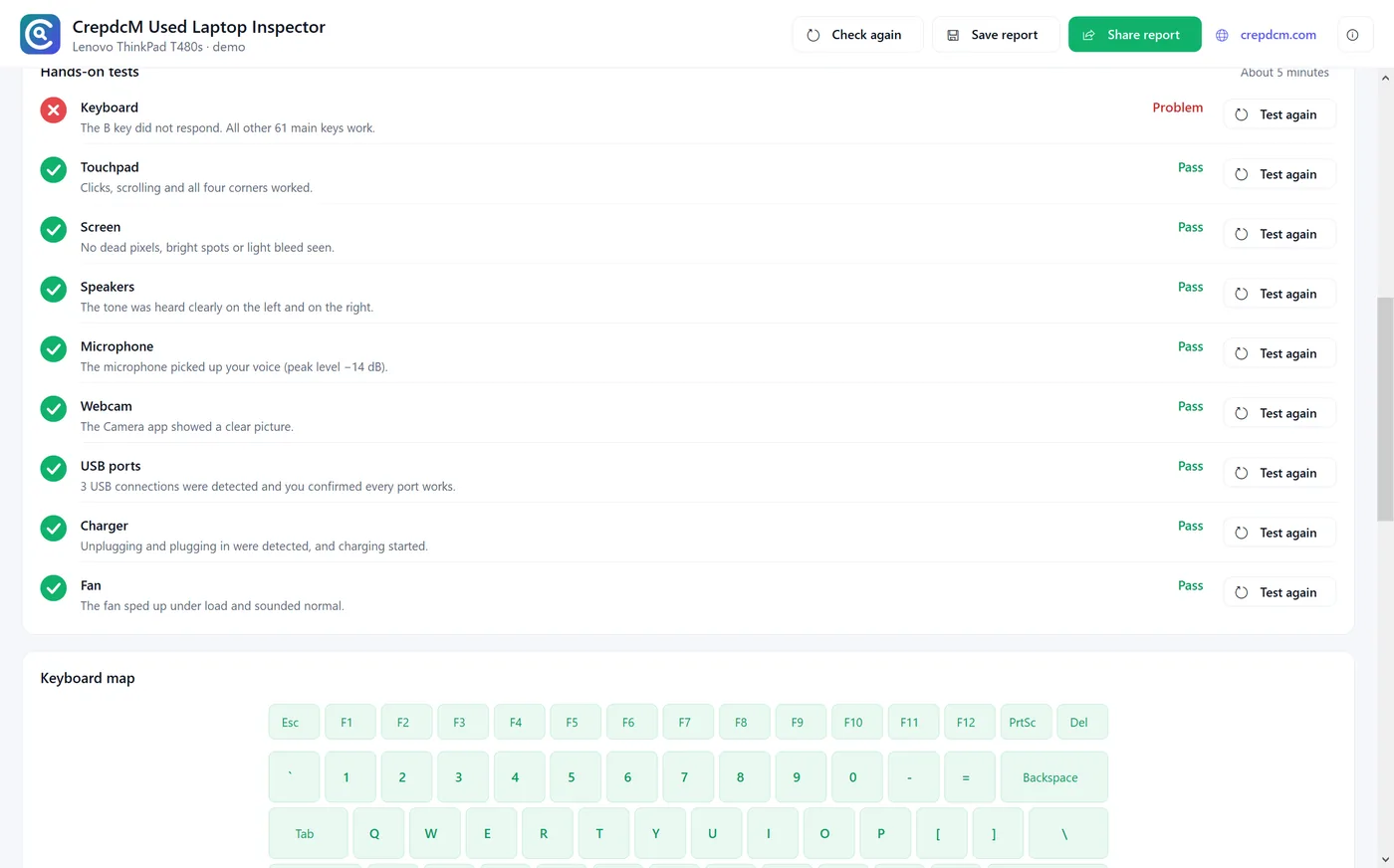
Click Test next to keyboard, touchpad, screen, speakers, microphone, webcam, USB ports, charger and fan. Each one takes under a minute.
Read the score and share it
See what works and what needs attention, find replacement parts, and save or share the report.
Privacy
- Every check runs on the laptop itself.
- Nothing is uploaded unless you click "Share report", and you see the exact data first.
- No serial numbers, product keys, user or computer names, file names or network addresses are read or sent.
- The microphone test measures loudness only; the webcam test only opens the Windows Camera app.
- No account, no ads, no tracking.
Looking after a laptop battery?
CrepdcM is a laptop battery finder: specs, compatible part numbers and the right replacement for 100,000+ laptop models.
Frequently asked questions
How long does a full check take?
About 5–10 minutes. The automatic checks take a few seconds; each of the nine hands-on tests takes 20–60 seconds.
How is battery health measured?
The app compares the capacity the battery can hold today with its design capacity, using Windows' own battery report, and shows the charge cycles when the battery reports them. 80% or more is normal for a used laptop. Below 65% the battery is heavily worn.
Why can't the keyboard test see the Fn key?
Fn is handled inside the keyboard and never reaches Windows, so no app can detect it. F-keys may need Fn pressed; they are optional in the test.
Does the microphone test record me?
No. It only measures the sound level to show the meter. Nothing is recorded, saved or sent.
What does "Share report" upload?
Only when you click it and confirm: the laptop model, processor, memory, Windows version, the check results, and the battery and drive details. The app shows the exact data before it uploads. It never includes serial numbers, product keys, your user or computer name, files or network addresses.
Can I use it on a desktop PC or in a virtual machine?
Yes, but battery, charger, touchpad and webcam checks don't apply there. The app explains this and offers a built-in demo of a full laptop check.
Is it really free?
Yes: no ads, no account, no trial. Links to compatible parts on crepdcm.com are how we keep it free.

