 Free Windows app · coming to Microsoft Store
CrepdcM Benchmark — how fast is your PC, and what would make it faster?
A free, honest one-minute speed test for Windows. It measures the processor, memory and storage drive, shows easy scores next to typical laptops and desktops, and tells you in plain words which upgrade would help most.
Free · Windows 10 (1903+) and Windows 11 · no account, no ads
What it does
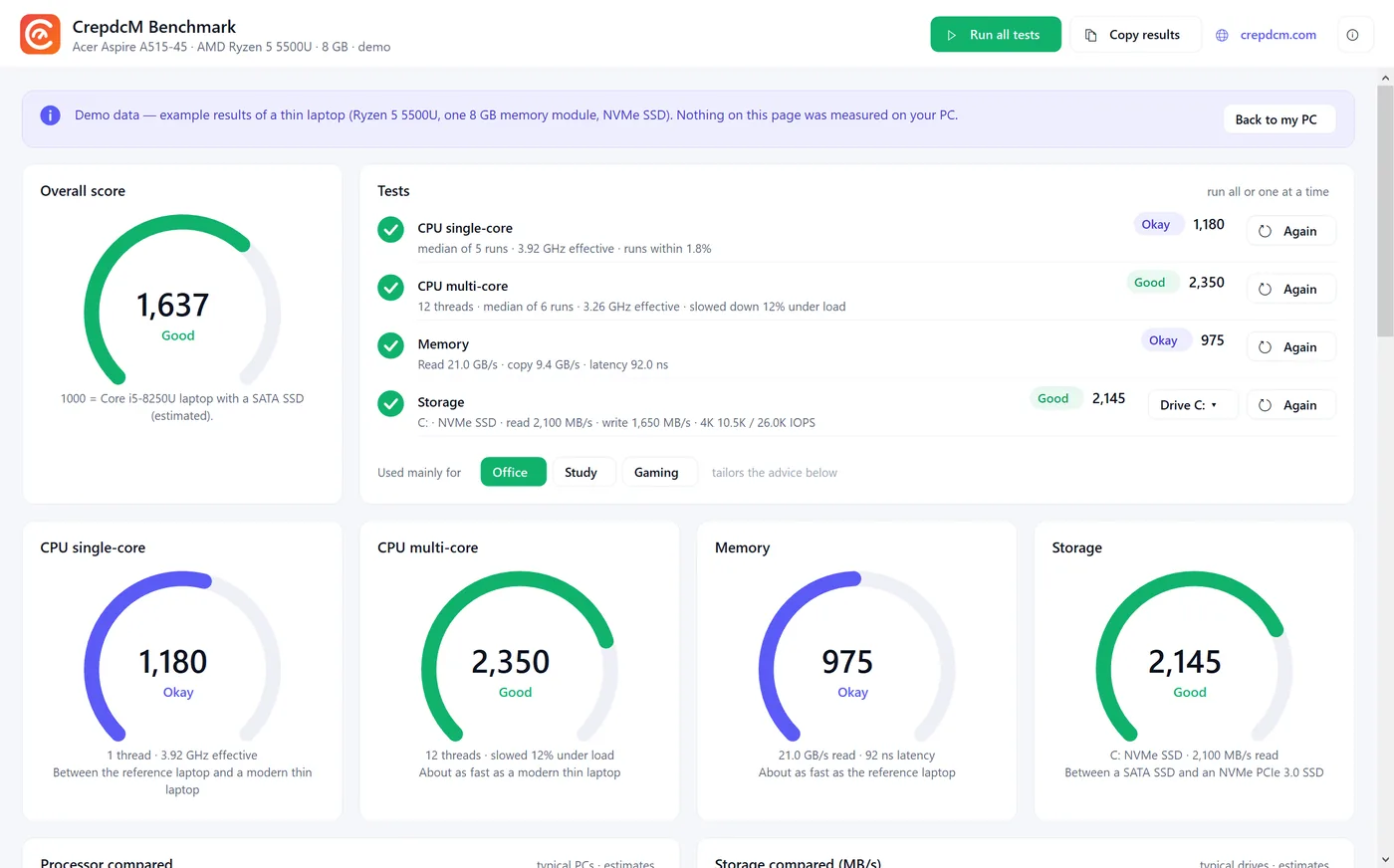
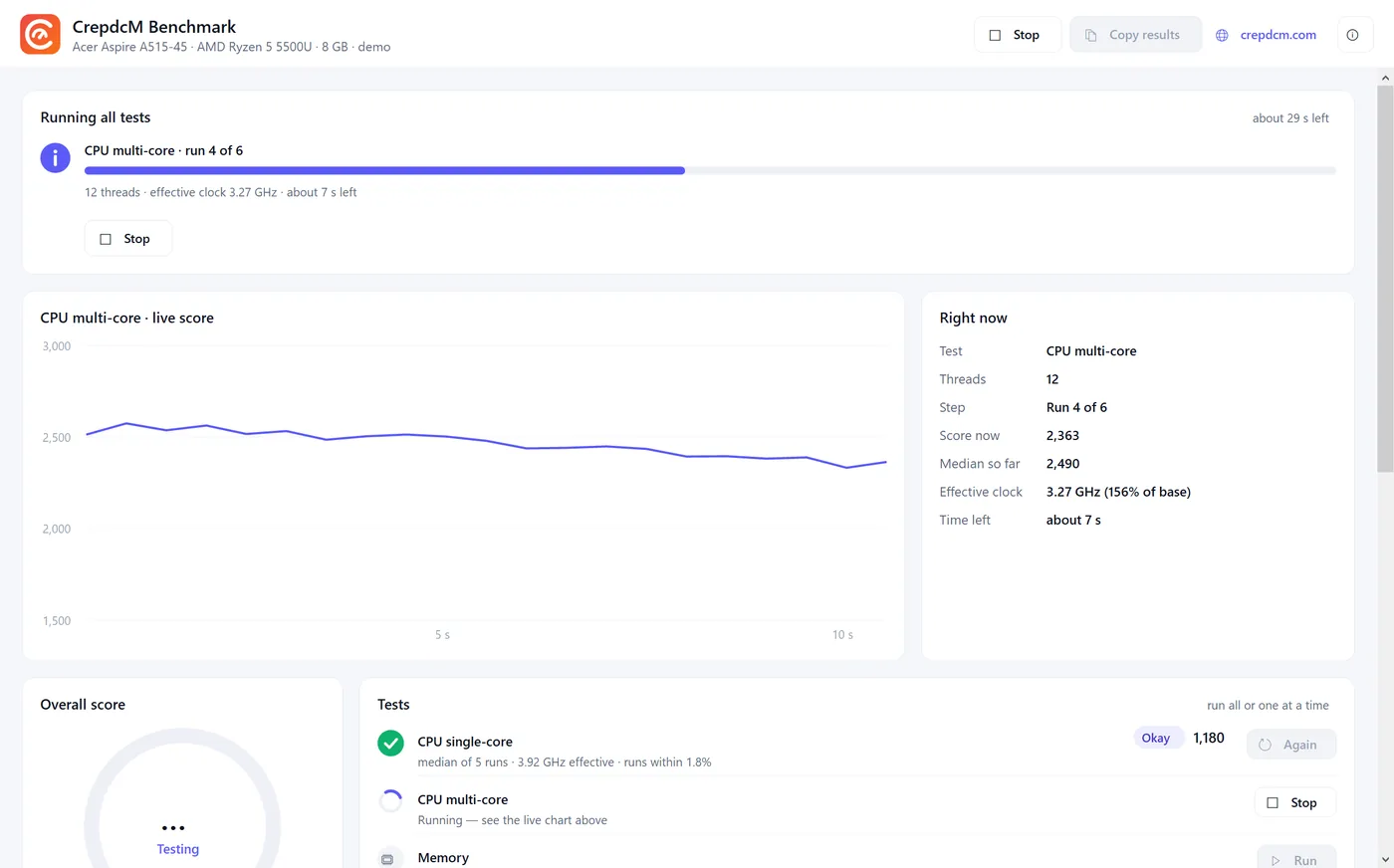
One-minute test
Processor, memory and storage in about a minute; run everything or just one test.
Scores that make sense
1000 = a 2017 Core i5-8250U laptop with a SATA SSD, 2000 = twice as fast.
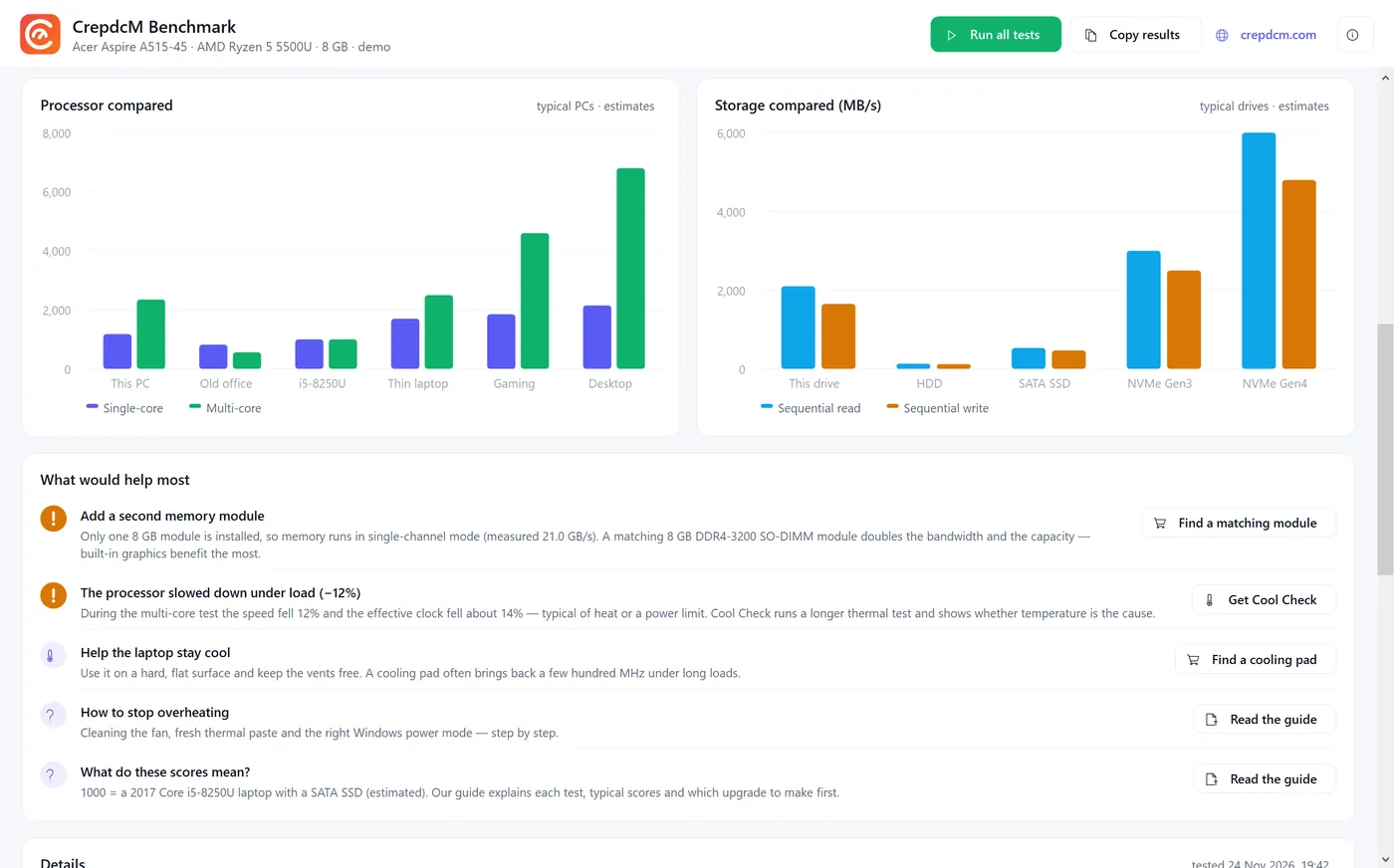
Compared with typical PCs
See your CPU next to office, thin, gaming and desktop PCs, and your drive next to HDD, SATA and NVMe SSDs.
Throttling check
The multi-core test watches the speed over time and shows when heat or a power limit slows the processor down.
Memory insight
Bandwidth and latency, plus a warning when memory runs in single-channel mode.
Real drive speed
Unbuffered sequential and 4K random tests, so Windows' cache can't inflate the numbers.
Upgrade advice
SSD, matching RAM or better cooling: only what your results actually show.
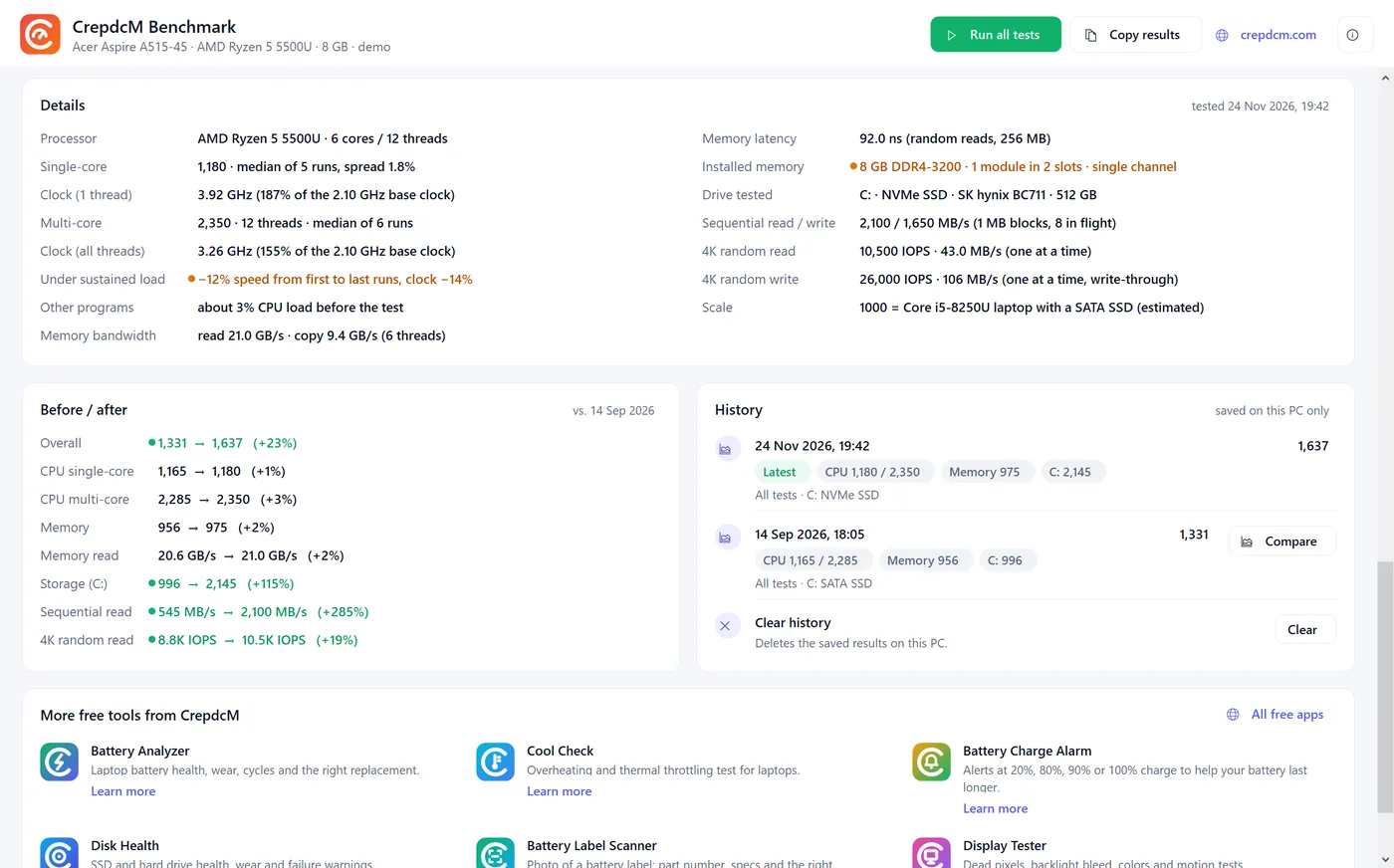
Before / after
Every run is saved on your PC, so you can see exactly what an upgrade changed.
Screenshots
Download CrepdcM Benchmark from the Microsoft Store and open it
No sign-up, no admin rights.
Click "Run all tests" and wait about a minute (close other apps for the steadiest scores).
Read your scores and advice
And follow the links to parts that fit your exact PC.
Privacy
- All tests run on your PC; results are saved only on your PC.
- No serial numbers, names, file names, IP or MAC addresses are collected.
- No telemetry, no ads, nothing is uploaded.
- Links to crepdcm.com may include your PC model and part specs (for example RAM type and size) so we can show parts that fit.
Looking after a laptop battery?
CrepdcM is a laptop battery finder: specs, compatible part numbers and the right replacement for 100,000+ laptop models.
Frequently asked questions
What does a score of 1000 mean?
It is the app's reference: an Intel Core i5-8250U laptop from 2017 with dual-channel DDR4-2400 memory and a SATA SSD (estimated). A score of 1,500 means 1.5 times as fast. The comparison values for other PC classes are approximate estimates.
Is the storage test safe for my files and my SSD?
Yes. It writes one 1 GB temporary file, tests it and deletes it right away — Windows removes it even if the app is closed during the test. Your files are never read or changed. A full run writes about 2–4 GB, a tiny fraction of what an SSD is rated for.
Why is my score lower than expected?
Background programs, battery mode or heat can hold a PC back. The app tells you when other programs were busy or the processor slowed down during the test. Close other apps, plug in the charger and run again.
Why do results differ a little between runs?
Modern processors change their clock speed all the time. The app uses a warm-up and the median of several runs, so results usually repeat within a few percent.
Can I compare my PC before and after an upgrade?
Yes. Every run is saved on your PC. After the upgrade, run the tests again and the "Before / after" card shows the change in percent — for example from a hard drive to an SSD.
Does it work on virtual machines?
Yes, but the scores show the share of the host's hardware the VM gets, not the host itself.
Is it really free?
Yes — no ads, no account, no in-app purchases. It is made by crepdcm.com, the laptop parts finder.