 Free Windows app · coming to Microsoft Store
CrepdcM Upgrade Advisor — which RAM and SSD fit your PC, and is it ready for Windows 11?
A free Windows app that looks at your memory slots, drives and Windows 11 requirements and tells you exactly what to upgrade — "add 1 × 8 GB DDR4-2666 SO-DIMM", "swap the hard drive for a 1 TB SSD", "turn on the firmware TPM" — or honestly says when a new PC is the better buy.
Free · Windows 10 (1903+) and Windows 11 · no account, no ads
What it does
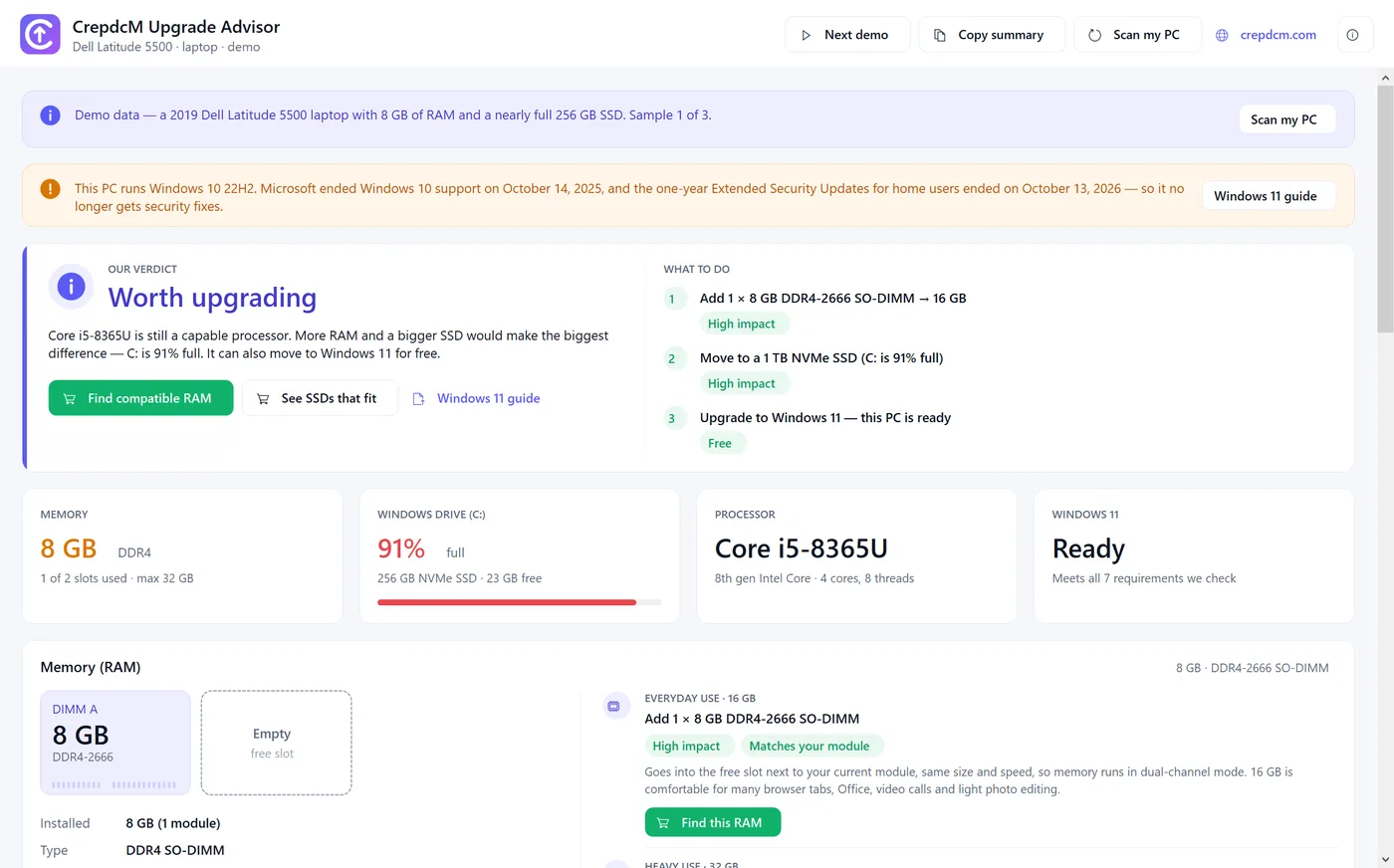
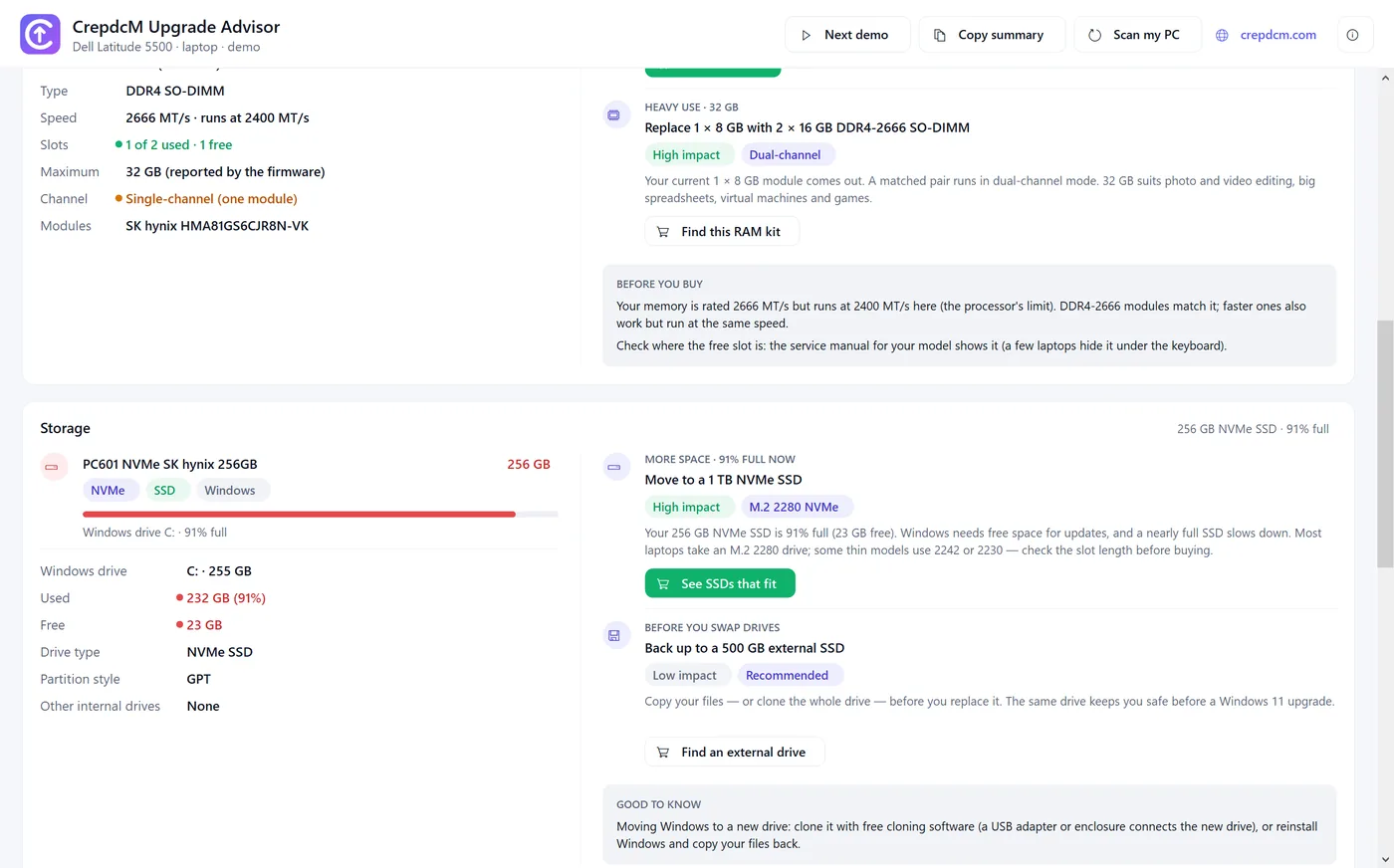
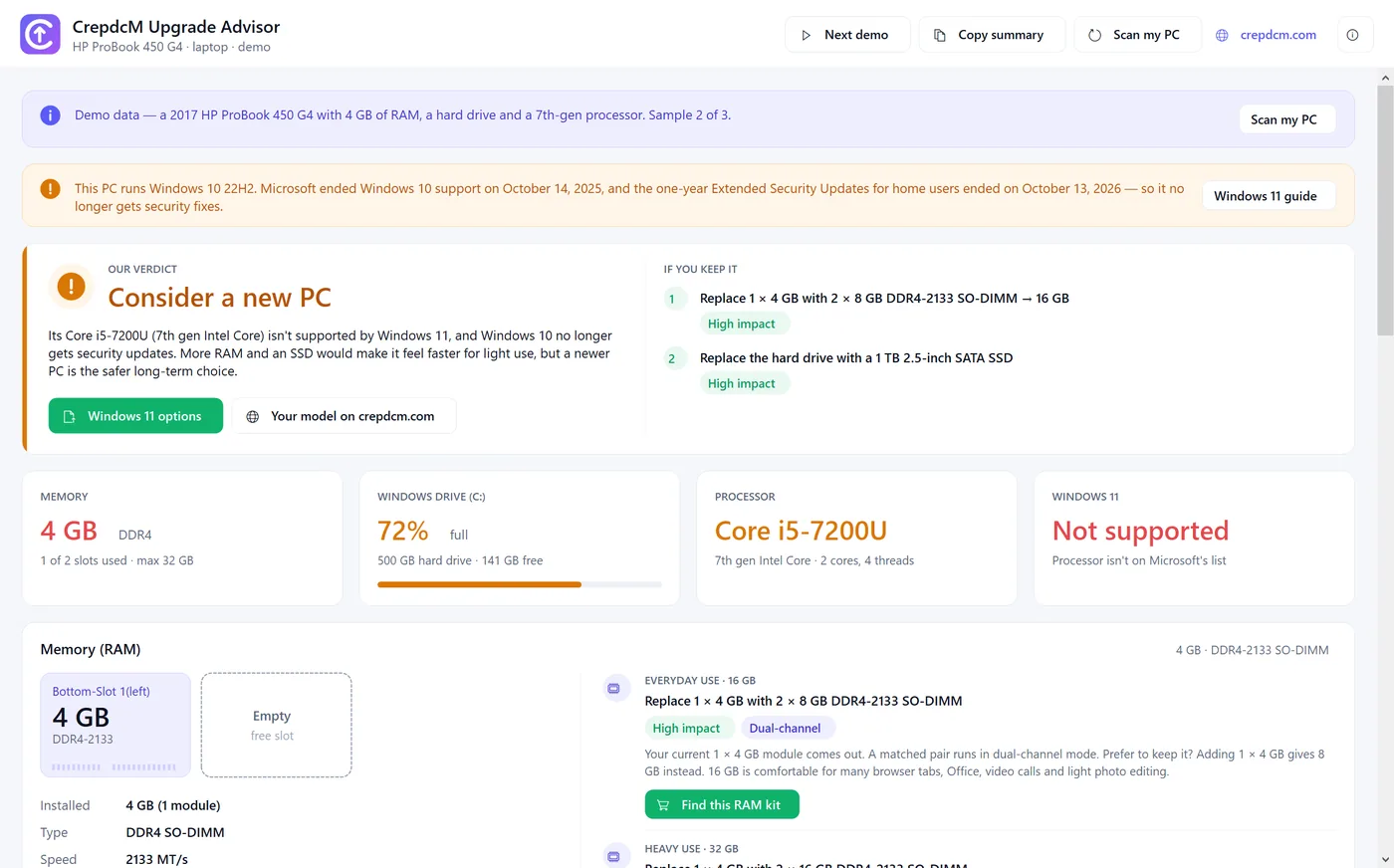
Clear verdict
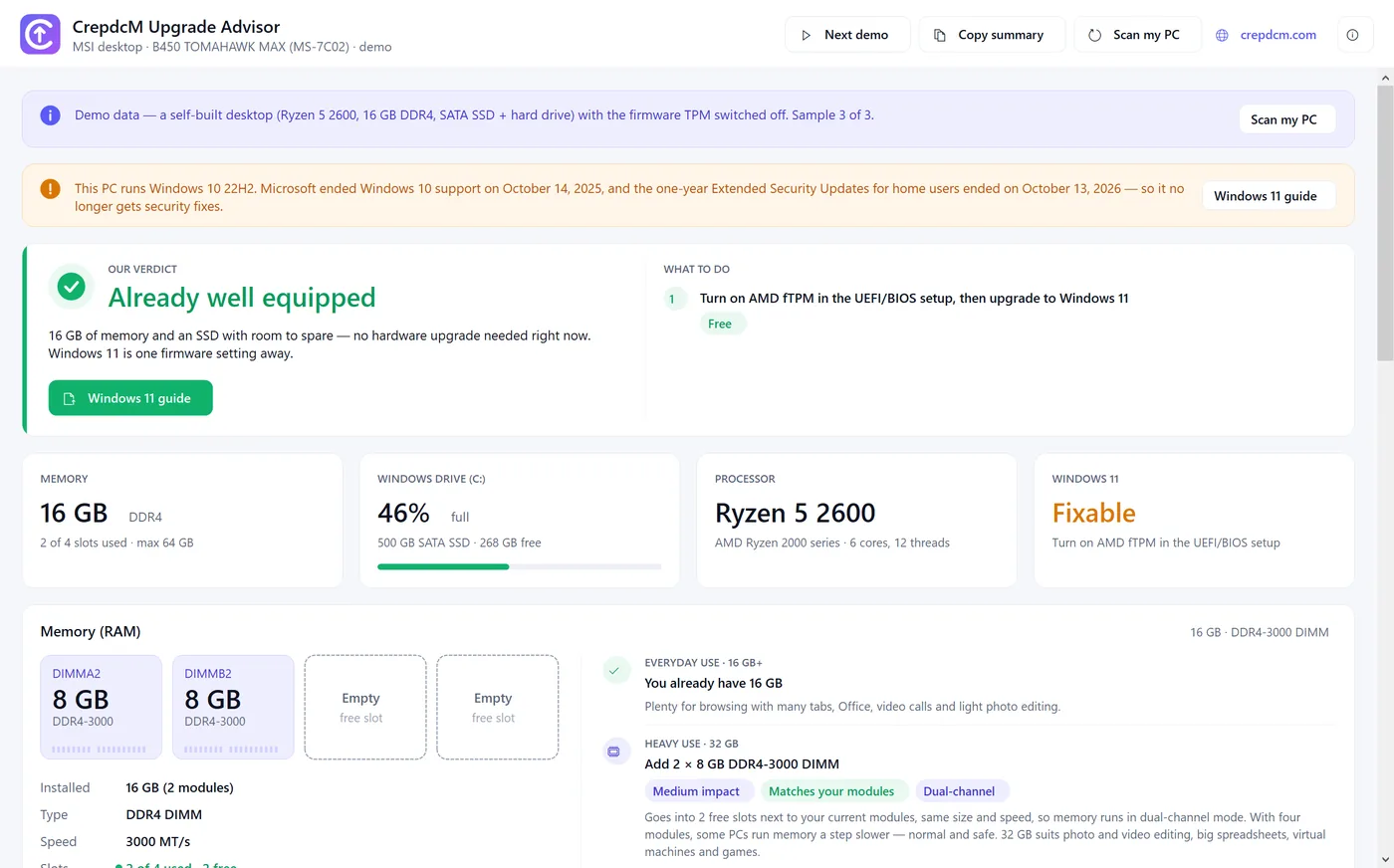
Worth upgrading, Already well equipped or Consider a new PC, with the reason and the steps in order of impact.
Memory slot map
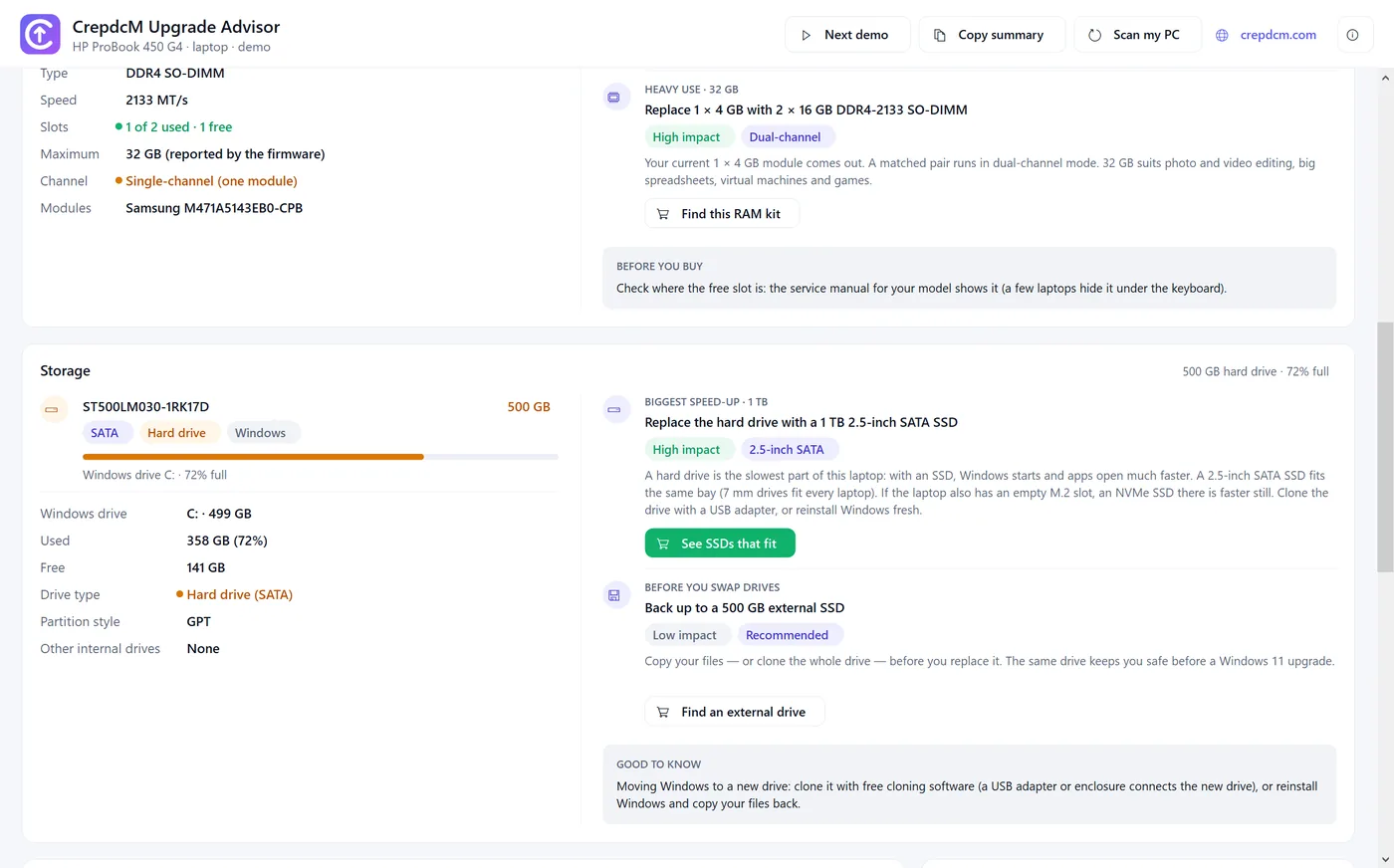
Every module's size, type, speed and form factor, empty slots, the maximum your PC supports and the channel mode.
Exact RAM plan
For everyday (16 GB) and heavy use (32 GB), matched to your current modules, free slots and the firmware limit.
Soldered memory detection
LPDDR laptops are told the truth: the RAM can't be upgraded.
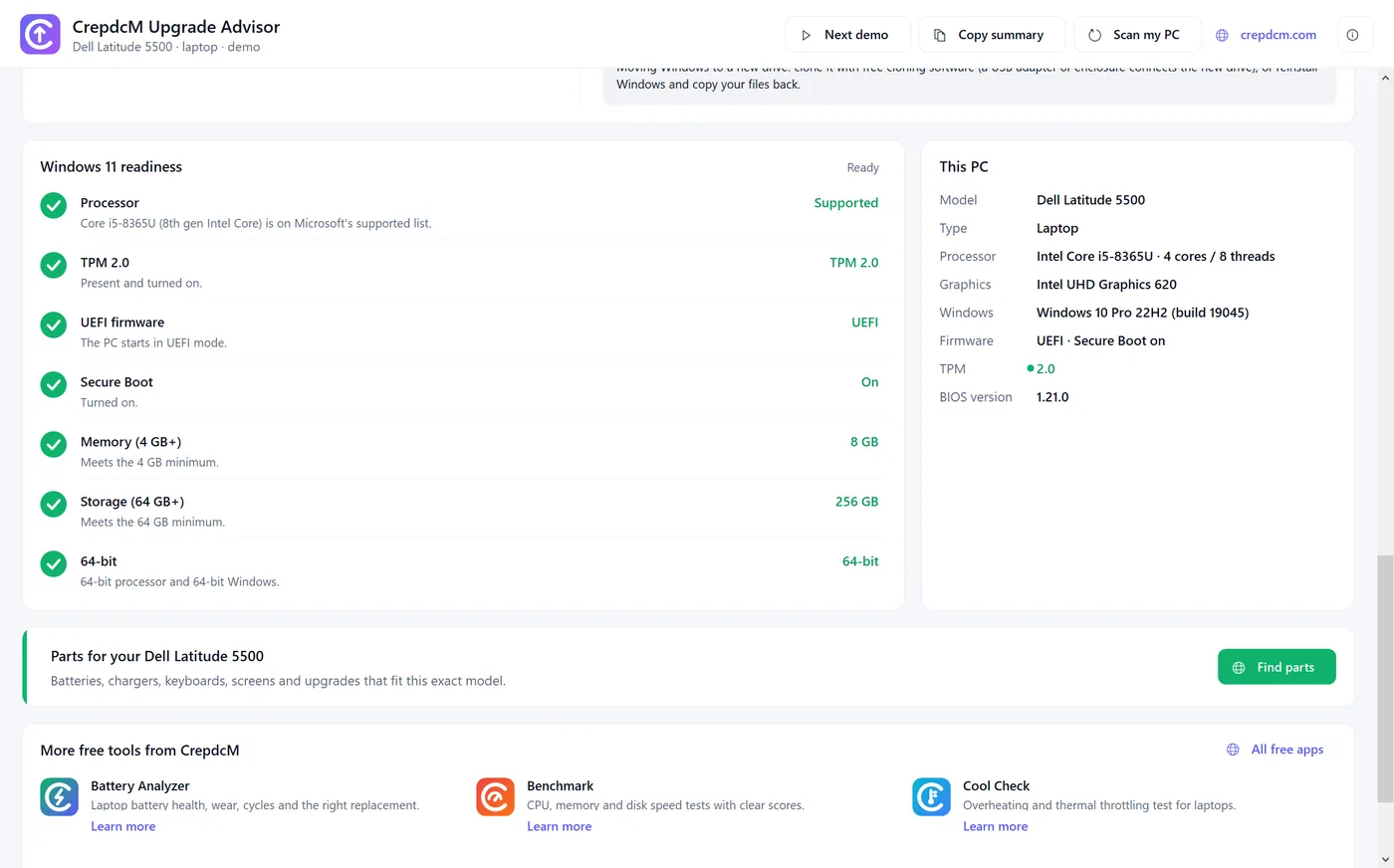
SSD plan
Hard drive to SSD, or a nearly full SSD to a bigger NVMe/SATA drive, in the right size and form factor (M.2 2280 or 2.5-inch).
Windows 11 readiness
Processor, TPM 2.0, UEFI, Secure Boot, memory, storage and 64-bit, each with a fix hint (e.g. turn on Intel PTT / AMD fTPM).
Windows 10 end-of-support check
Tells you when your PC no longer receives security updates.
Copy summary
A plain-text report for a friend, a forum or a repair shop.
Screenshots
Install and open
The app reads your memory, drives and security settings in a few seconds; no admin rights or account needed.
Read the verdict
See whether your PC is worth upgrading, with each step marked High, Medium or Low impact.
Get the right parts
One click opens crepdcm.com with the exact RAM or SSD spec that fits your PC.
Privacy
- Runs entirely on your PC; no telemetry, no account.
- Never reads serial numbers, product keys, user or computer names, network addresses or files.
- Links to crepdcm.com contain only the part spec and the PC model (maker, model, machine type).
Looking after a laptop battery?
CrepdcM is a laptop battery finder: specs, compatible part numbers and the right replacement for 100,000+ laptop models.
Frequently asked questions
Is it free?
Yes. Upgrade Advisor is free, has no ads inside the app and needs no account.
Does it work on desktops as well as laptops?
Yes. It recommends SO-DIMM memory for laptops and mini PCs and DIMM for desktops, and shows the motherboard model for self-built PCs.
How does it know my laptop's RAM is soldered?
Windows reports the memory type and where each module sits. LPDDR memory is always soldered, and onboard modules are flagged too — the app then tells you it can't be upgraded instead of suggesting a purchase. When it's unsure, it says "check before buying".
My PC says "TPM 2.0: Off". Do I need a new PC?
Usually not. Most PCs from 2017 on have a firmware TPM (Intel PTT or AMD fTPM) that is switched off by default on some motherboards. Turn it on in the UEFI/BIOS setup and check again — the Windows 11 guide shows how.
My processor isn't supported by Windows 11. What now?
Microsoft doesn't offer Windows 11 on unsupported processors, and Windows 10 no longer gets security updates. The app shows what an SSD and more RAM would still do for light use, but recommends a newer PC as the safer long-term choice.
Does it need administrator rights?
No. Everything is read with standard user rights.
Does it send my data anywhere?
No. Nothing is uploaded. Shopping buttons simply open crepdcm.com with the part spec and your PC model in the link.