 Free Windows app · coming to Microsoft Store
CrepdcM Disk Health — know when your SSD or hard drive is about to fail
A free Windows app that reads the health data hidden inside every SSD and hard drive and explains it in plain language: wear, bad sectors, temperature and running time. It warns you before a drive fails and tells you exactly what to do — back up, replace the drive or move to a bigger SSD.
Free · Windows 10 (1903+) and Windows 11 · no account, no ads
What it does
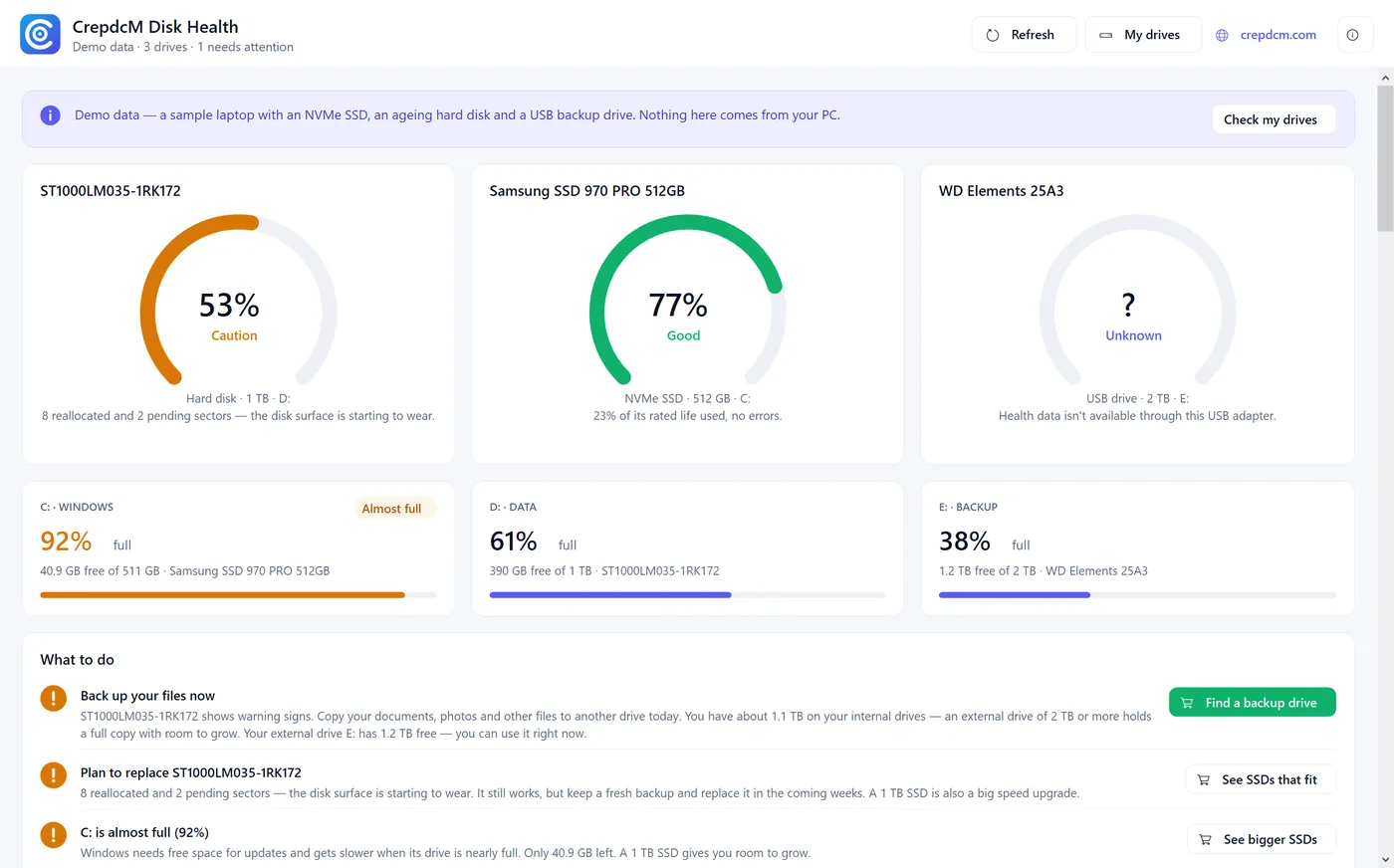
Health score for every drive
Excellent, Good, Caution or Bad, with a one-line reason you can understand.
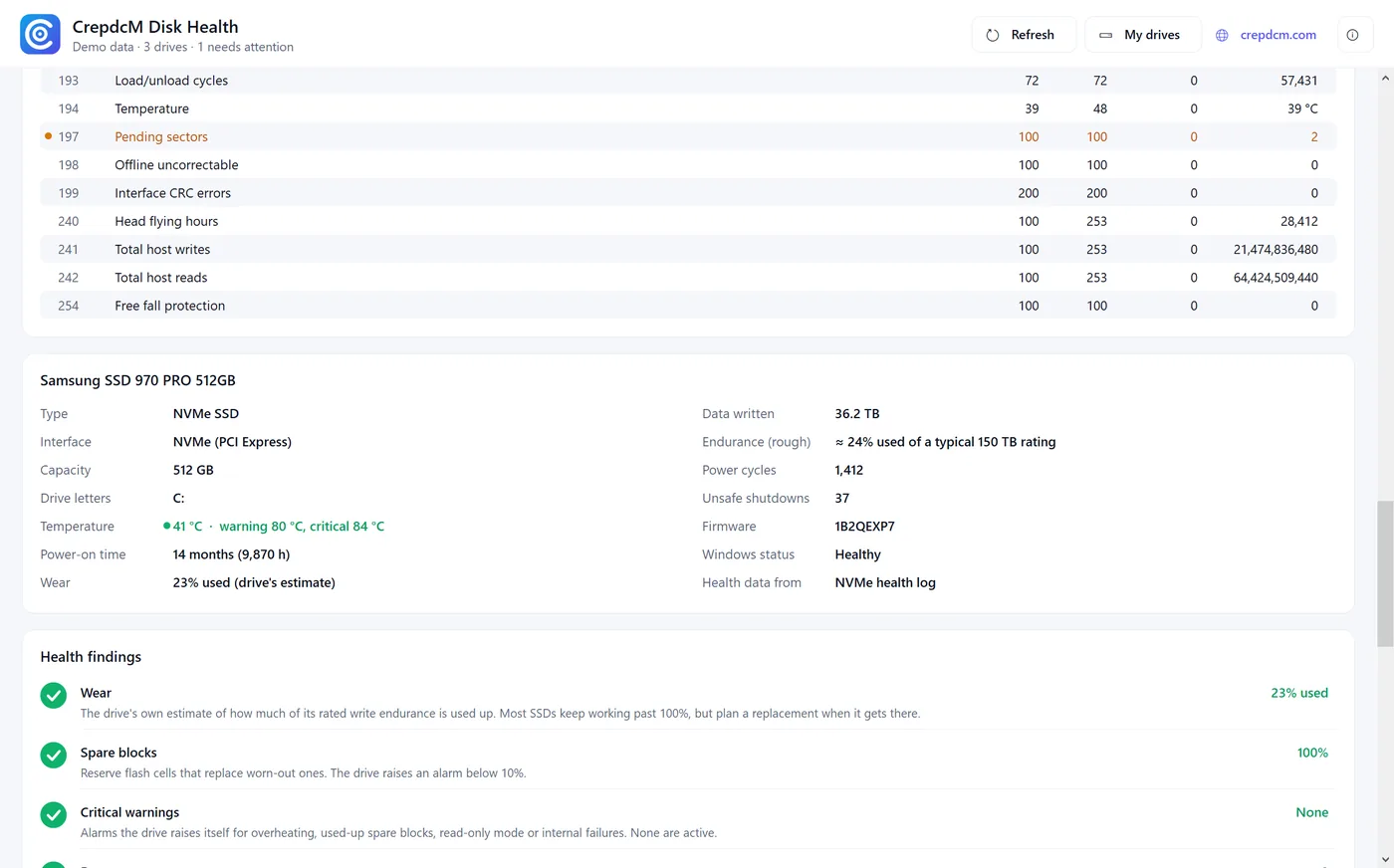
SSD wear from the drive itself
How much of the rated write endurance is used, read from the NVMe health log or SATA wear indicators.
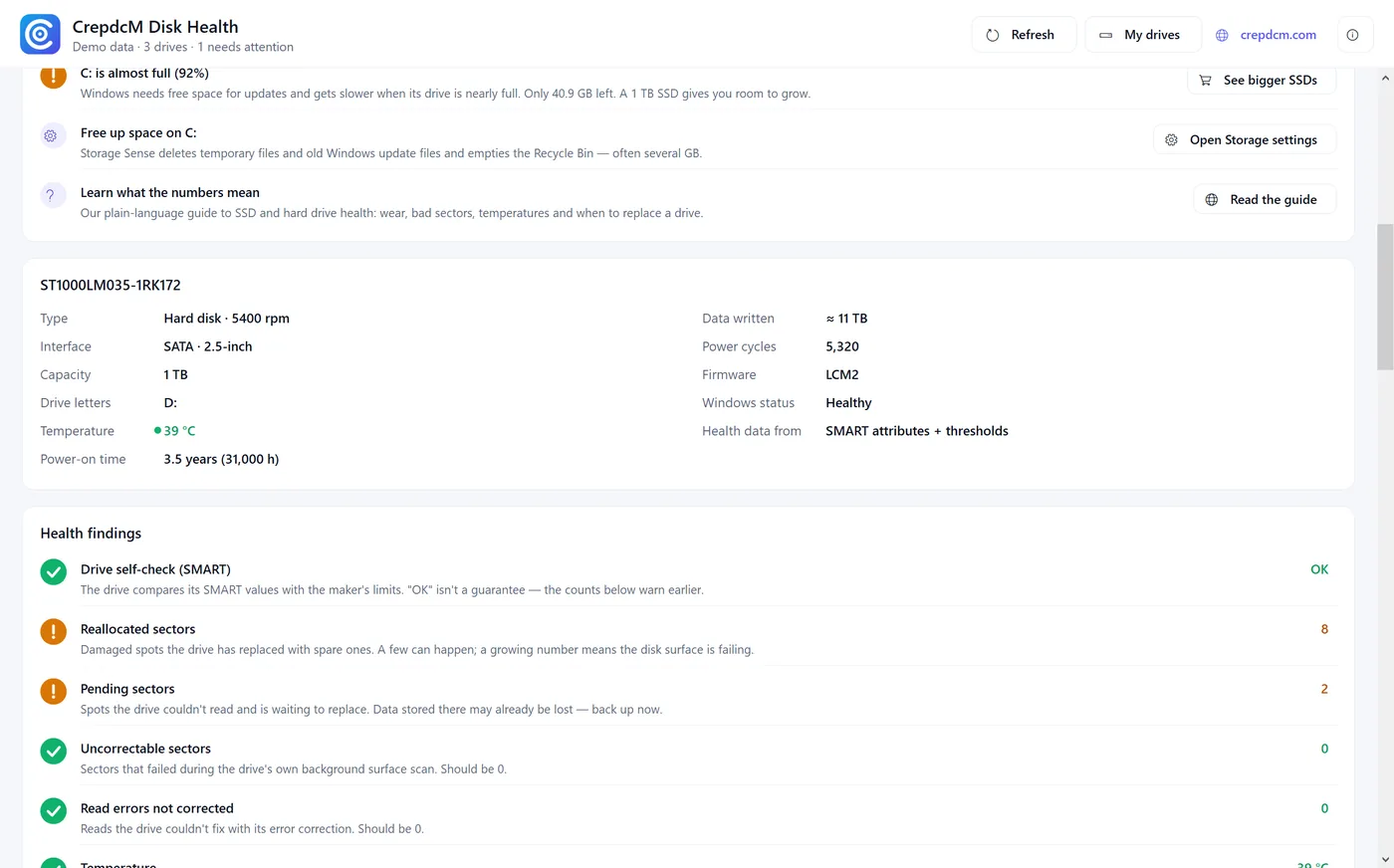
Bad-sector early warning
Reallocated, pending and unreadable sectors, the first signs of a failing disk.
Real drive temperature
The drive's own sensor compared with its warning and critical limits (never a motherboard guess).
Free space at a glance
Every drive letter with a warning when it is more than 90% full, plus a shortcut to Storage Sense.
Clear next steps
Back up now, plan a replacement or upgrade, with links to SSDs and backup drives that fit your PC.
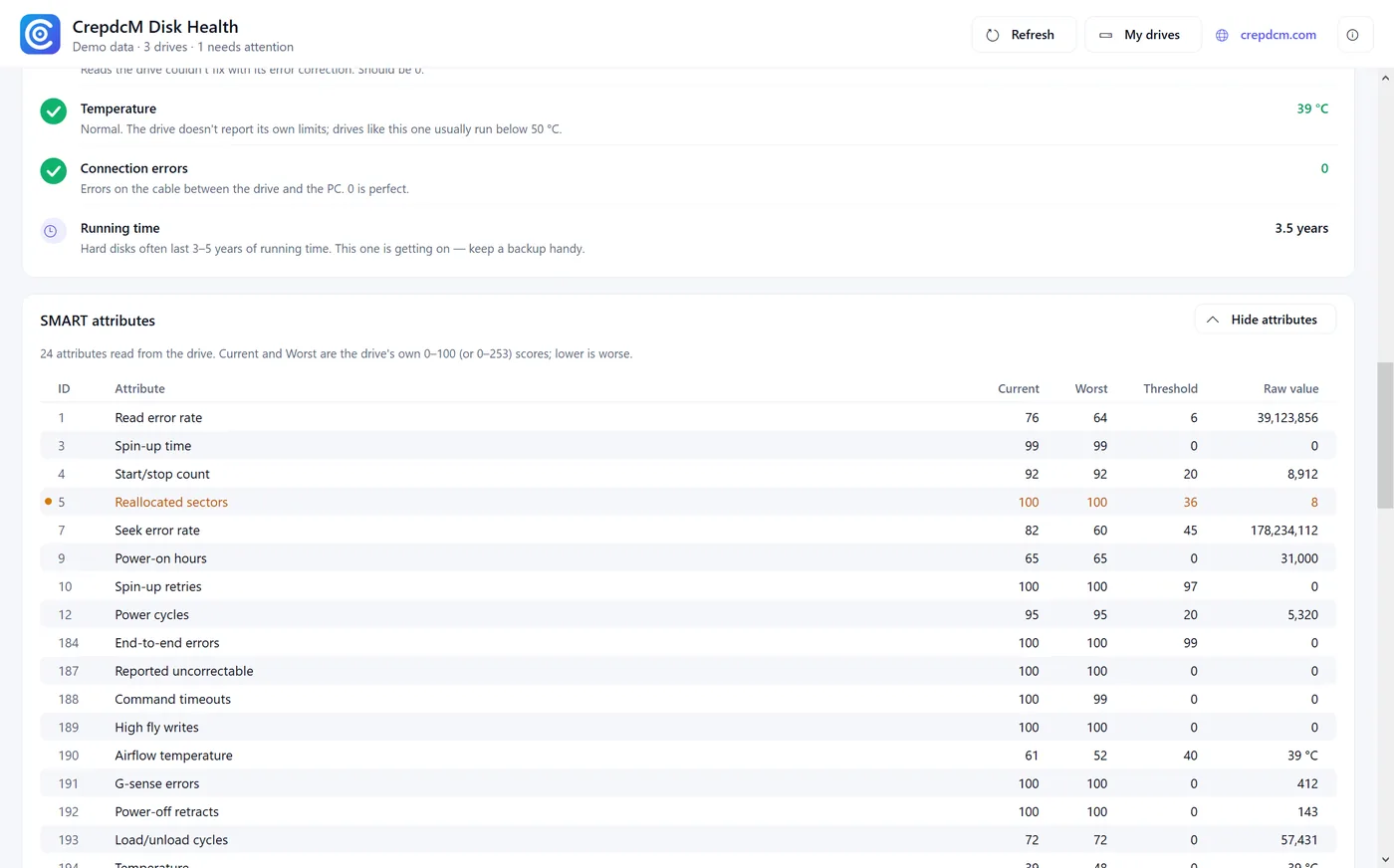
Expert tables
Every SMART attribute and NVMe log value, one click away.
Private
Runs on your PC, no account, nothing uploaded.
Screenshots
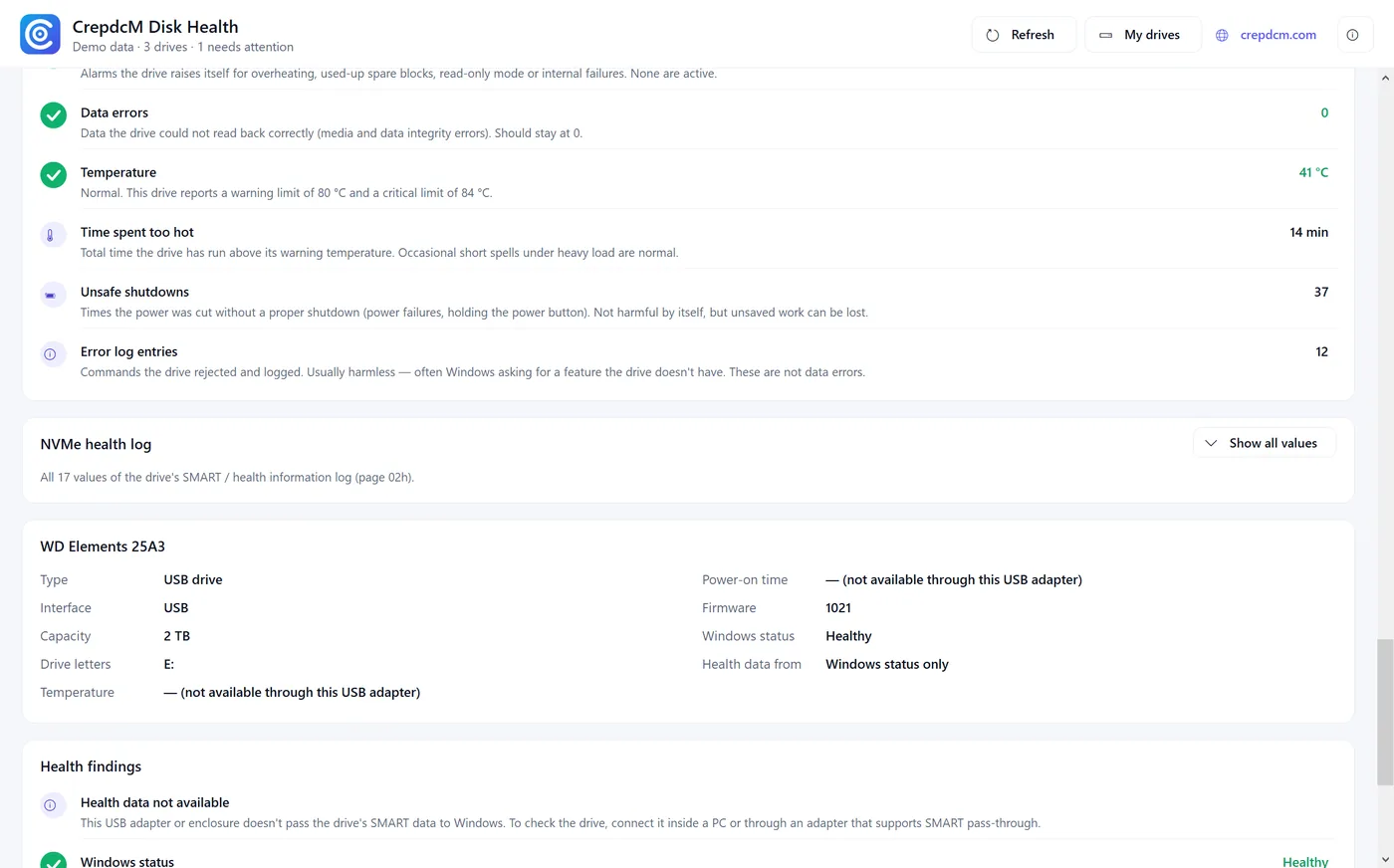
Install and open
Get CrepdcM Disk Health free from the Microsoft Store and start it; no setup needed.
Read the verdict
In a few seconds every SSD and hard drive gets a health score, a reason and plain-language findings.
Act on it
Follow the recommendations: back up, free up space, or find a compatible SSD or backup drive on crepdcm.com.
Privacy
- Everything is analysed on your PC; nothing is uploaded.
- No serial numbers, unique drive ids, user or computer names, or file names are read or sent.
- Links to crepdcm.com carry only the drive type and size and your PC maker/model, so we can show parts that fit.
- No account, no ads, no tracking.
Looking after a laptop battery?
CrepdcM is a laptop battery finder: specs, compatible part numbers and the right replacement for 100,000+ laptop models.
Frequently asked questions
Does it work without administrator rights?
Yes. NVMe health logs, SATA SMART attributes and device statistics are read as a normal user on most PCs. If a drive only shares its data with administrators, the app offers an optional "Restart as administrator".
Why does my USB drive show "not available"?
Most USB enclosures and adapters don't pass SMART data to Windows. The app says so instead of guessing; connect the drive internally or through an adapter with SMART pass-through to check it.
What does "percentage used" or "wear" mean for an SSD?
It's the drive's own estimate of how much of its rated write endurance is used. Most SSDs keep working past 100%, but that's the time to keep backups current and plan a replacement.
What are reallocated and pending sectors?
Reallocated sectors are damaged spots the drive has already replaced with spare ones; pending sectors are spots it couldn't read and is waiting to replace. A few can happen, but a growing number means the drive is failing — back up now.
Is the health score exact?
It's a summary of what the drive reports: SSD wear sets the base, and bad sectors, data errors and the drive's own failure prediction lower it. The endurance estimate (data written vs. a typical rating) is labelled as rough because ratings differ between models.
Does it work on virtual machines?
Virtual disks have no SMART data, so the app explains that and offers a built-in demo that shows every feature.
Is it really free?
Yes — no ads, no account, no trial. Links to compatible parts on crepdcm.com are how we keep it free.