 Free Windows app · coming to Microsoft Store
Crash Analyzer — why did Windows crash?
A free Windows app that reads your blue screens, unexpected shutdowns and hardware errors, explains every stop code in plain words and tells you the most likely cause — graphics driver, RAM, drive, power or heat — and what to try first.
Free · Windows 10 (1903+) and Windows 11 · no account, no ads
What it does
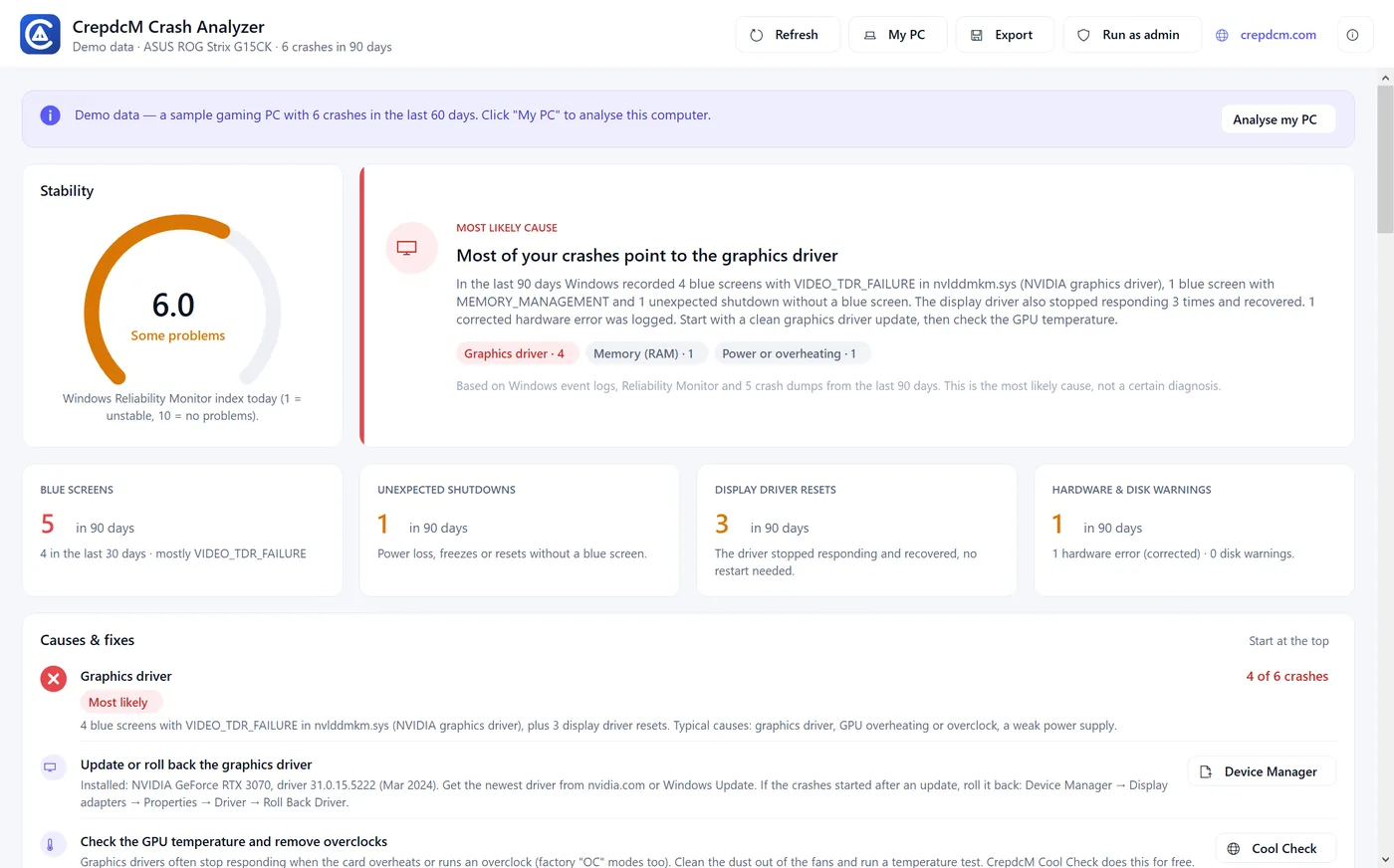
Most likely cause
"Most of your crashes point to the graphics driver": one clear answer, with honest wording when the evidence is mixed.
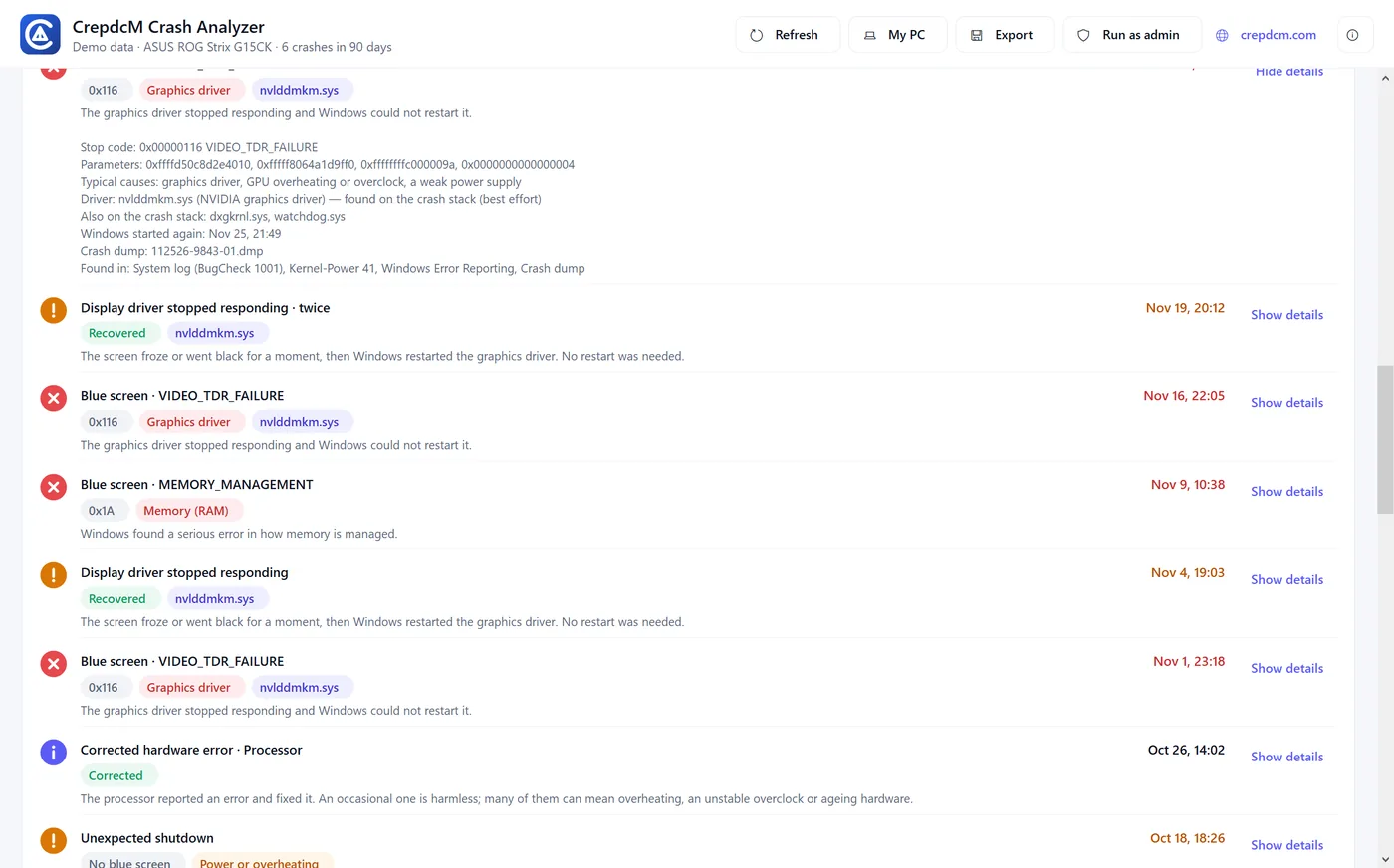
Crash timeline
Every blue screen, unexpected shutdown, display driver reset and hardware error of the last 90 days, with stop code, parameters and the driver involved.
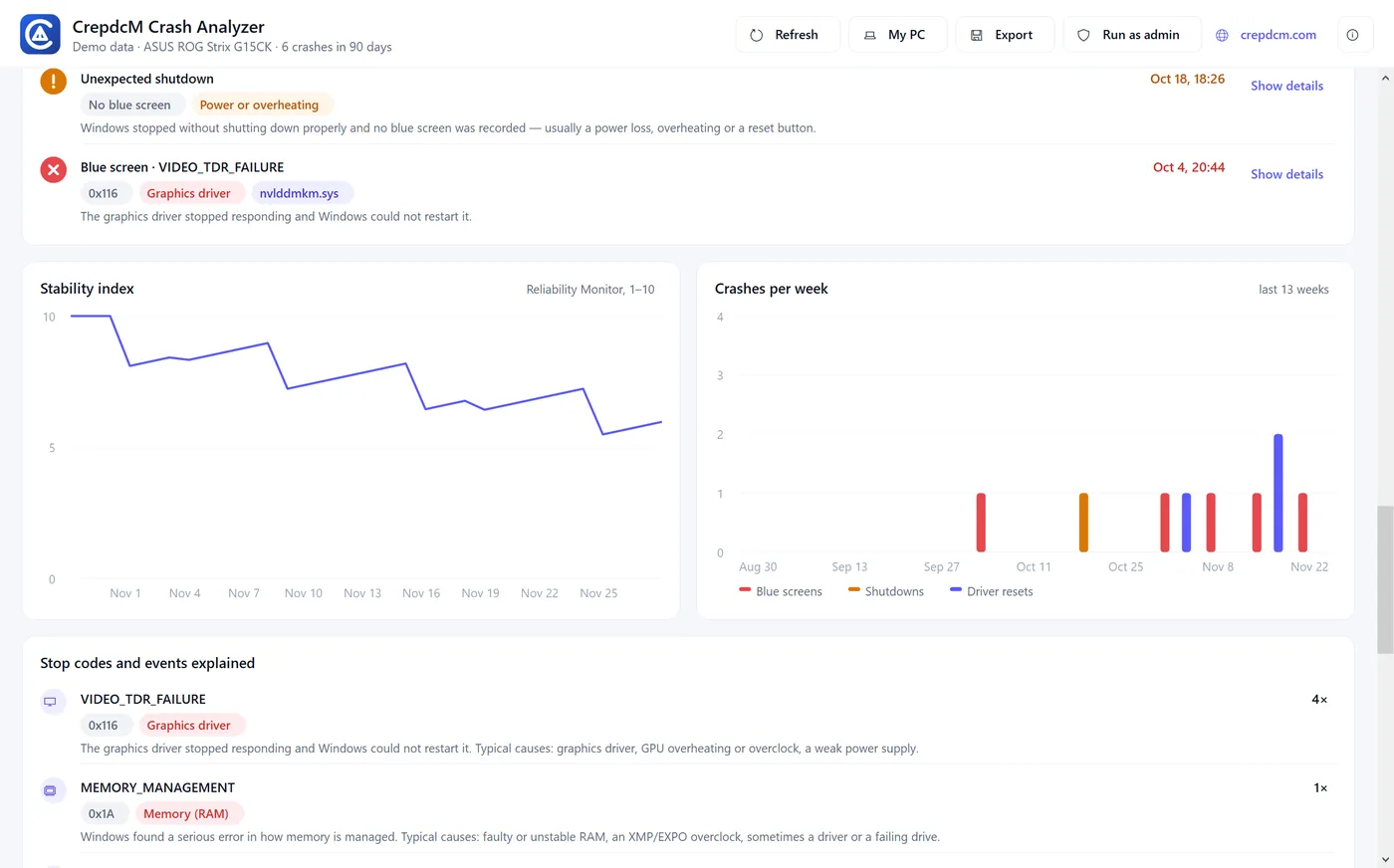
Stop codes explained
About 80 codes like VIDEO_TDR_FAILURE, MEMORY_MANAGEMENT or DPC_WATCHDOG_VIOLATION, plus Kernel-Power 41 and Event 6008, in plain English.
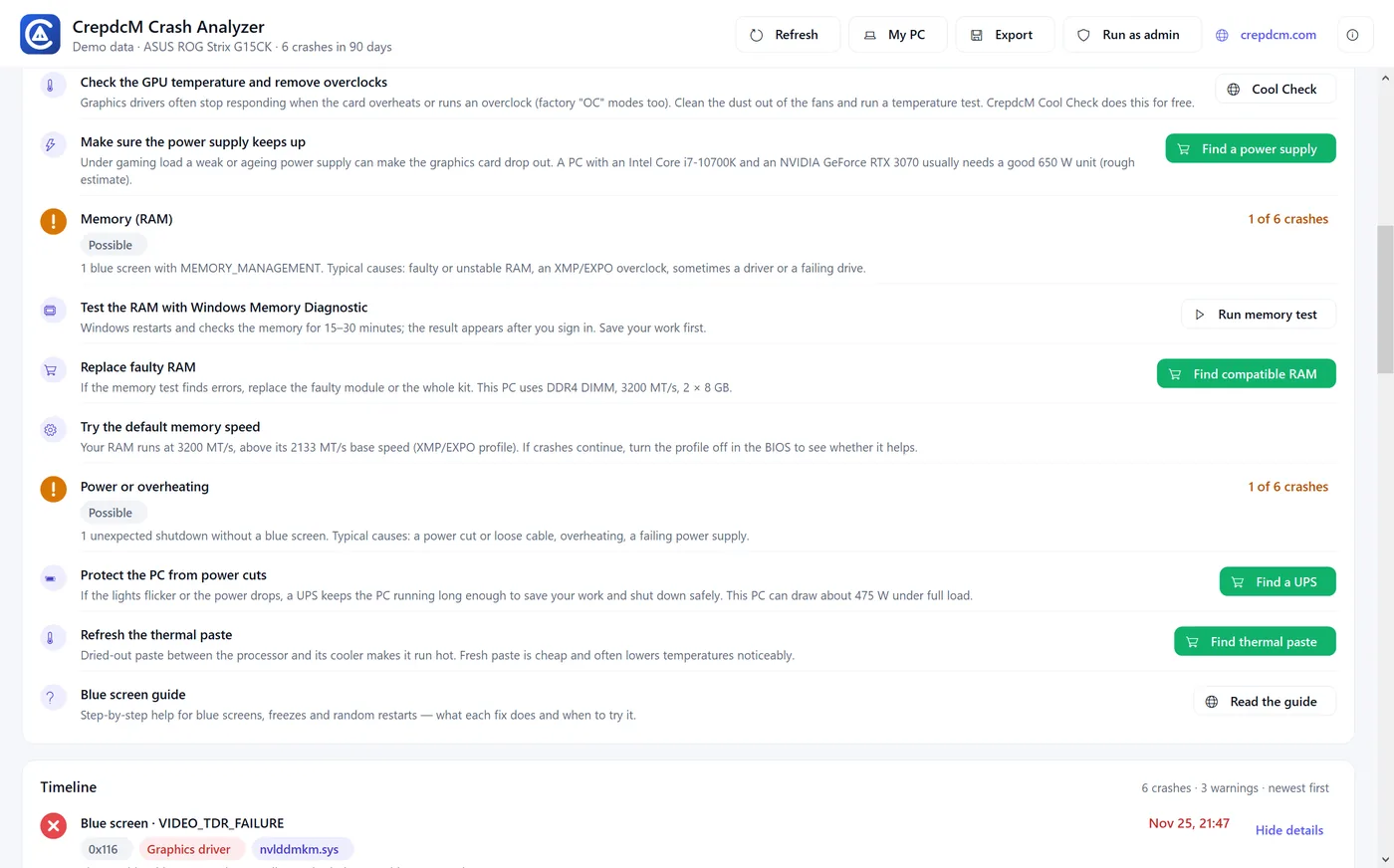
Causes & fixes
Step-by-step fixes in the right order, with buttons for Device Manager, Windows Memory Diagnostic and Windows Update.
Stability charts
The Windows Reliability Monitor index over time and crashes per week.
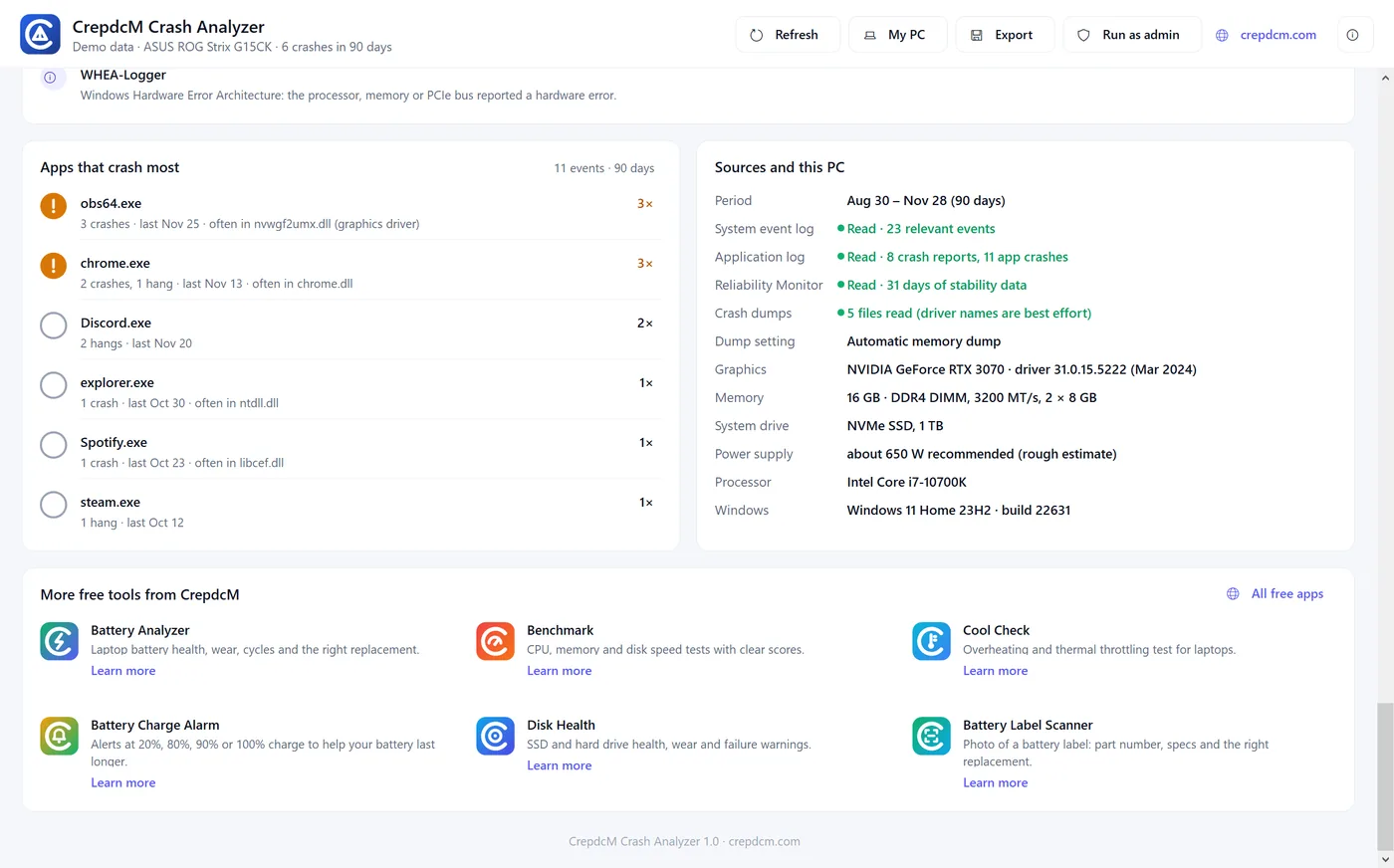
Crash dump reading
Run it as administrator and it reads your minidumps to name the driver behind each blue screen (best effort).
Parts that fit
If RAM, the SSD, the power supply, a battery or cooling may be the culprit, see compatible parts for your exact PC.
Private
Everything is analysed on your PC; the exportable report masks user and computer names.
Screenshots
Install and open Crash Analyzer from the Microsoft Store
No account, no admin rights needed.
It reads Windows' own records
Event logs, Windows Error Reporting and Reliability Monitor from the last 90 days — and merges them into one timeline.
Follow the fixes from the most likely cause down, and run it again after the next crash to see whether it helped.
Privacy
- All analysis runs locally; no upload, no account, no ads, no tracking.
- No serial numbers, product keys, user or computer names, or network addresses are collected.
- User and computer names are masked in the app and in exported reports.
- Links to crepdcm.com carry only part specs and the PC maker/model.
Looking after a laptop battery?
CrepdcM is a laptop battery finder: specs, compatible part numbers and the right replacement for 100,000+ laptop models.
Frequently asked questions
Does it fix blue screens automatically?
No. It finds the most likely cause and shows the steps — updating or rolling back a driver, testing the RAM, checking the drive or temperatures. You stay in control of every change.
Why does it ask to run as administrator?
Only to read crash dump files (C:\Windows\Minidump), which Windows protects. Everything else works without admin rights; the dumps add the name of the driver involved in each blue screen.
What is Kernel-Power 41?
Windows logs it after every restart that wasn't a clean shutdown — a crash, a power cut, or holding the power button. On its own it doesn't say why; Crash Analyzer combines it with the other records to find out.
My PC restarts without a blue screen. Can it help?
Yes. Sudden shutdowns without a stop code usually mean power loss, overheating or a freeze. The app shows whether the power button was used, whether it happened during sleep, and what to check first.
Is the cause it shows always right?
It is the most likely cause based on Windows' own logs, not a certain diagnosis. When the evidence is mixed, the app says so instead of guessing.
Does it upload my crash data?
No. Nothing leaves your PC. The optional HTML report is saved where you choose, with user and computer names masked.