 Free Windows app · coming to Microsoft Store
CrepdcM Disk Space Analyzer — see what fills your drive and free up space safely
A free Windows disk space analyzer and storage cleaner. Scan a drive or any folder and get a colorful map of everything on it, the biggest folders and files, space by file type and duplicate copies — then free up space with Storage Sense, Disk Cleanup and the Recycle Bin, without ever touching system files.
Free · Windows 10 (1903+) and Windows 11 · no account, no ads
What it does
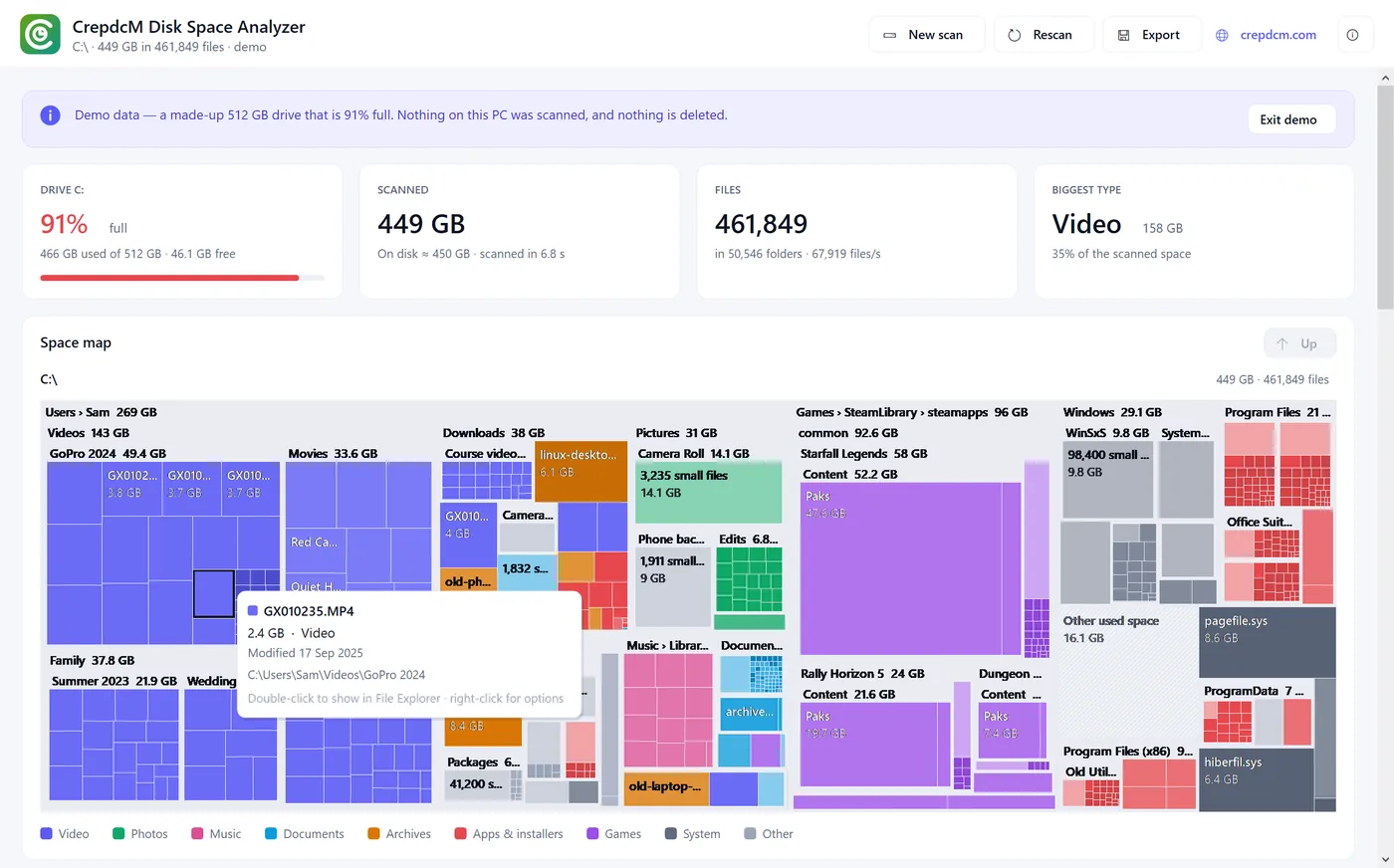
Space map
A treemap of every folder and file, colored by type; hover for details, click to zoom in.
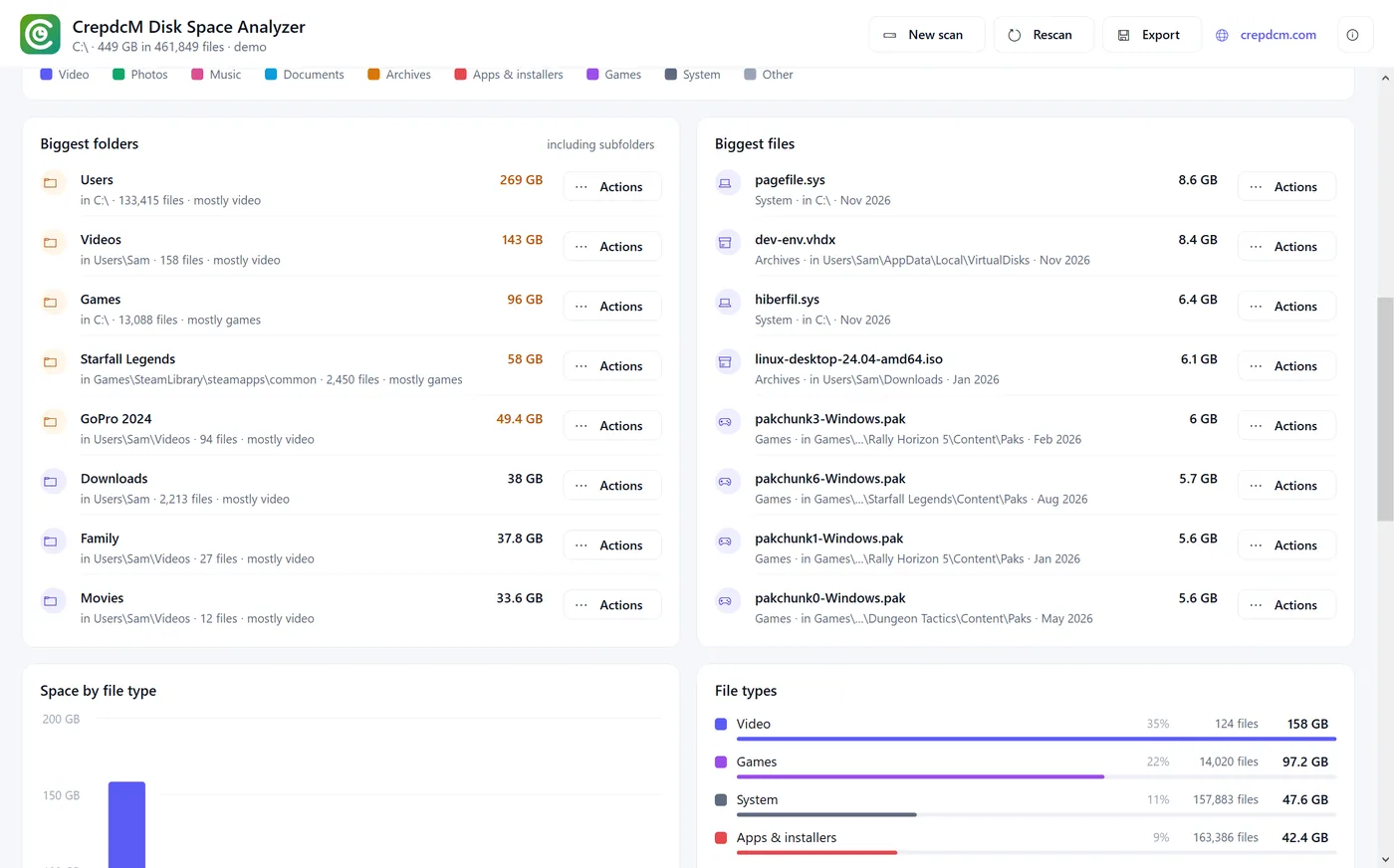
Biggest folders and files
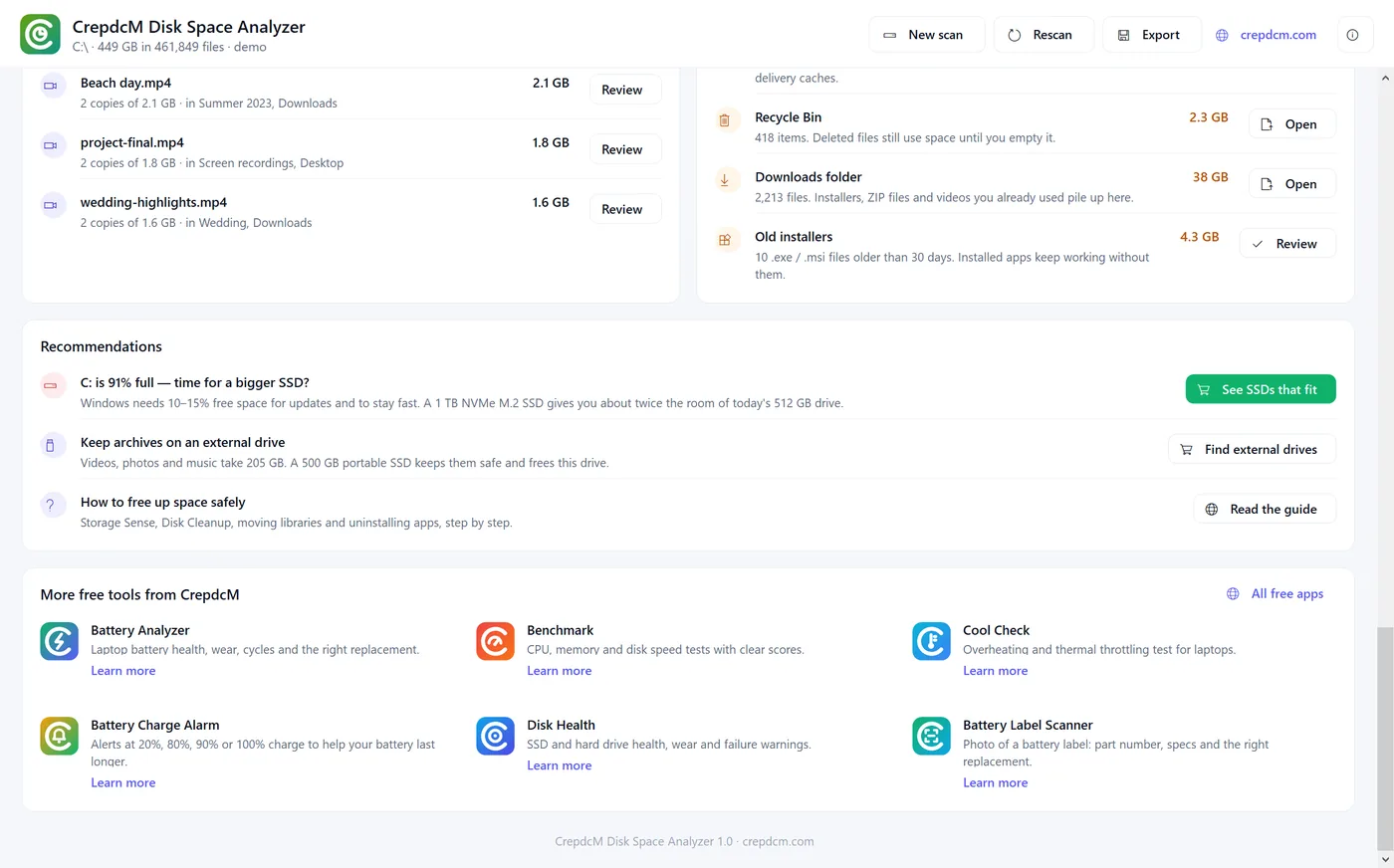
The large file finder: open them in File Explorer or move them to the Recycle Bin in two clicks.
Space by file type
Videos, photos, music, documents, archives, apps, games and system files, with sizes and counts.
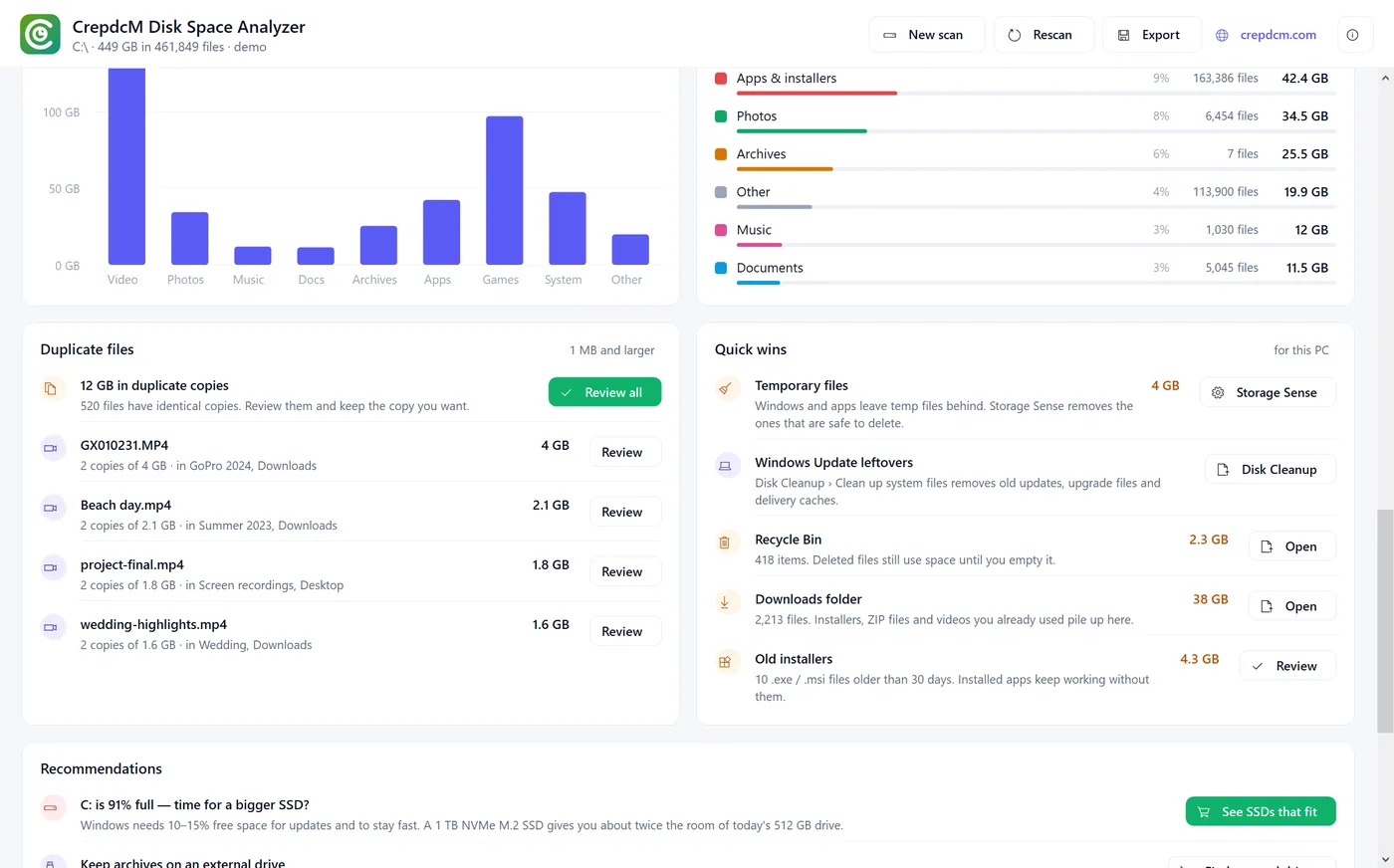
Duplicate finder
Identical copies found by content (SHA-1), not by name; you choose which copies go, one always stays.
Quick wins
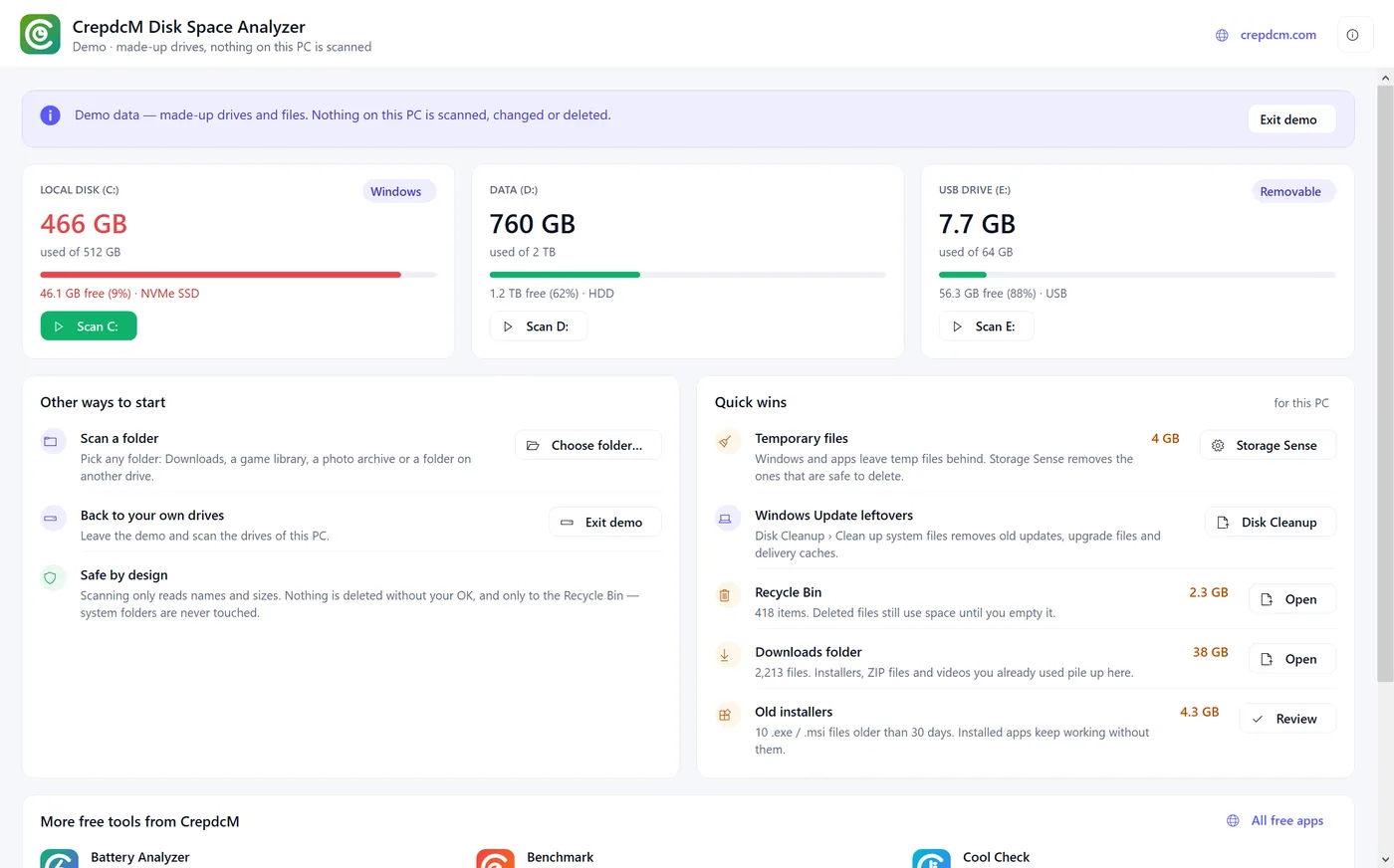
Temporary files, the Recycle Bin, Downloads and old installers, with shortcuts to Storage Sense and Disk Cleanup.
Safe cleanup
Only to the Recycle Bin, only after you confirm; Windows, Program Files and library folders are protected.
Fast on big drives
A parallel scanner that handles millions of files, long paths, junctions and OneDrive files.
Upgrade advice
When a drive is almost full: how much room a bigger SSD or an external drive for your videos would give you.
Screenshots
Install and open
Get CrepdcM Disk Space Analyzer free from the Microsoft Store and start it.
Pick a drive or folder
Click Scan next to a drive or choose any folder; a big drive takes from a few seconds to about a minute.
Free up space
Explore the map and lists, find duplicates, use the quick wins, and move what you don't need to the Recycle Bin.
Privacy
- Everything is analysed on your PC; nothing is uploaded.
- File and folder names are shown on your screen only — never sent, logged or stored (except in a CSV you export yourself).
- Links to crepdcm.com carry only drive sizes, the drive type and your PC maker/model, so we can show parts that fit.
- No account, no ads, no tracking.
Looking after a laptop battery?
CrepdcM is a laptop battery finder: specs, compatible part numbers and the right replacement for 100,000+ laptop models.
Frequently asked questions
Is it safe to delete files with it?
The app never deletes anything on its own. Items you choose go to the Recycle Bin after a confirmation, so you can restore them. Windows folders, Program Files, your user profile and library folders can't be removed from the app at all, and app data gets an extra warning.
Why is "Other used space" shown on the map?
Some folders (restore points in System Volume Information, other user accounts) can only be read by administrators. The app shows that space as one block and offers an optional "Restart as administrator" to include it.
How does the duplicate finder know files are identical?
It only compares files of 1 MB or more with exactly the same size, then checks a quick fingerprint of the first 64 KB, then the SHA-1 hash of the whole file. Hard links and cloud-only OneDrive files are skipped, and Windows and app folders are not searched.
Why can the scanned size be larger than the used space?
Windows stores some files once but shows them in several folders (hard links, mostly inside Windows\WinSxS). Like most analyzers, the app counts them in every folder; it tells you when this happens.
Does it download my OneDrive files?
No. Online-only files are counted with their size but take no space on the drive, and the app never opens them.
Do I need administrator rights?
No. Everything works as a normal user. Administrator rights only add a few protected system folders to the scan.
Is it really free?
Yes — no ads, no account, no trial. Links to bigger SSDs and external drives on crepdcm.com are how we keep it free.