 Free Windows app · coming to Microsoft Store
CrepdcM Driver Inspector — find the right driver for unknown devices
A free Windows app that explains every Device Manager error in plain words, decodes hardware IDs like PCI\VEN_10EC&DEV_5287 to tell you who made a device, lists every driver with its version, date and signature, and backs up your drivers before a Windows reset. No fake "outdated drivers" scans, no driver downloads — just facts and the official places to get the right driver.
Free · Windows 10 (1903+) and Windows 11 · no account, no ads
What it does
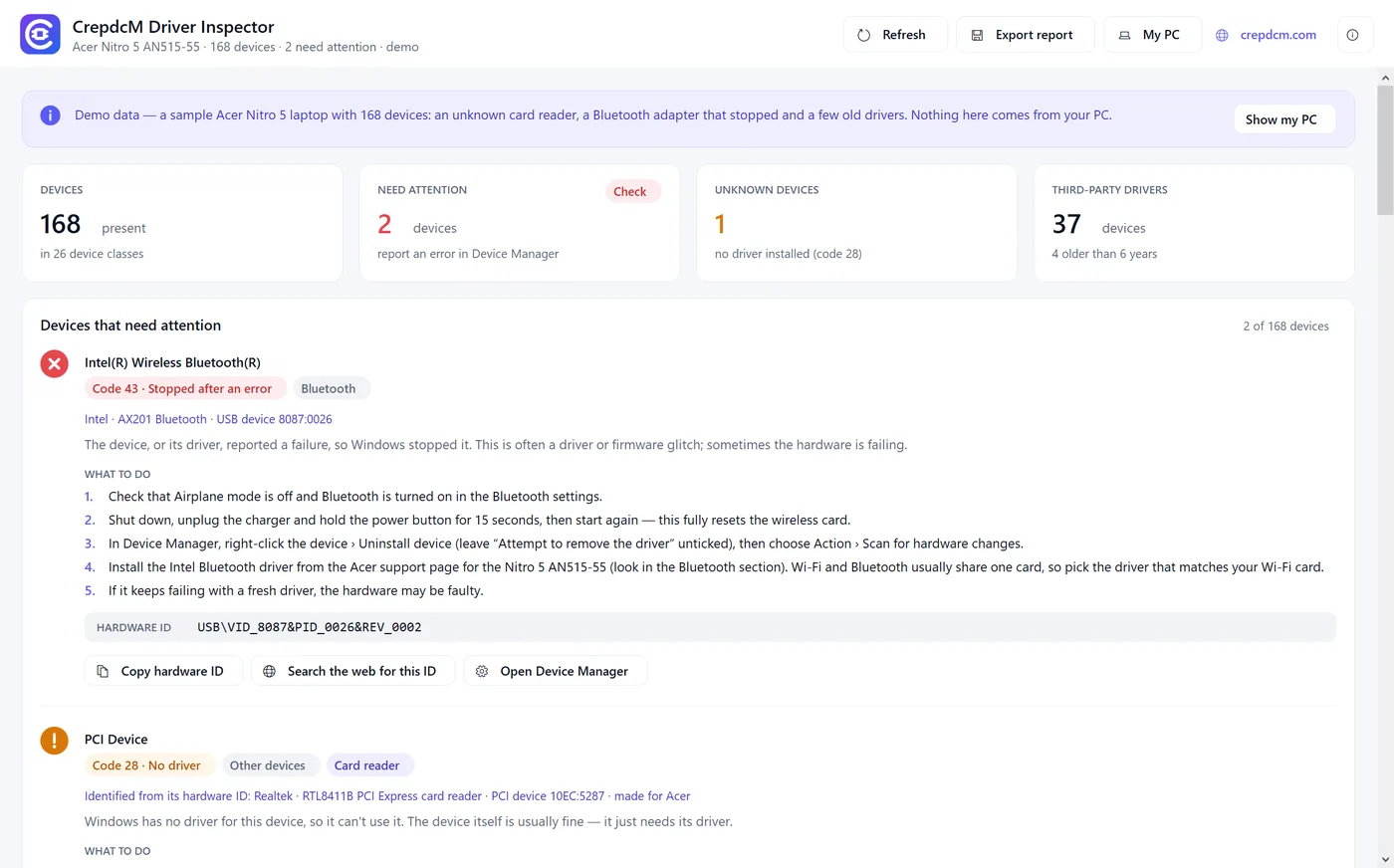
Problem devices first
Every device with a yellow triangle, with the Device Manager code (10, 22, 28, 31, 39, 43, 52…) explained in plain words.
Unknown devices identified
The hardware ID is decoded with a built-in table of PCI, USB, ACPI and monitor vendors, so "PCI Device" becomes "Realtek card reader".
Exactly what to do
Windows Update optional drivers, the right section of your laptop or motherboard maker's support page, and the reinstall steps that actually work.
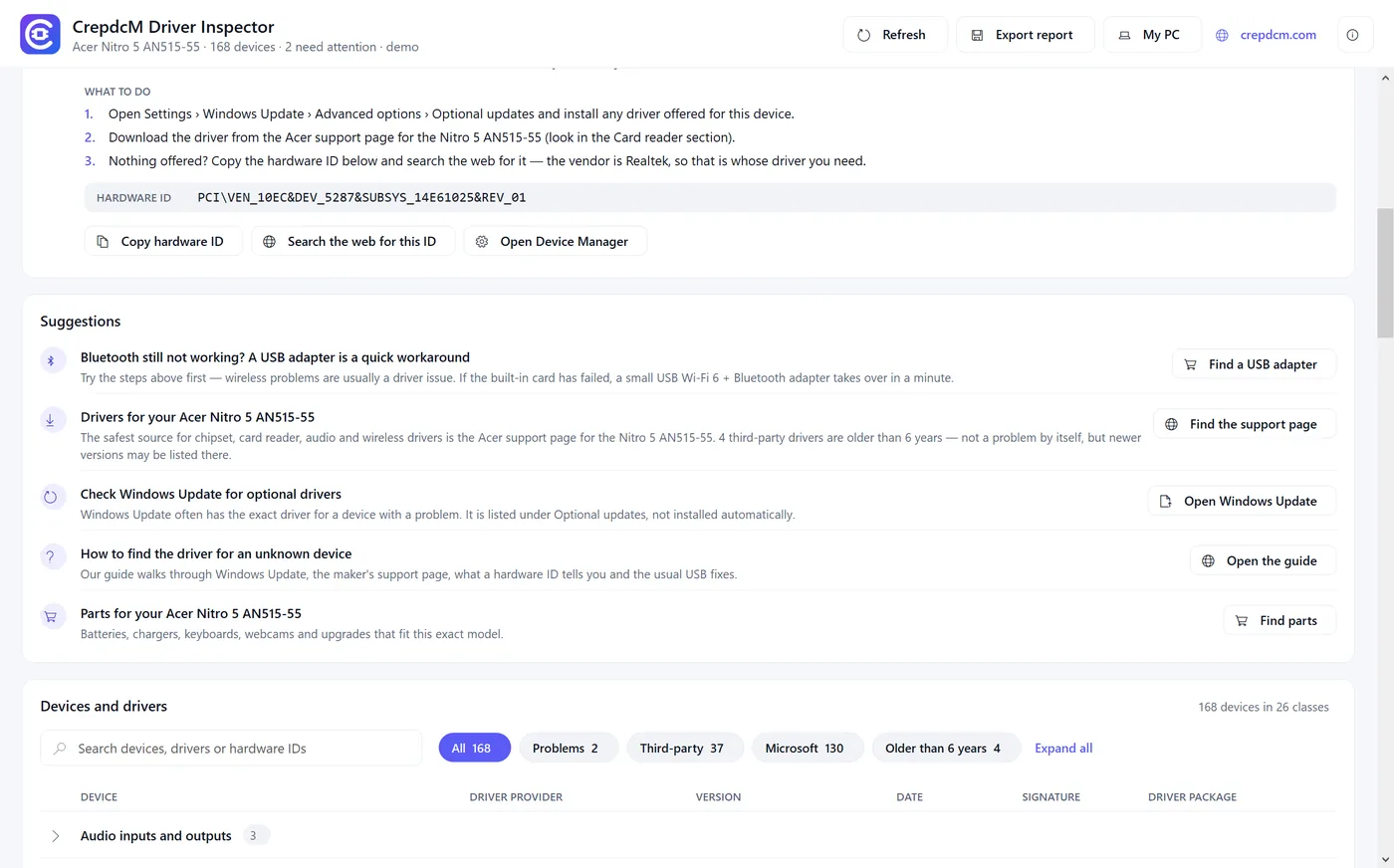
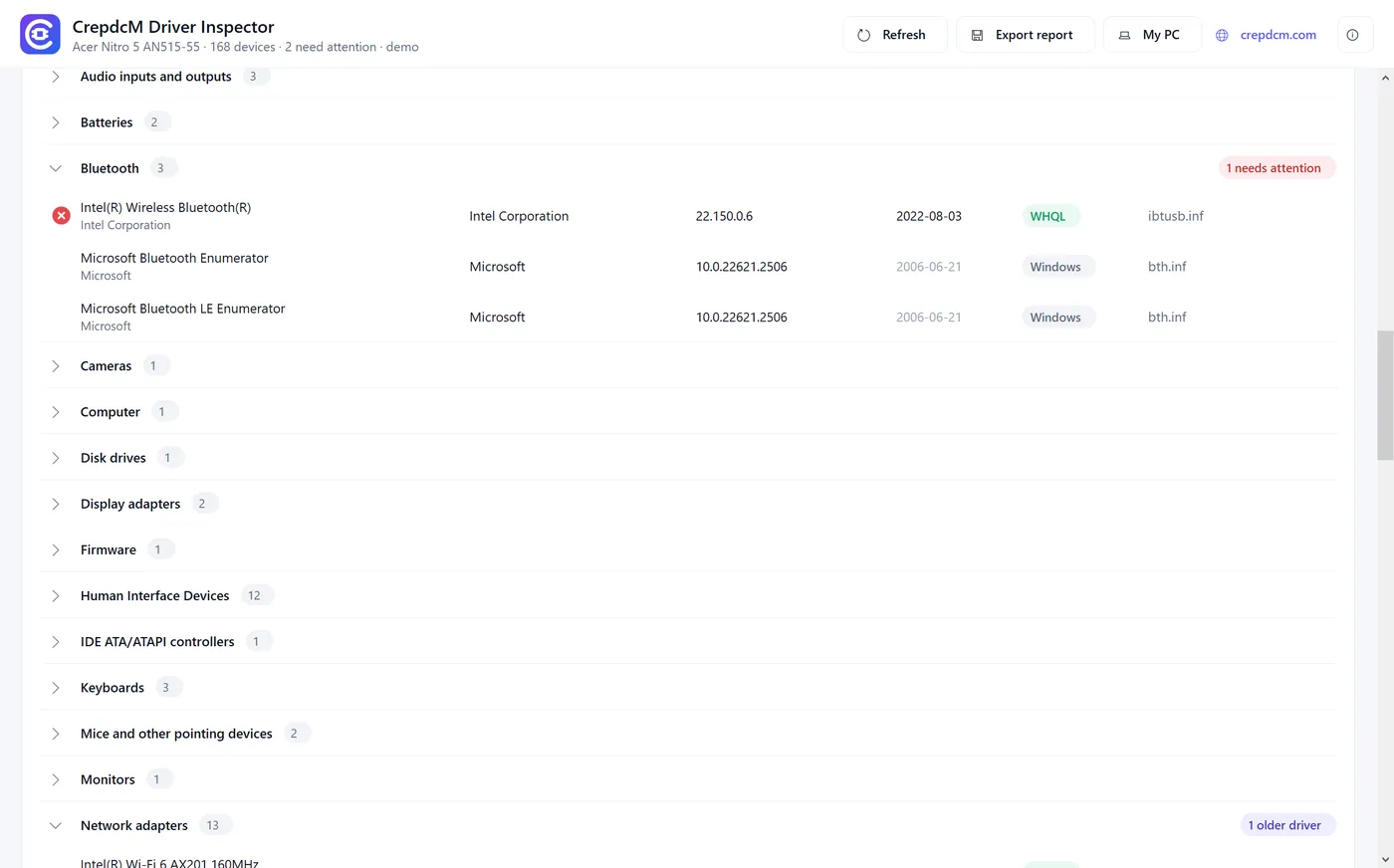
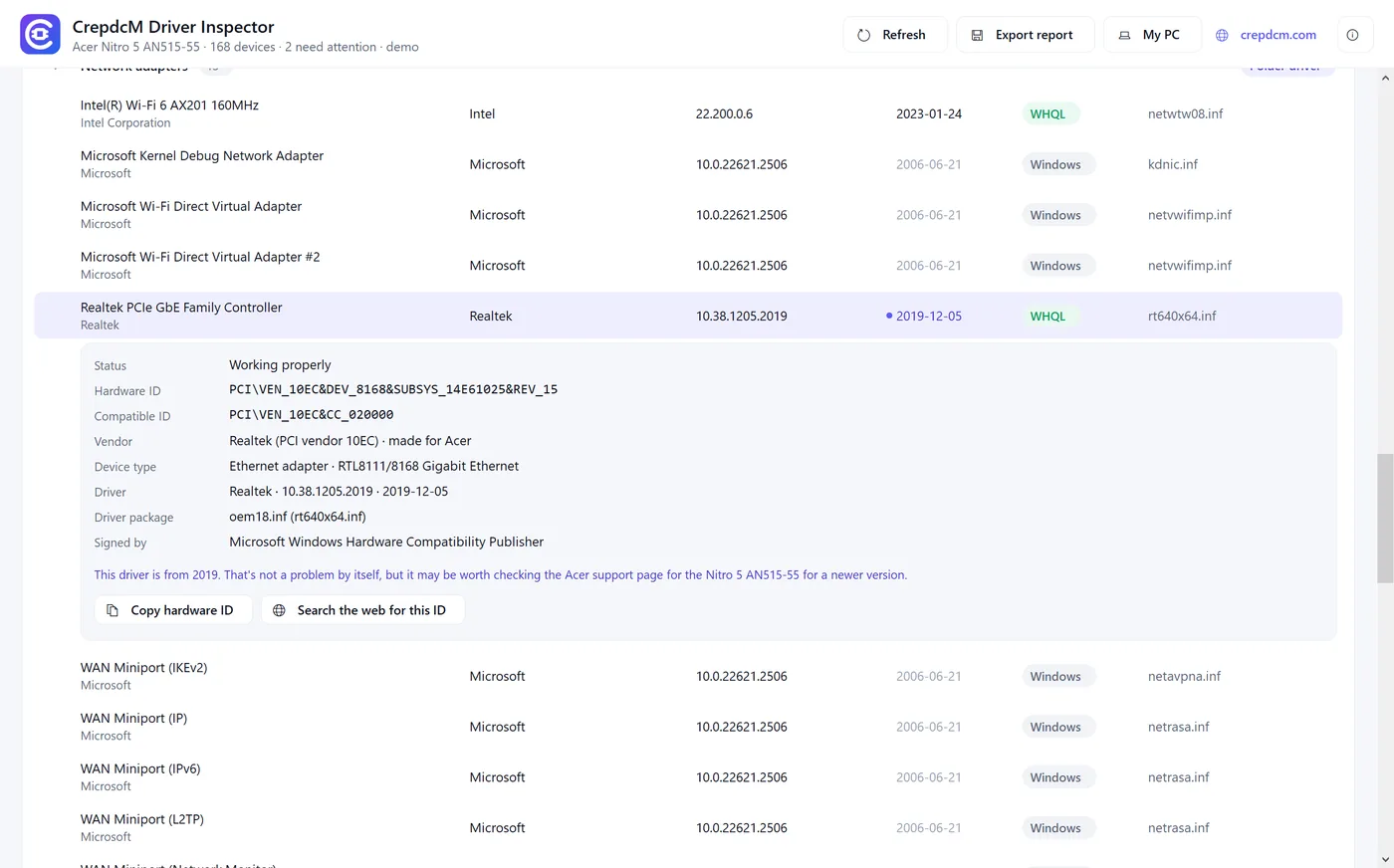
Every driver at a glance
Provider, version, date, WHQL / Windows signature and INF package, grouped like Device Manager, with search and filters.
Hardware ID lookup
Paste any VEN/DEV or VID/PID ID and see the vendor, the device type and whether your PC has it.
Driver backup
Save all third-party drivers to a folder or USB drive with Windows' own pnputil, ready for a reset or clean install.
Shareable report
Export devices and drivers as a web page or spreadsheet, without serial numbers.
Honest and private
Nothing is downloaded, changed or uploaded; no account, no ads.
Screenshots
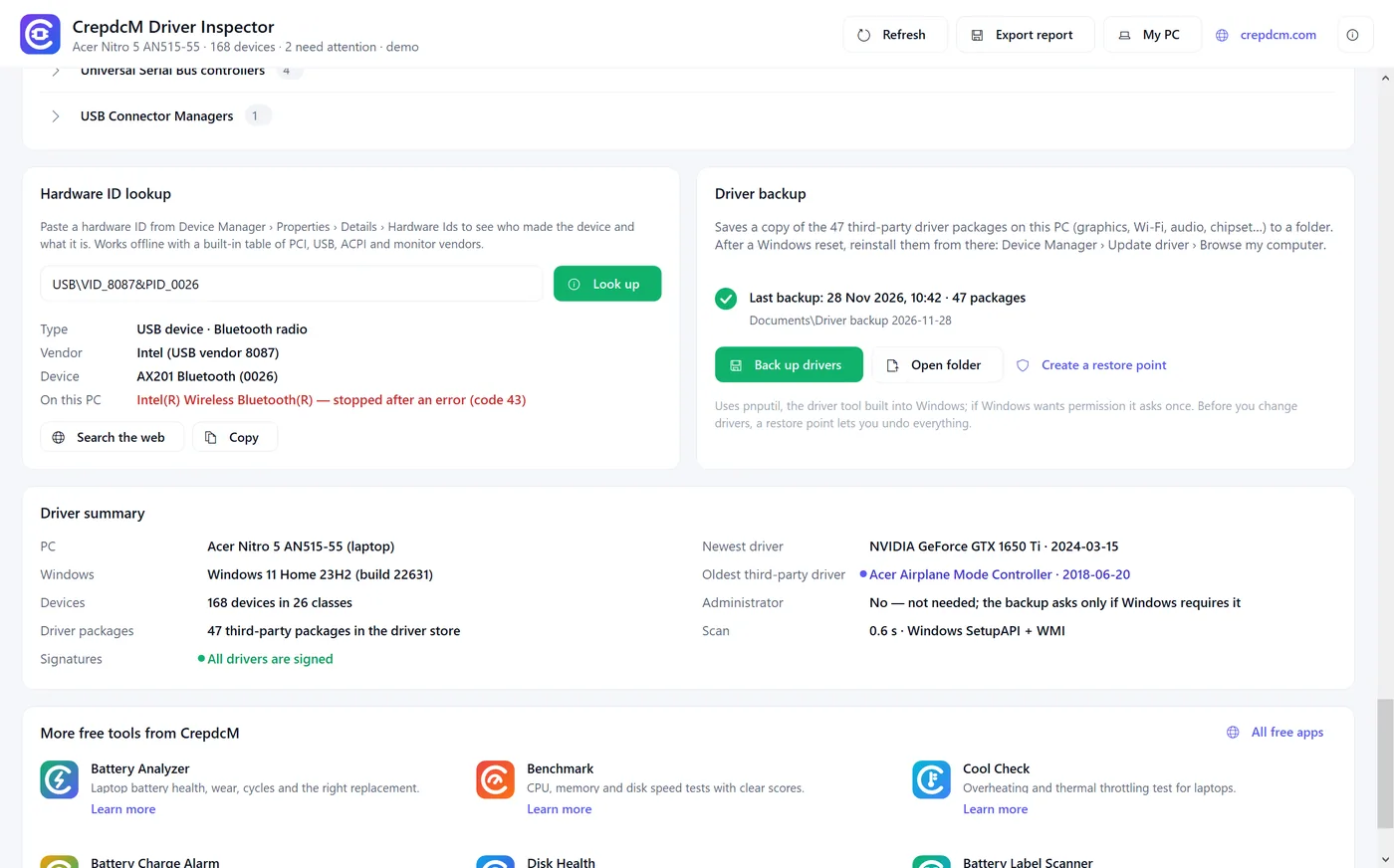
Install and open
Get CrepdcM Driver Inspector free from the Microsoft Store; it reads your devices in about a second.
See what needs attention
Problem devices come first, each with the error explained, the hardware ID decoded and numbered steps.
Fix and back up
Follow the steps or open the maker's support page, then save a driver backup for the next Windows reset.
Privacy
- Everything is read on your PC; nothing is uploaded.
- Device instance IDs, which can contain serial numbers, are never shown, copied or exported — only hardware IDs.
- No user or computer names are read; reports replace names of Bluetooth devices, phones and print queues with generic labels.
- Links to crepdcm.com carry only your PC maker/model, so we can show parts that fit. No account, no ads, no tracking.
Looking after a laptop battery?
CrepdcM is a laptop battery finder: specs, compatible part numbers and the right replacement for 100,000+ laptop models.
Frequently asked questions
Does it update or download drivers?
No. It shows which devices have problems and where the official driver comes from (Windows Update, your PC or motherboard maker, the chip vendor). Installing drivers from those sources is safer than any driver-updater tool.
What is an "Unknown device" or "PCI Device"?
A device Windows has no driver for (code 28). The hardware ID tells you who made it — VEN_ is the PCI vendor, VID_ the USB vendor. Driver Inspector decodes it for you and says which section of the maker's support page to look in.
What does code 43 mean?
The device or its driver reported a failure and Windows stopped it. Often a full power-off, reinstalling the device or a newer driver fixes it; if it keeps coming back, the hardware may be failing.
My drivers are from 2006 — are they outdated?
No. Drivers built into Windows carry the placeholder date 21 June 2006, and Intel chipset files often use 1968 on purpose. The app only points out third-party drivers older than six years, and only as a hint to check your maker's site.
How do I restore the driver backup?
In Device Manager, right-click the device › Update driver › Browse my computer for drivers, pick the backup folder and tick "Include subfolders".
Does it need administrator rights?
No. Everything works as a normal user. If Windows refuses the driver export, the app asks once for permission to run pnputil as administrator.
Is it really free?
Yes — no ads, no account, no trial. Links to compatible parts on crepdcm.com are how we keep it free.