 Free Windows app · coming to Microsoft Store
Keyboard & Mouse Tester for Windows
Test every key, catch keys that type twice, check rollover and ghosting, run a double click test and measure your mouse polling rate — free, offline and private. Nothing you type leaves the app window.
Free · Windows 10 (1903+) and Windows 11 · no account, no ads
What it does
Every key, to scale
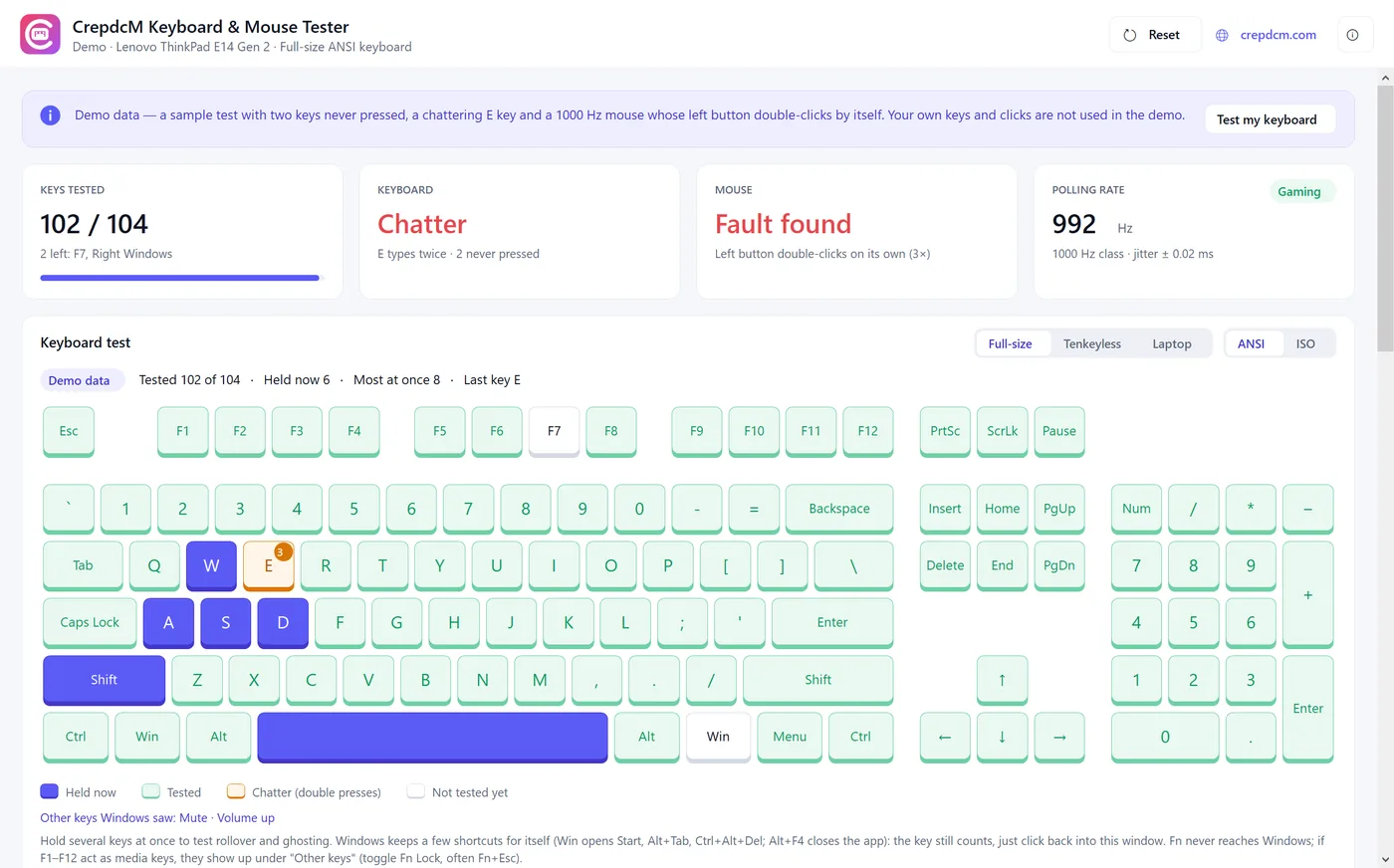
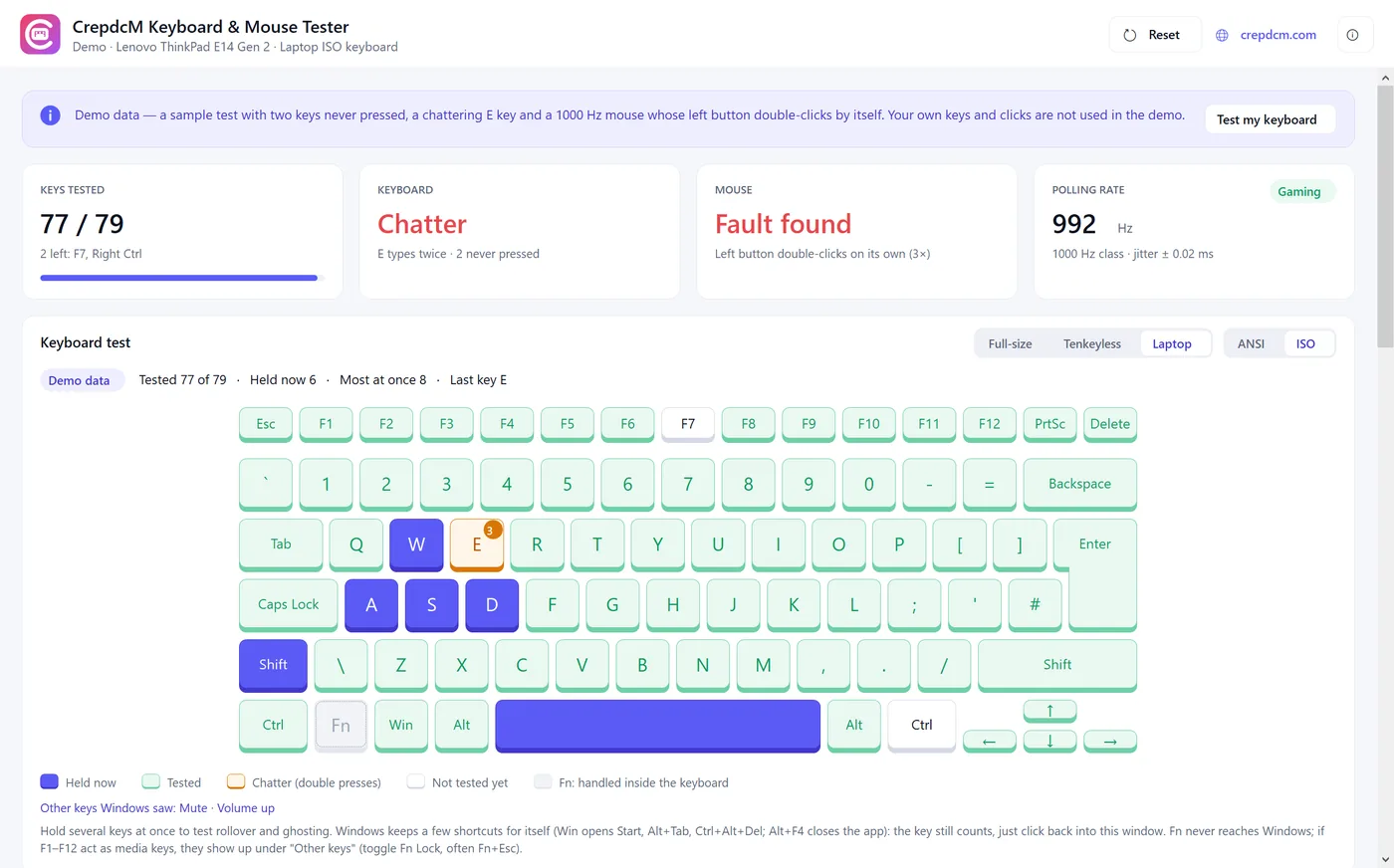
Full-size, tenkeyless or laptop keyboards in ANSI or ISO; keys light up and stay green once they work.
Left vs. right
Tells left and right Shift, Ctrl, Alt and Win apart, plus numpad Enter, Pause, Print Screen and media keys.
Chatter detection
Flags keys that register two presses less than 30 ms apart, the sign of a worn or dirty switch.
Rollover & ghosting
Hold as many keys as you can and see how many register at once.
Double click test
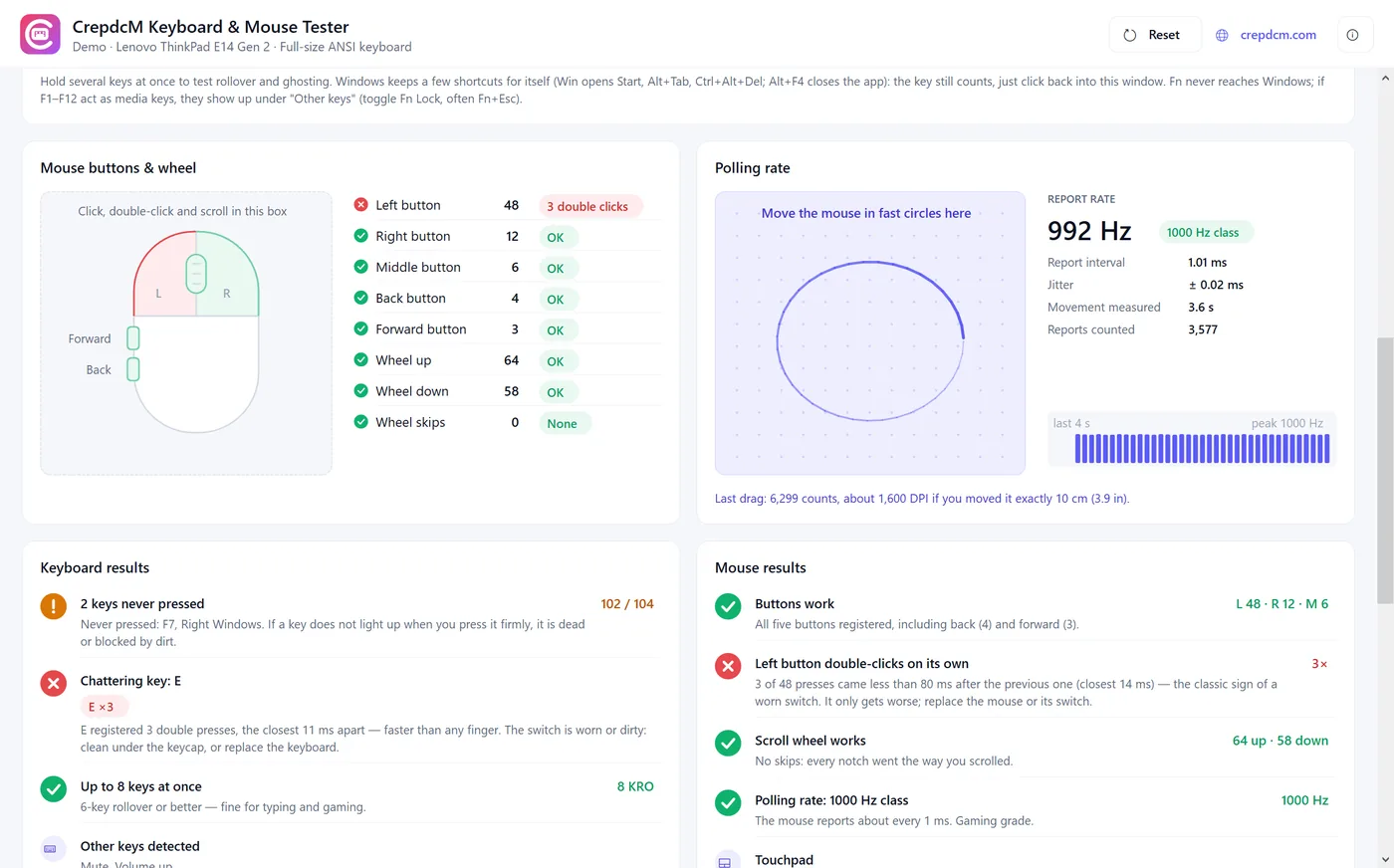
Counts unwanted double clicks (two presses under 80 ms) that reveal a failing mouse switch.
Scroll wheel check
Notches up and down and skips when the wheel jumps back.
Polling rate & DPI
Report rate from raw input (125–8000 Hz class) with jitter, plus a 10 cm drag DPI estimate.
Private
Keys are only read while the window is active; nothing is logged, saved or sent.
Screenshots
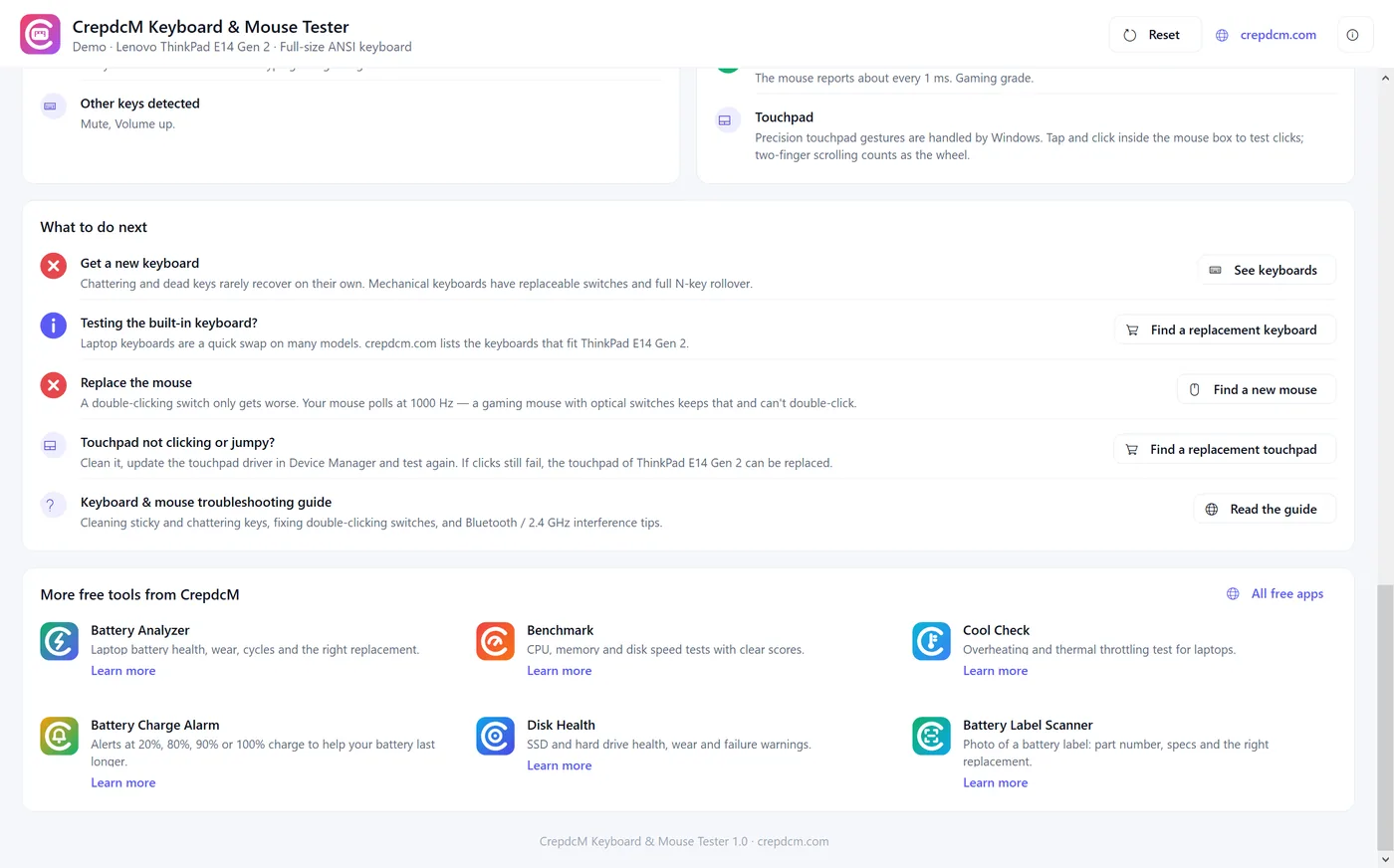
Install and open the app from the Microsoft Store
No account, no admin rights.
Press every key, click and scroll
Keys turn green, faults turn amber or red, the mouse pad measures the polling rate.
Read the verdict
See what's broken and how to fix it, or find the right replacement part on crepdcm.com.
Privacy
- Keys, clicks and mouse movement are only read while the app window is active (Windows Raw Input for this window, no global hooks).
- Nothing is logged, written to disk or sent anywhere.
- Works offline; the only network use is opening crepdcm.com pages when you click a link.
- For part links the app adds your laptop's maker and model name — never serial numbers, user or computer names.
Looking after a laptop battery?
CrepdcM is a laptop battery finder: specs, compatible part numbers and the right replacement for 100,000+ laptop models.
Frequently asked questions
How do I know if a key is dead?
Press it firmly while the app is open. If it never turns green, Windows never received it — the key or its contact is dead (or blocked by dirt). The results list every key you haven't pressed yet.
What is key chatter?
A worn or dirty switch can send two presses for one tap, so letters appear twice. The app flags any key that registers two presses less than 30 ms apart — faster than a finger can press twice.
How does the double click test work?
Click the left button normally 20–30 times inside the test box. Presses less than 80 ms after the previous one are counted as unwanted double clicks — the classic symptom of a failing mouse switch.
What polling rate should my mouse have?
Office and Bluetooth mice usually report at 125 Hz, gaming mice at 500–1000 Hz or more. Move the mouse quickly in circles over the pad for a few seconds; wireless mice should be close to their receiver.
Why doesn't the Fn key light up?
Fn is handled inside the keyboard and never reaches Windows, so no tester can see it. Check it with Fn shortcuts such as brightness or volume.
Does the app record what I type?
No. Keystrokes are only shown in the app window while it is active. There are no keyboard hooks, and nothing is saved or sent.
Can I test a laptop touchpad?
Yes — taps and clicks count as mouse buttons and two-finger scrolling counts as the wheel. Gestures are handled by Windows itself.