 Free Windows app · Microsoft Store
CrepdcM System Info — every spec of your PC, plus a live hardware monitor
See exactly what's inside your Windows PC — processor, memory modules and free slots, graphics card, displays, drives, firmware and battery — on one clean page, then switch to a live monitor for CPU, GPU, memory, disks, network and temperatures. Free, no admin rights, nothing uploaded.
Free · Windows 10 (1903+) and Windows 11 · no account, no ads
What it does
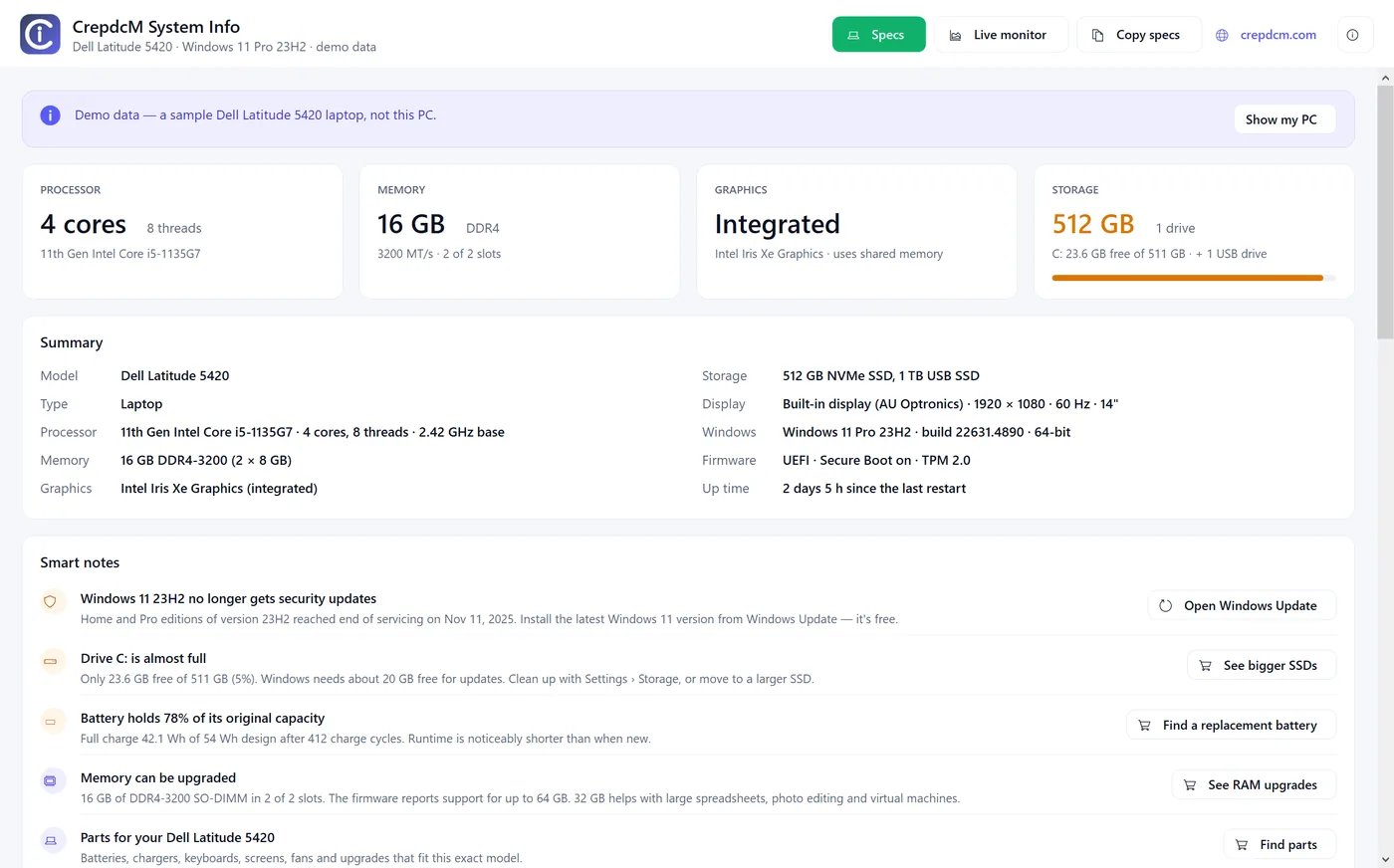
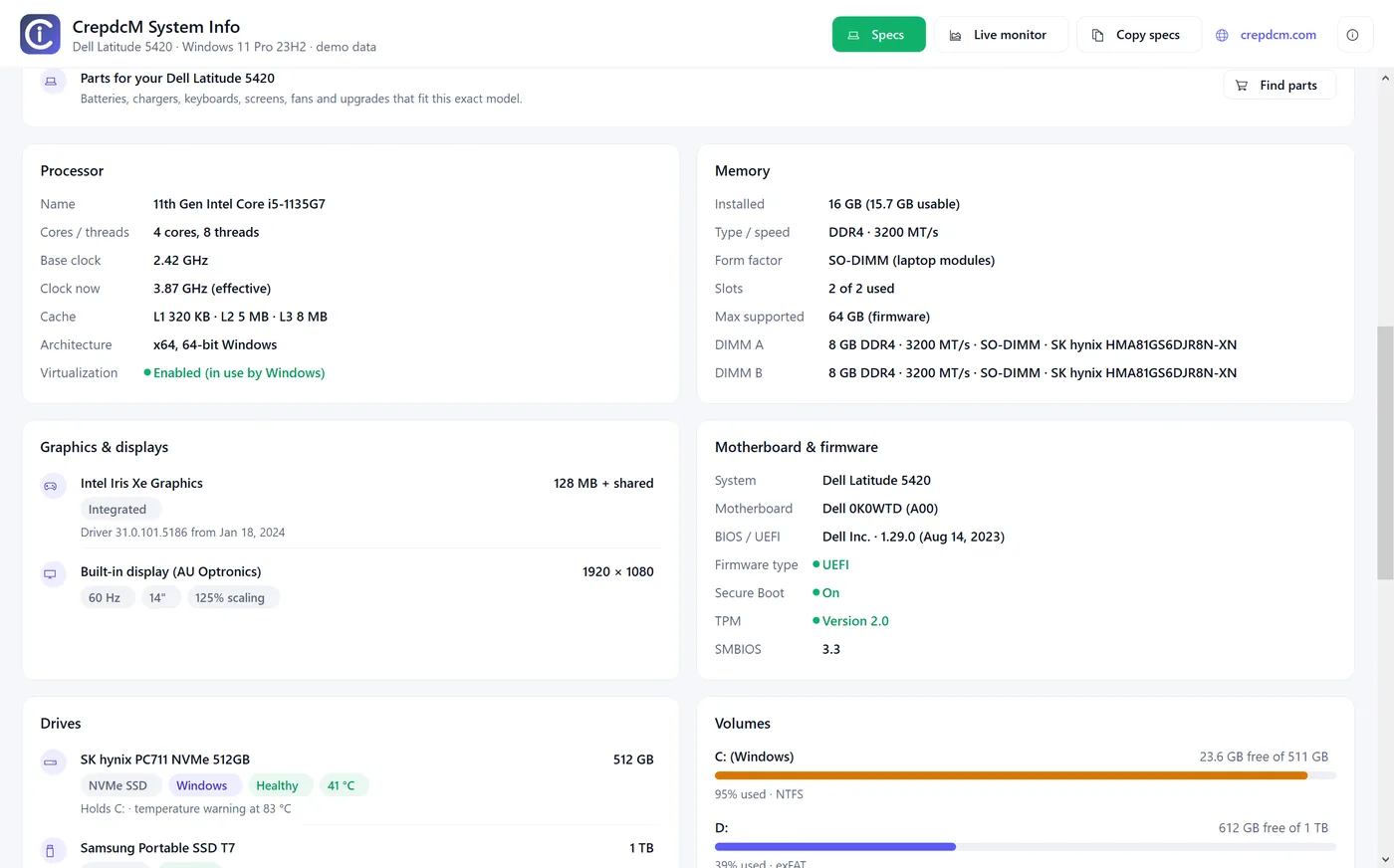
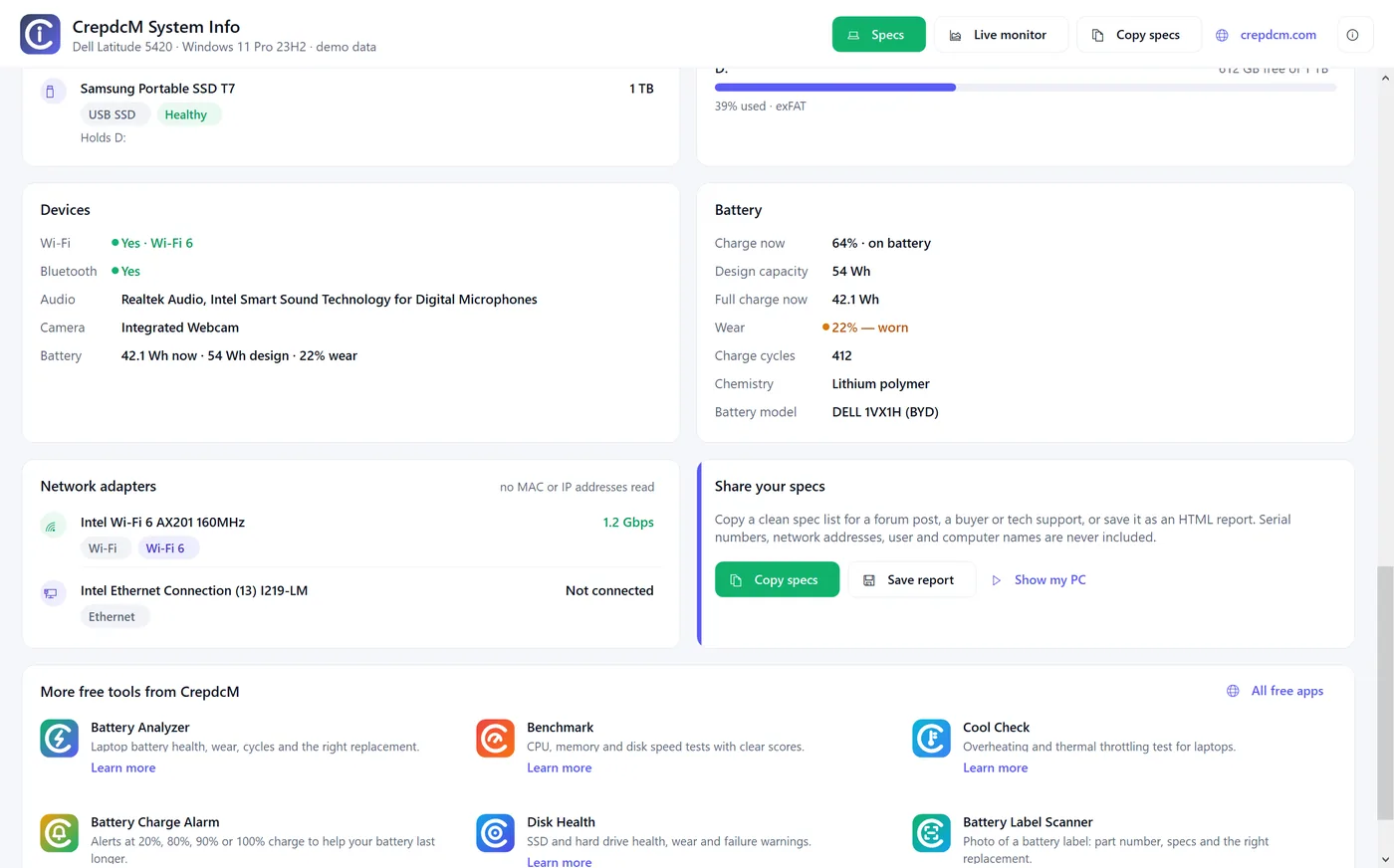
All specs on one page
CPU, RAM, GPU, displays, drives, motherboard, Wi-Fi, Bluetooth, audio, camera and battery.
Upgrade-ready memory details
DDR type, speed, SO-DIMM or DIMM, slots used and the maximum your PC supports.
Drives that tell the truth
SSD or hard disk, NVMe/SATA/USB, health, temperature and free space per volume.
Firmware at a glance
UEFI or legacy BIOS, Secure Boot, TPM version and BIOS date.
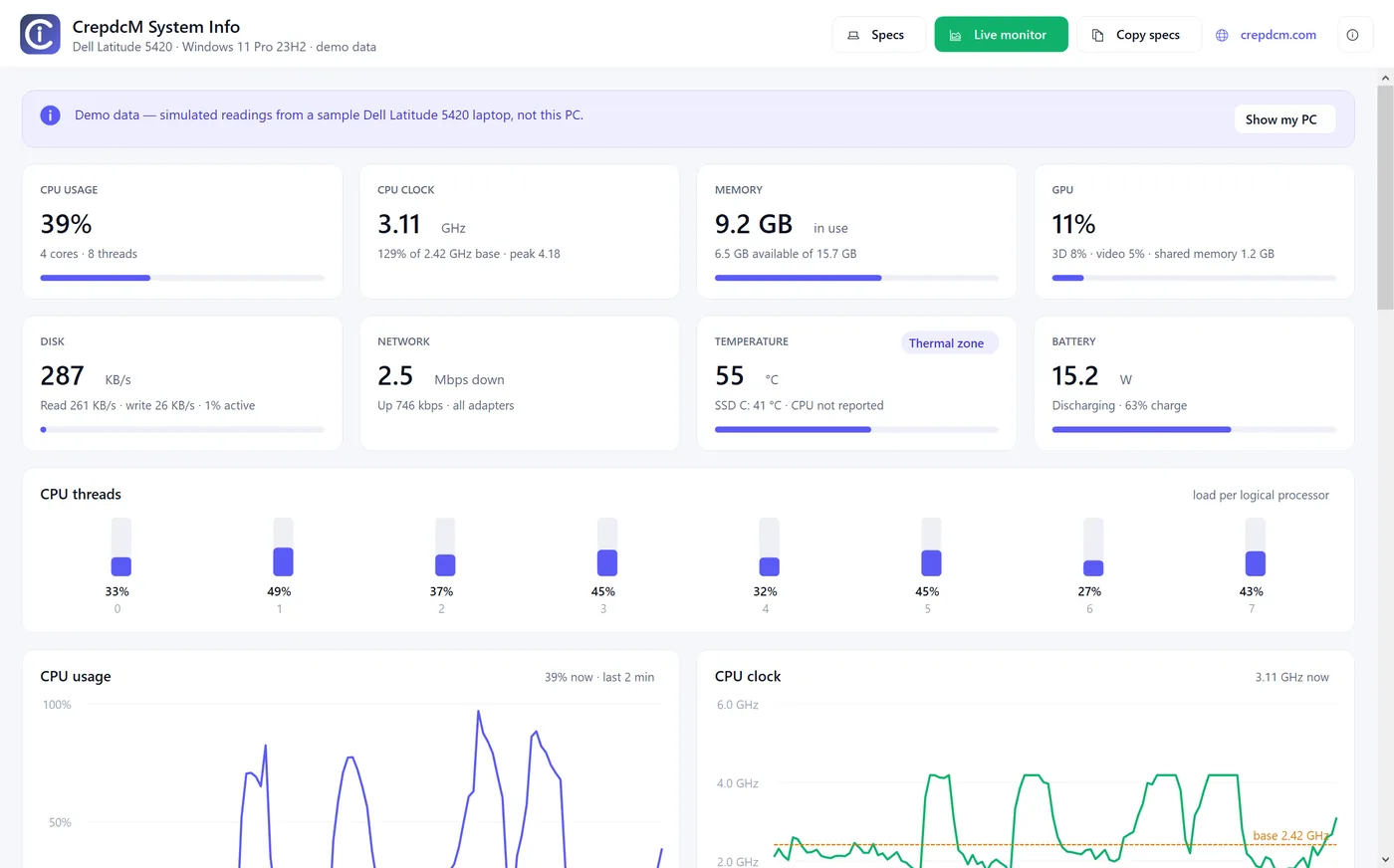
Live monitor
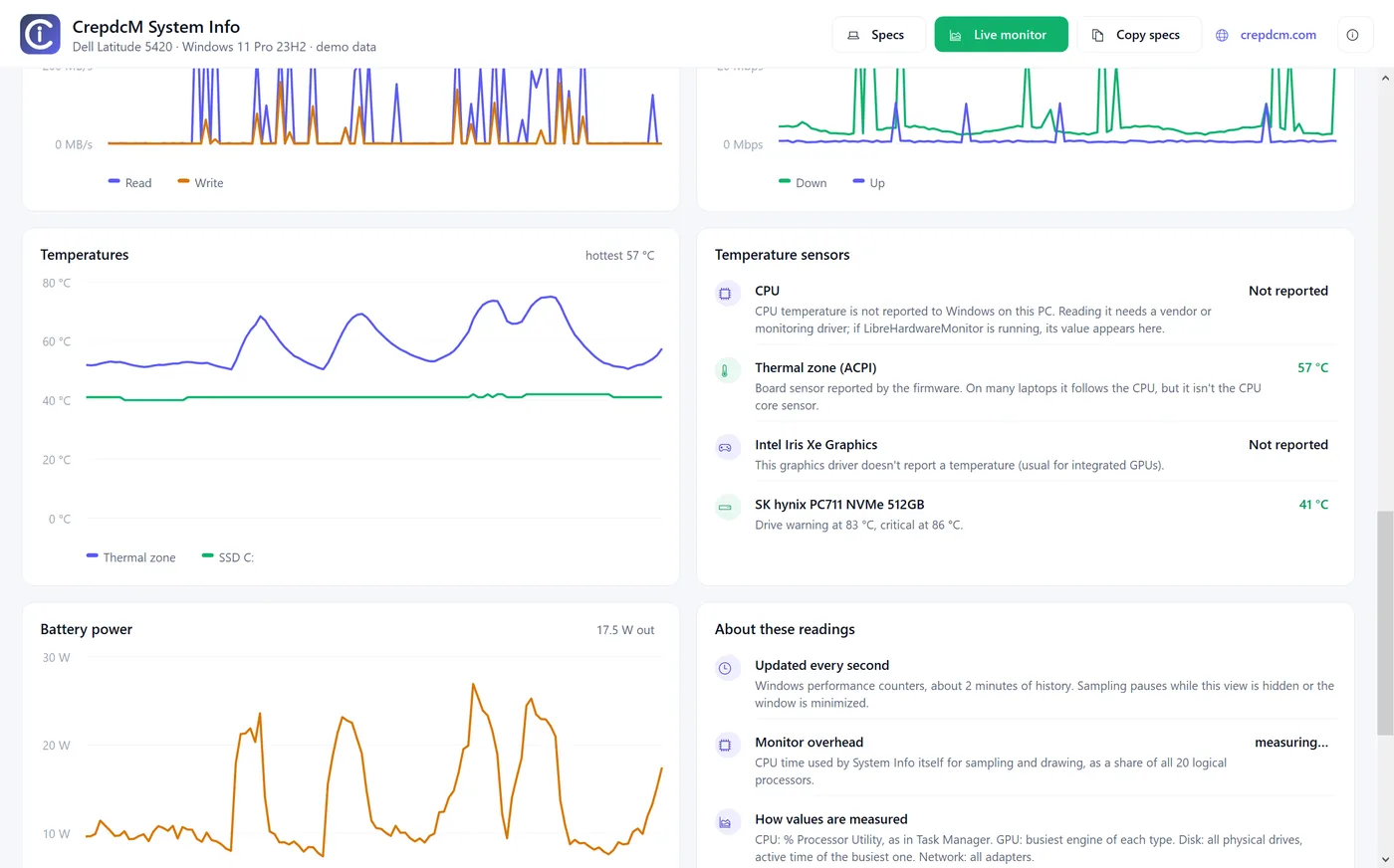
CPU per thread, clock speed, memory, GPU engines, disk, network and battery watts every second.
Honest temperatures
GPU and NVMe temperatures from their drivers; when Windows has no CPU sensor, it says so.
Smart notes
Windows support status, low RAM, hard disk as system drive, low disk space and battery wear, with the right part for your PC.
Copy or save
A clean spec list or HTML report without serial numbers, network addresses or names.
Screenshots
Open the app
It reads your PC's hardware from Windows in a few seconds, no admin rights or drivers needed.
Read the Specs page
The summary and smart notes come first, every detail is below.
Switch to Live monitor
Watch usage, clocks and temperatures; copy or save your specs when you need to share them.
Privacy
- Runs entirely on your PC; nothing is uploaded and there is no telemetry.
- Never reads serial numbers, MAC or IP addresses, product keys, user or computer names.
- The only network use is opening crepdcm.com pages in your browser when you click a link.
- Reports are saved only where you choose.
Looking after a laptop battery?
CrepdcM is a laptop battery finder: specs, compatible part numbers and the right replacement for 100,000+ laptop models.
Frequently asked questions
Is it free?
Yes. No ads in the app, no account, no trial.
Does it need administrator rights or install drivers?
No. Everything comes from standard Windows interfaces available to normal users.
Why does it say "CPU temperature is not reported to Windows on this PC"?
Many desktops and some laptops don't expose the CPU sensor to Windows without a vendor driver. Instead of showing a fake number, System Info says so. It shows GPU and NVMe drive temperatures where the drivers report them, and the CPU value from LibreHardwareMonitor if you run it.
How do I know which RAM or SSD fits my PC?
The Memory card shows the type (DDR4/DDR5), speed, module form factor and free slots; the Drives card shows NVMe or SATA. Smart notes link to compatible parts on crepdcm.com with those details filled in.
Does the live monitor slow my PC down?
It samples once a second, only while the monitor is visible, and pauses when the window is minimized. The app shows its own CPU use so you can check.
What does "Copy specs" include?
Model, processor, memory, graphics, storage, displays, Windows version, firmware, network adapters and battery — never serial numbers, MAC/IP addresses, product keys, user or computer names.
Does it work in a virtual machine?
Yes, but the hypervisor hides most hardware and all sensors. Use "Show demo" to see every feature with a sample laptop.