 Free Windows app · coming to Microsoft Store
CrepdcM USB Analyzer — see how fast every USB port really is
A free Windows app that shows every USB port and device on your PC, the speed each one is really connected at and the power it asks for. It spots the USB 3 drive stuck at USB 2 speed, explains driver problems in plain words and tells you exactly which port, cable or hub fixes it.
Free · Windows 10 (1903+) and Windows 11 · no account, no ads
What it does
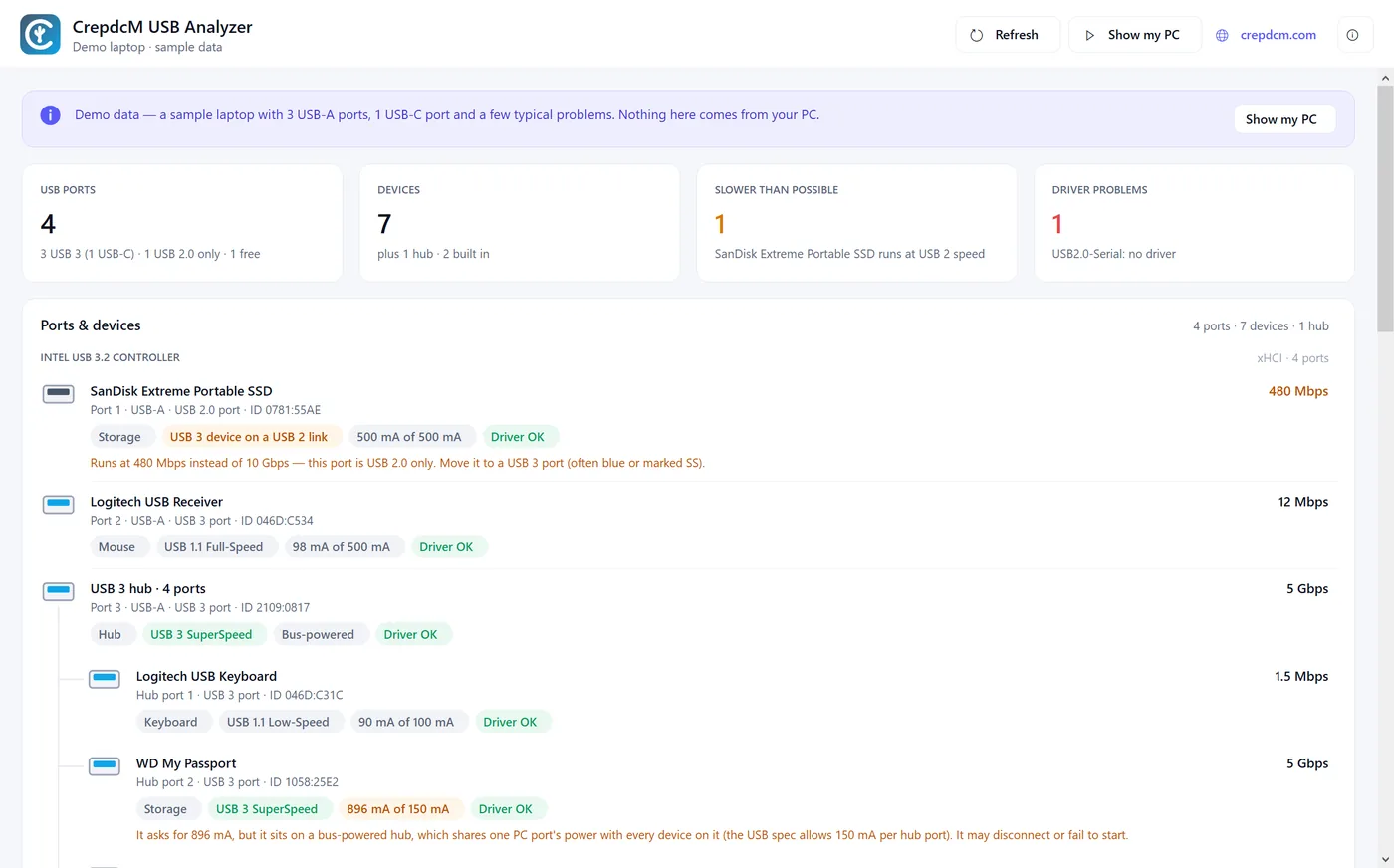
Every port and device
Controllers, ports, hubs and devices in one tree, with USB-A and USB-C ports drawn as they look (blue = USB 3).
Real connection speed
See whether each device runs at 12 Mbps, 480 Mbps, 5 Gbps or 10 Gbps — not just what it could do.
USB 3 on USB 2 detection
A clear warning when a fast drive or hub is stuck at USB 2 speed, with the likely cause: port, hub or cable.
Power check
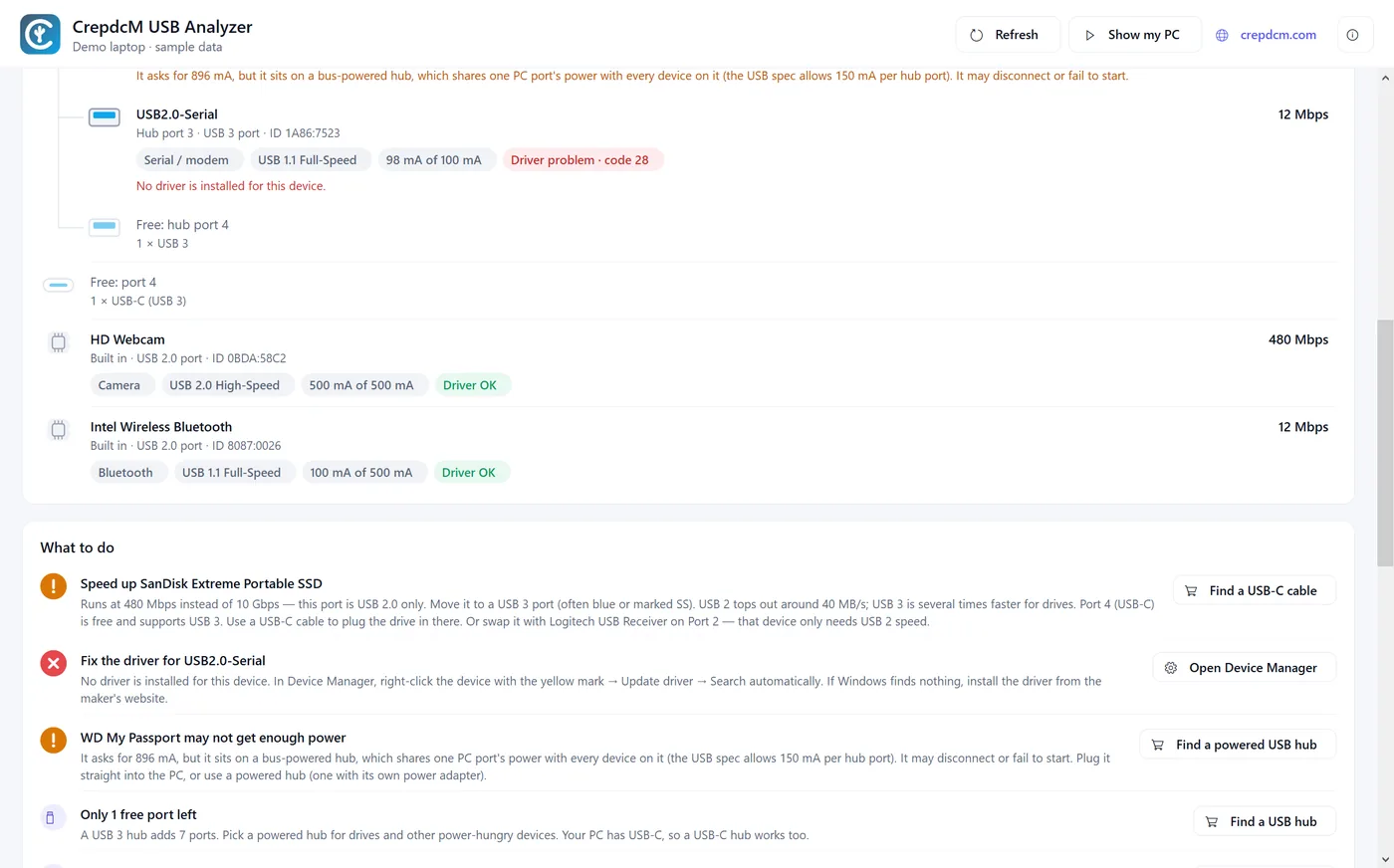
How many milliamps each device asks for versus what the port gives, and warnings for drives on bus-powered hubs.
Driver problems in plain words
"No driver is installed for this device" instead of "code 28", with step-by-step fixes.
Live events
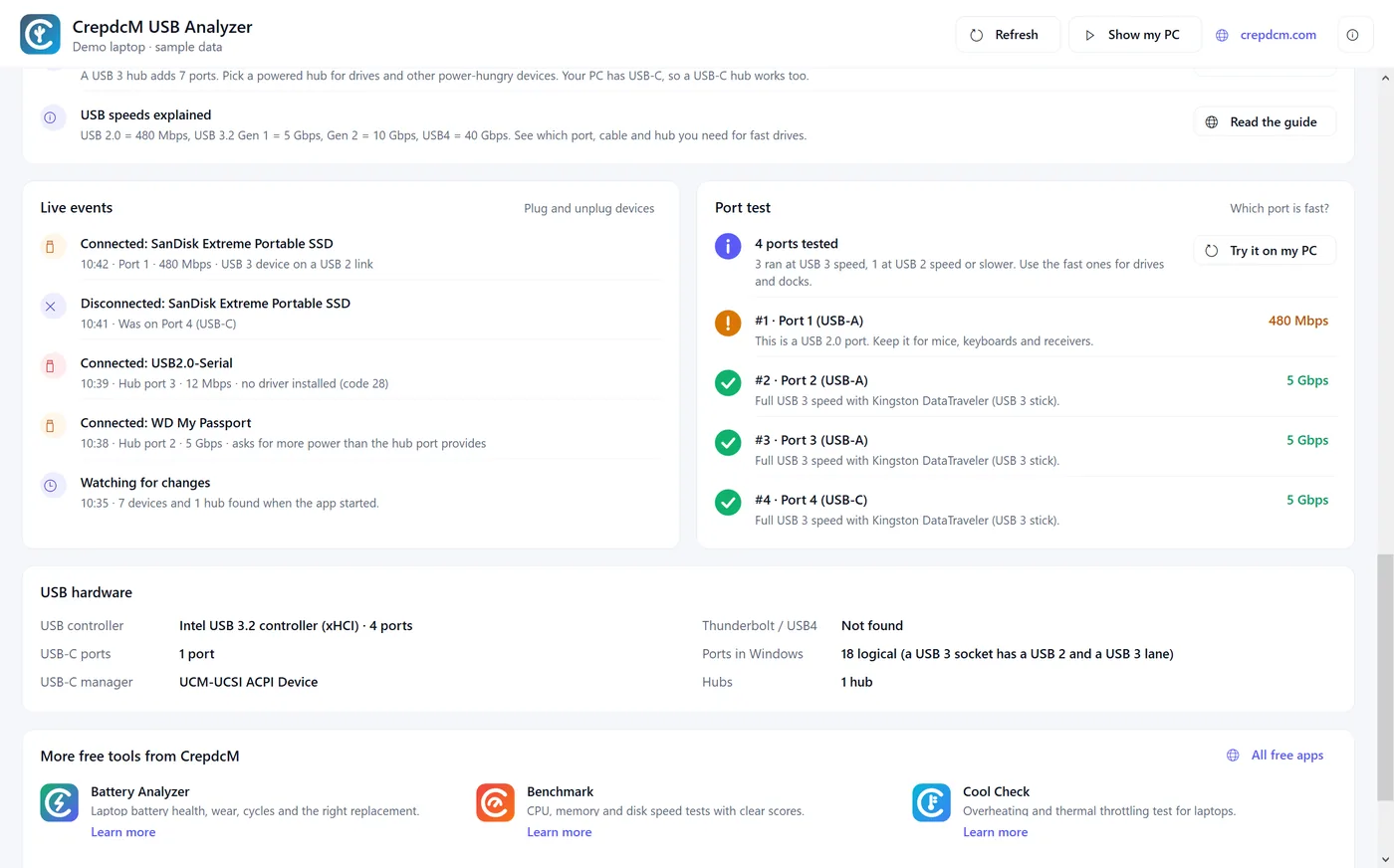
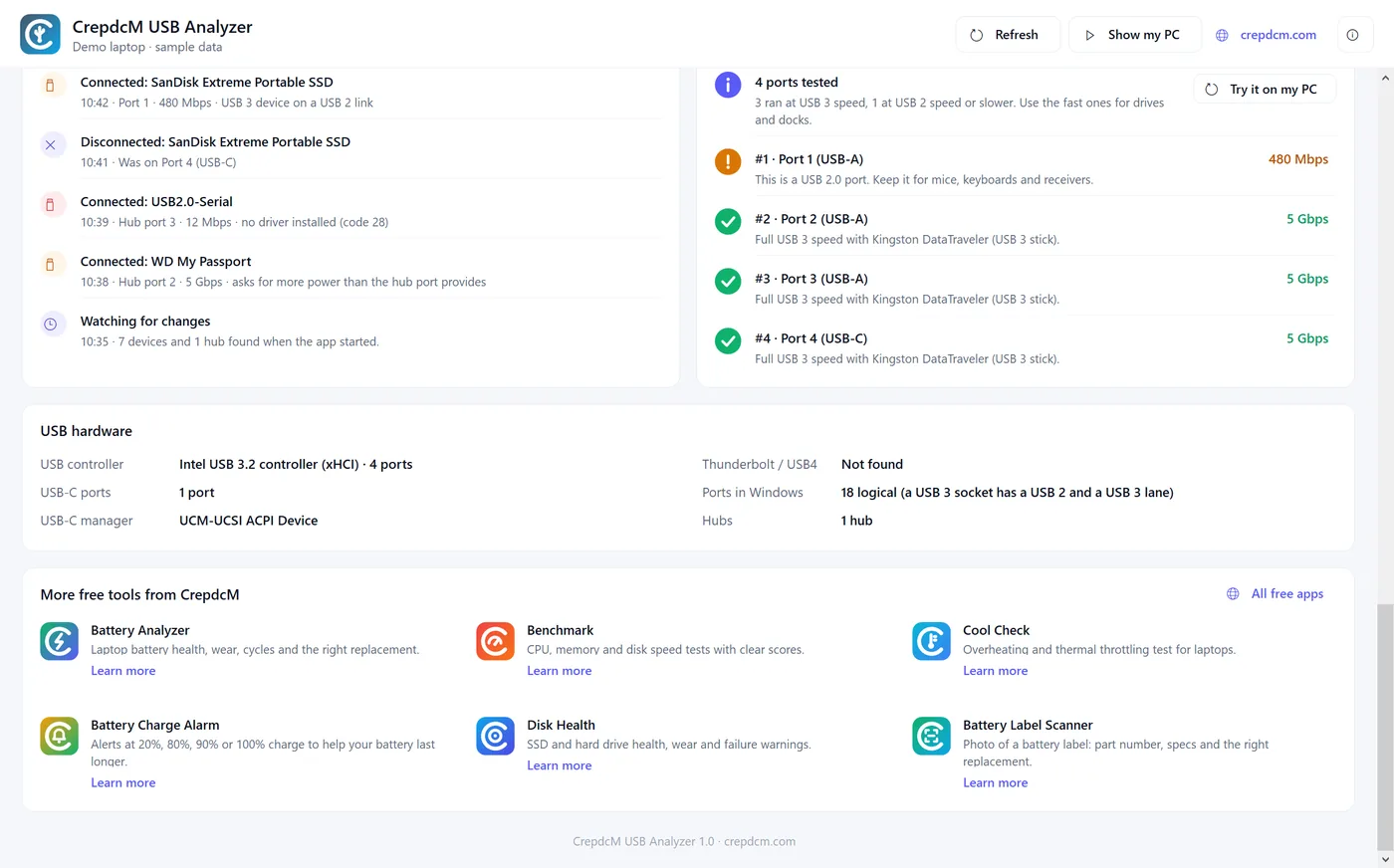
Plug or unplug anything and it shows up instantly with its speed and any problem.
Port test assistant
Plug one USB 3 stick into each port in turn and get a map of which ports are really fast.
Private
Runs locally without admin rights; device serial numbers are never read, shown or sent.
Screenshots
Install and open
Get CrepdcM USB Analyzer free from the Microsoft Store and start it; it reads your USB ports in a second.
Look at the tree
Every port shows the device on it, its real speed, its power and its driver status; problems are marked in orange or red.
Follow the advice
Move the drive to the free USB 3 port the app names, or get the right USB 3 cable or powered hub — then watch the speed change live.
Privacy
- Reads USB information locally from Windows; no administrator rights needed.
- Device serial numbers are never read, shown, saved or sent.
- No account, no ads, no analytics, no uploads.
- The only network use is opening crepdcm.com pages when you click a link.
Looking after a laptop battery?
CrepdcM is a laptop battery finder: specs, compatible part numbers and the right replacement for 100,000+ laptop models.
Frequently asked questions
Why is my USB 3 drive so slow?
Usually it is connected at USB 2 speed (480 Mbps): it's in a USB 2 port, behind a USB 2 hub or extension, or the cable only supports USB 2. The app shows the real link speed and which of these is the likely cause.
How do I tell which of my ports are USB 3?
The app lists every port with its capability, and the port test assistant checks each one with a USB 3 stick so you can see which physical ports really run at 5 Gbps or faster.
What does "USB 3 device on a USB 2 link" mean?
The device supports USB 3, but Windows connected it at USB 2 speed. Copying files can be several times slower. Move it to a USB 3 port, plug it in firmly, or use a USB 3 cable.
Why does my external hard drive disconnect from my hub?
Portable hard drives can ask for up to 900 mA. A bus-powered hub shares the power of one PC port with every device on it, so the drive may not get enough. The app flags this; a hub with its own power adapter fixes it.
Do I need administrator rights?
No. Everything the app shows is read with normal user rights, the same way Microsoft's USBView tool does it.
Does it work with USB-C and Thunderbolt?
Yes. USB-C ports reported by the PC are drawn as USB-C, and the app tells you whether a USB-C connector manager, Thunderbolt or USB4 controller is present.
Is it really free? What data does it send?
It's free, with no ads and no account. It sends nothing; device serial numbers are never read. The only network use is opening crepdcm.com when you click a link.