 Free Windows app · coming to Microsoft Store
CrepdcM WiFi Analyzer — see why your Wi-Fi is slow
A free Windows app that shows every Wi-Fi network around you, which channels are crowded and how strong your own connection really is — then tells you in plain English what would make it faster: a better channel, a better spot for the router, 5 GHz, mesh Wi-Fi or a newer router or adapter.
Free · Windows 10 (1903+) and Windows 11 · no account, no ads
What it does
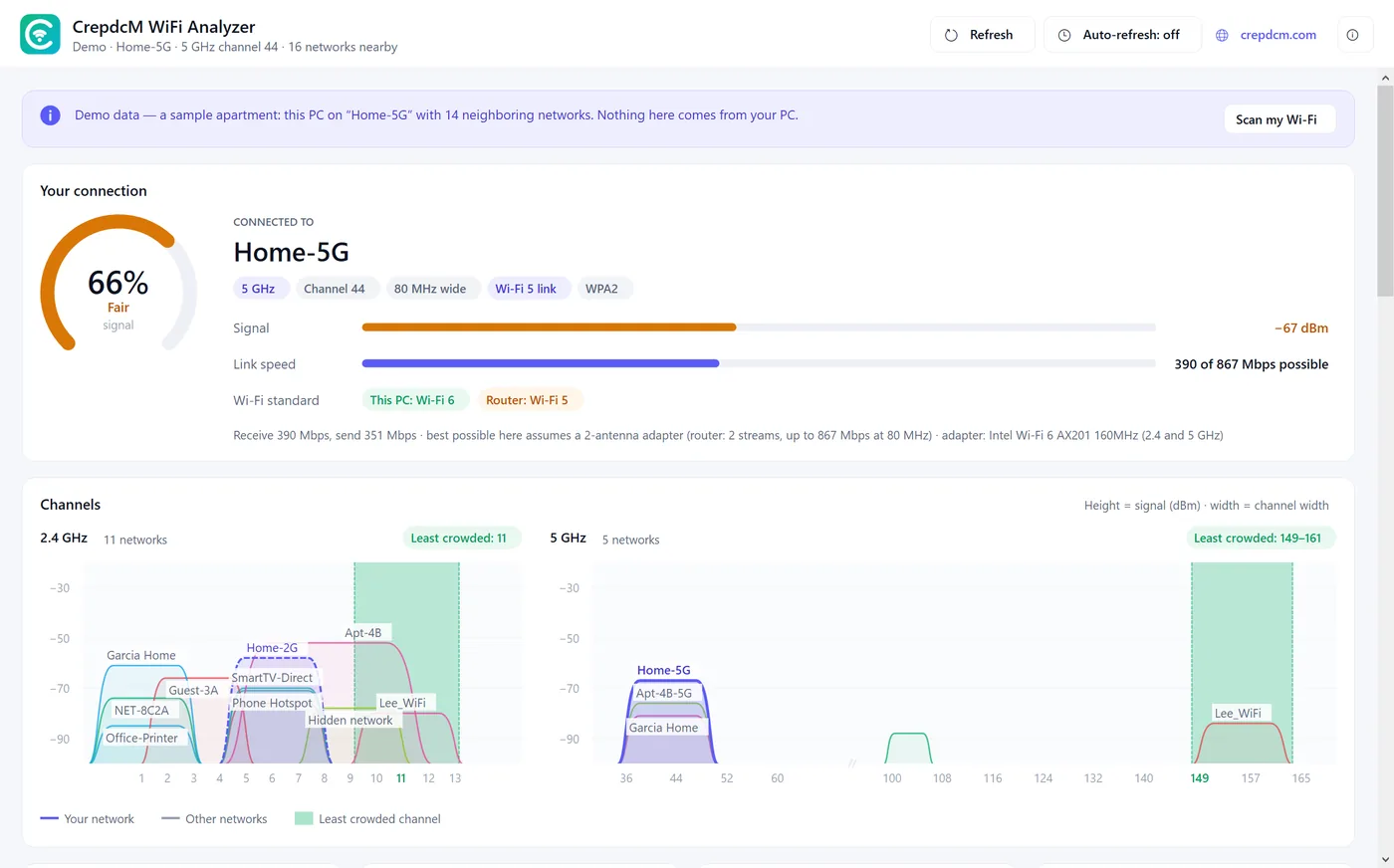
Your signal, judged
Signal in dBm and %, with an Excellent / Good / Fair / Weak verdict and the real link speed.
Channel graph
Every nearby network drawn as wide as its channel and as high as its signal, on 2.4 GHz, 5 GHz and 6 GHz.
Least crowded channel
The quietest channel for each band, and where to change it in your router.
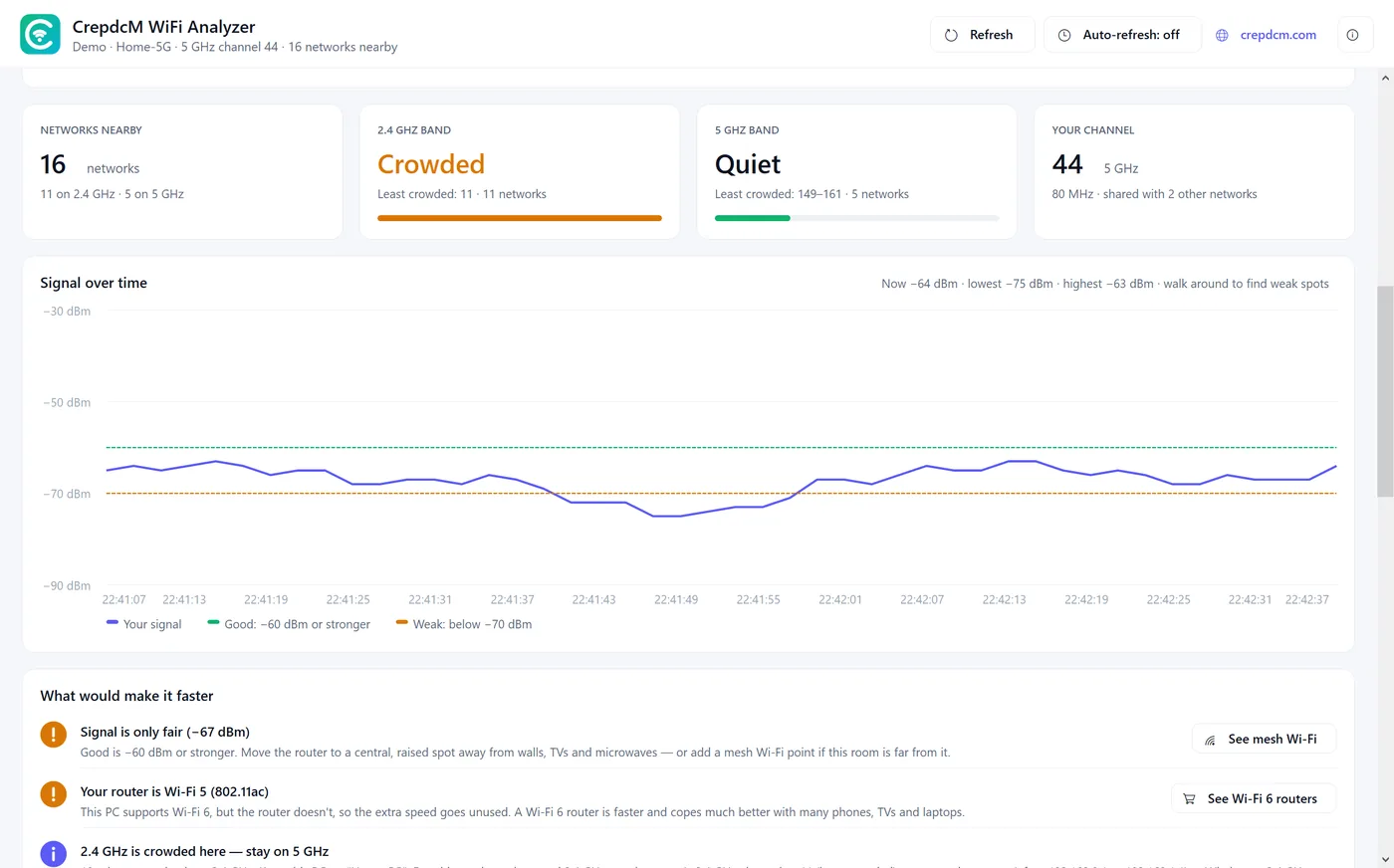
Live signal chart
Updates every 2 seconds; walk around the house to find dead spots.
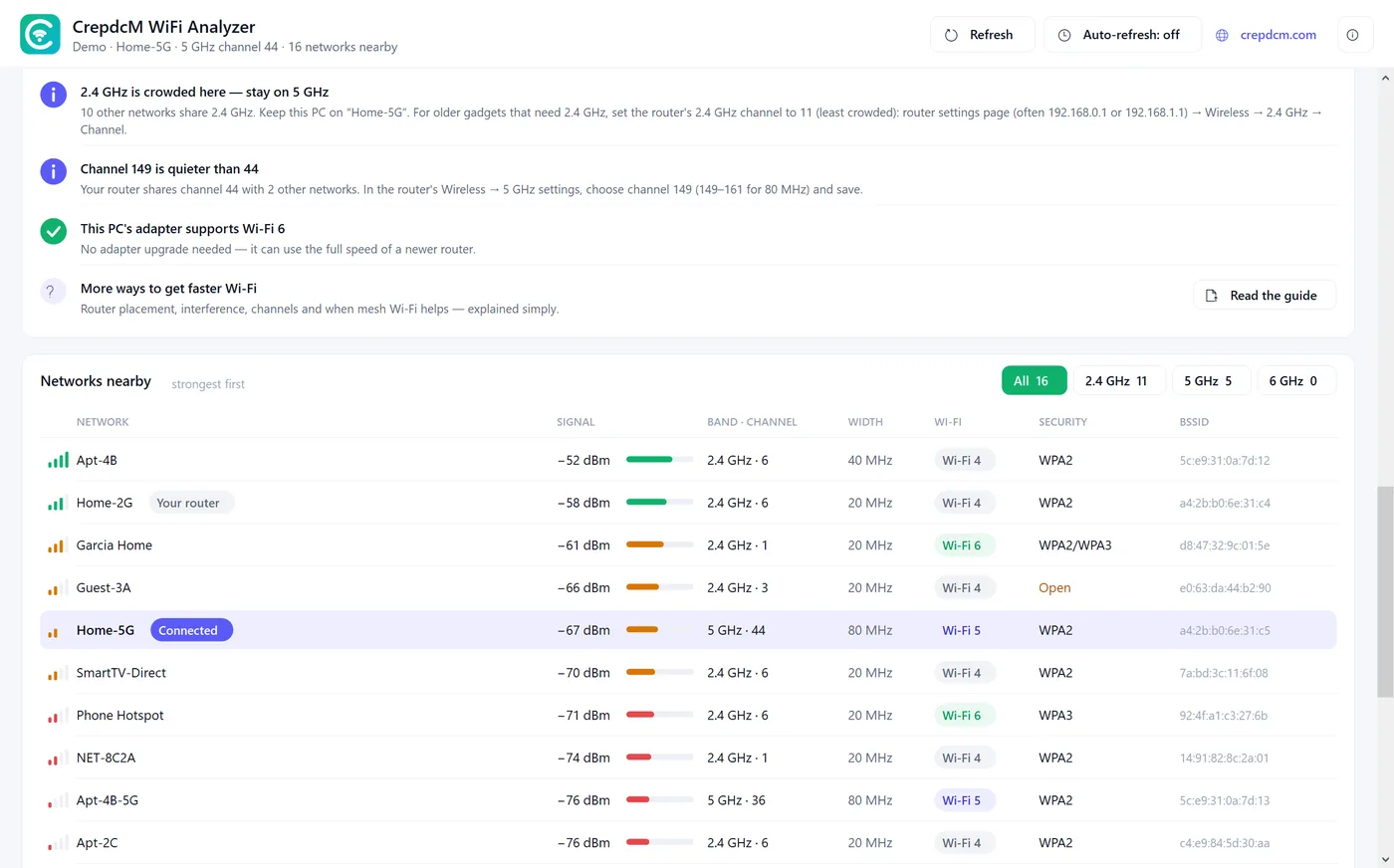
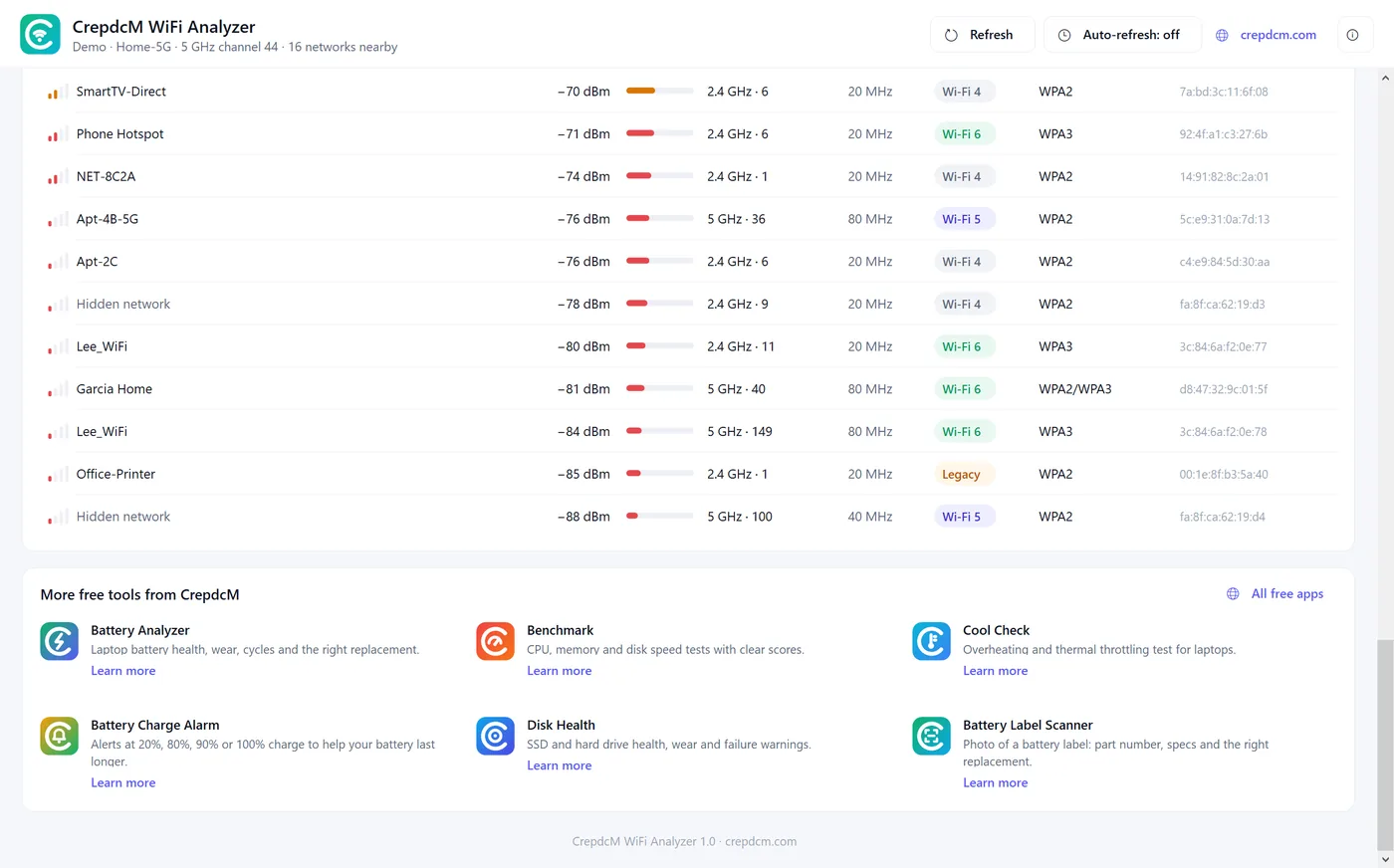
Networks list
Sorted by signal with 2.4 / 5 / 6 GHz filters, channel width, Wi-Fi 4/5/6/6E/7 and security.
PC vs router
See whether your laptop's adapter or your router is the Wi-Fi bottleneck.
Security check
Warns about open, WEP and WPA/TKIP networks that are unsafe and capped at 54 Mbps.
Private
Nothing is stored or sent; no account, no admin rights.
Screenshots
Install and open
The app scans the Wi-Fi around you (a few seconds) using Windows' own Wi-Fi functions.
Read the verdict
Check your signal, your channel and how crowded each band is.
Fix the cause
Follow the tips: move the router, change the channel, switch to 5 GHz, or see mesh systems,
Privacy
- Reads Wi-Fi information from Windows on your PC; shows it on screen only.
- Never stores or sends network names, BSSIDs or any personal data; never reads your PC's MAC or IP address.
- Never determines or uses your location (Windows' location prompt is only required for Wi-Fi scanning).
- No account, no admin rights, no tracking inside the app.
Looking after a laptop battery?
CrepdcM is a laptop battery finder: specs, compatible part numbers and the right replacement for 100,000+ laptop models.
Frequently asked questions
What is a good Wi-Fi signal in dBm?
−50 dBm or stronger is excellent, −50 to −60 is good, −60 to −70 is fair (fine for browsing, may slow video calls) and below −70 dBm is weak. The app shows this verdict for your connection.
Which Wi-Fi channel should I use?
On 2.4 GHz only channels 1, 6 and 11 don't overlap; the app picks the one with the least traffic around you. On 5 GHz it compares 80 MHz blocks and prefers non-DFS channels. You change it in your router's wireless settings.
Why does Windows ask for location access?
Since Windows 11 24H2, Windows treats nearby Wi-Fi networks as location data, so any Wi-Fi scanner needs location permission. The app only lists networks on screen — it never works out, stores or sends your location.
Do I need a new router or a new adapter?
The app compares both: if your PC supports Wi-Fi 6 but the router is Wi-Fi 5, the router is the bottleneck; if the router is newer than your PC's adapter, a USB Wi-Fi 6 adapter is the cheaper fix. Weak signal in far rooms is usually best solved with mesh Wi-Fi.
My desktop PC has no Wi-Fi — can I still use it?
The app tells you there's no Wi-Fi adapter and lets you explore a demo. A USB Wi-Fi 6 adapter adds Wi-Fi in a minute.
Does it work on Windows 10?
Yes — Windows 10 (version 1903 or later) and Windows 11, with any Wi-Fi adapter.
Does the app send my network names anywhere?
No. Everything stays on your PC and on screen. The only internet use is opening crepdcm.com pages when you click a link.